253
8
Connecting to a Computer
1
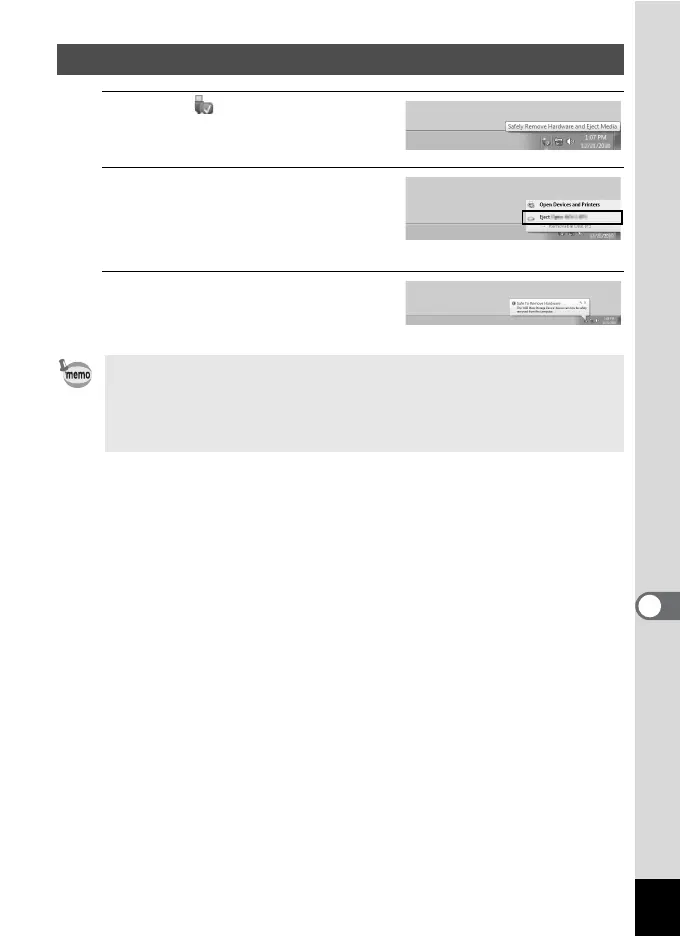
Click the [Safely Remove
Hardware] icon in the task bar.
2
Click [Eject xxx (name of the
camera)].
A message appears indicating that the
hardware can be safely removed.
3
Disconnect the USB cable
from your Windows PC and
the camera.
Disconnecting the Camera from Your Windows PC
• If the camera (removable disk) is being used by an application such as
“MediaImpression 3.6.1 LE”, the camera cannot be disconnected until
the application is closed.
• The camera will automatically switch to the playback mode when the
USB cable is disconnected from your Windows PC or the camera.



 To Next Page
 Loading...







