HART Multiplexer System KFD*-HM*-16
Configuration
2018-04
39
6.5 Inserting the Communication DTM
In a PACTware project, the multiplexer master can only be addressed via the
communication DTM HART communication. Information detailing how to create and edit a
project can be found in the "Installation and Configuration Device Type Manager (DTM)"
manual.
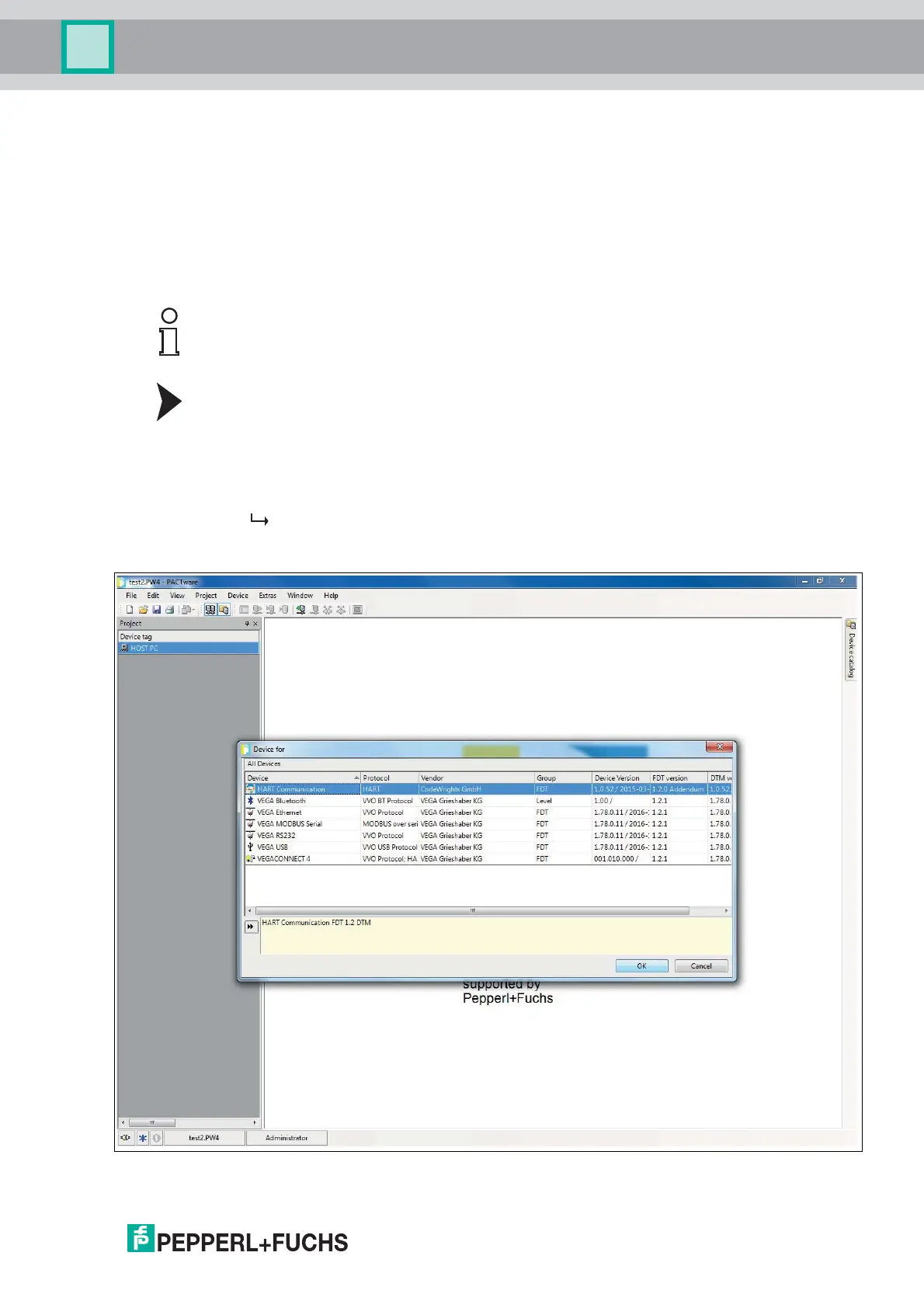
If there is no communication DTM in your project, add a communication DTM from
thedevicecatalog.
Adding Communication DTMs
1. In the project window, select HOST PC using the right mouse button.
2. In the context menu, select Add device.
3. Select the DTM HART communication from the list.
4. Confirm your selection with OK.
The communication DTM is included in the project. In the project tree, the
communication DTM bears the name of the COM port on which the device is
physically connected with the computer (e. g. COM8).
Figure 6.3 Device catalog
Note!
Do not use the communication DTM HART Driver FDT. This communication DTM is
an obsolete IDL-DTM.



 To Next Page