2018-04
52
HART Multiplexer System KFD*-HM*-16
Configuration
6.8 HART Scan
6.8.1 Starting the HART Scan Function
The HART scan function can read in the entire project structure connected to
the serial interface: multiplexer master, multiplexer slaves, field devices.
Starting the HART Scan Function via Menu
1. Use the mouse to double-click the multiplexer master KFD2-HMM-16 in
the project window.
2. In the editing window, open the Related tasks > HART Scan menu.
The HART Scan window is displayed.
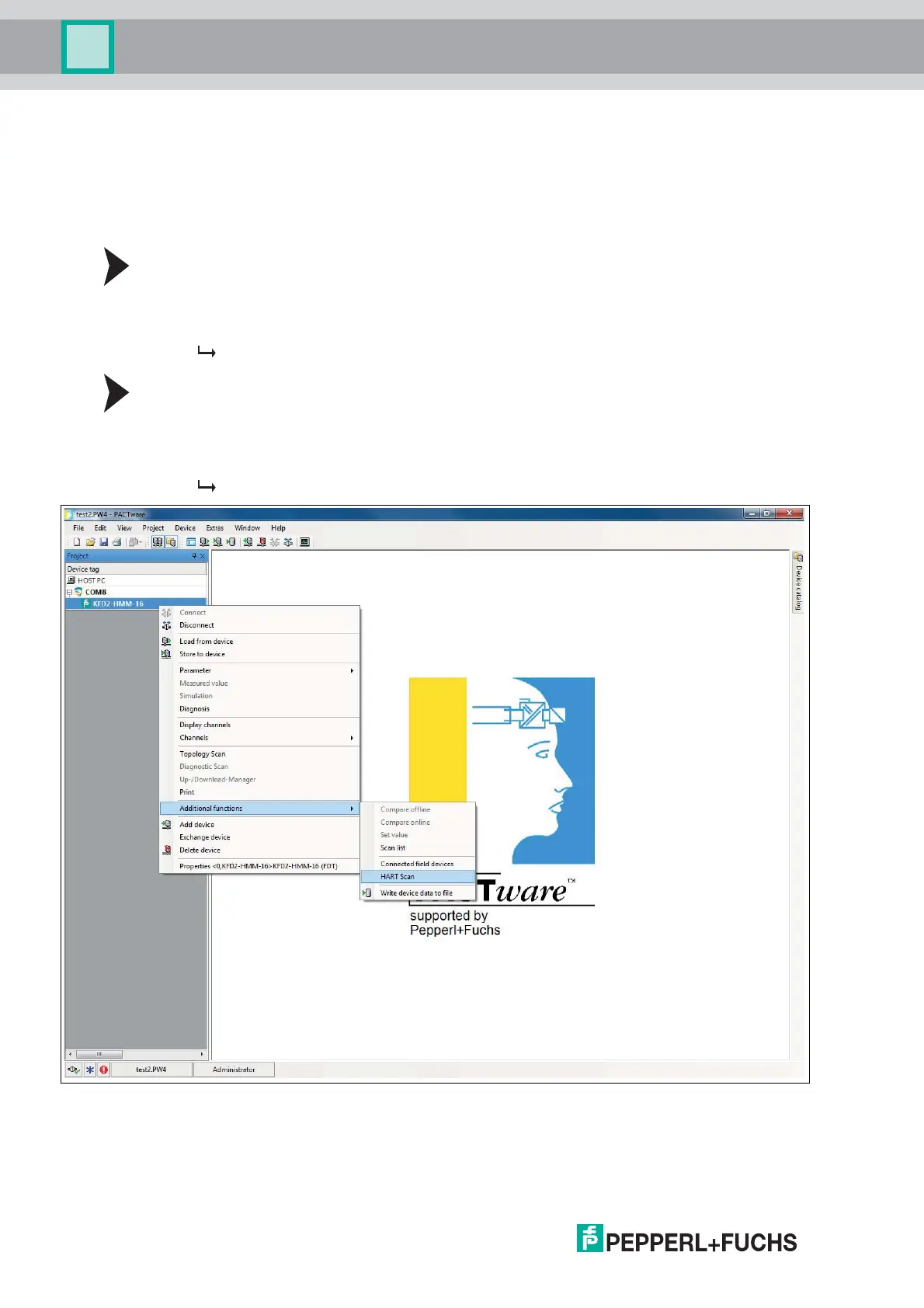
Starting the HART Scan Function via Context Menu
1. In the project window, right-click to select multiplexer master KFD2-HMM-16.
2. In the context menu, select Additional functions.
3. In the dropdown list, select HART Scan.
The HART Scan window is displayed.
Figure 6.12 HART Scan function



 To Next Page