HART Multiplexer System KFD*-HM*-16
Dismounting, Maintenance, and Repair
2018-04
79
Removing the Device
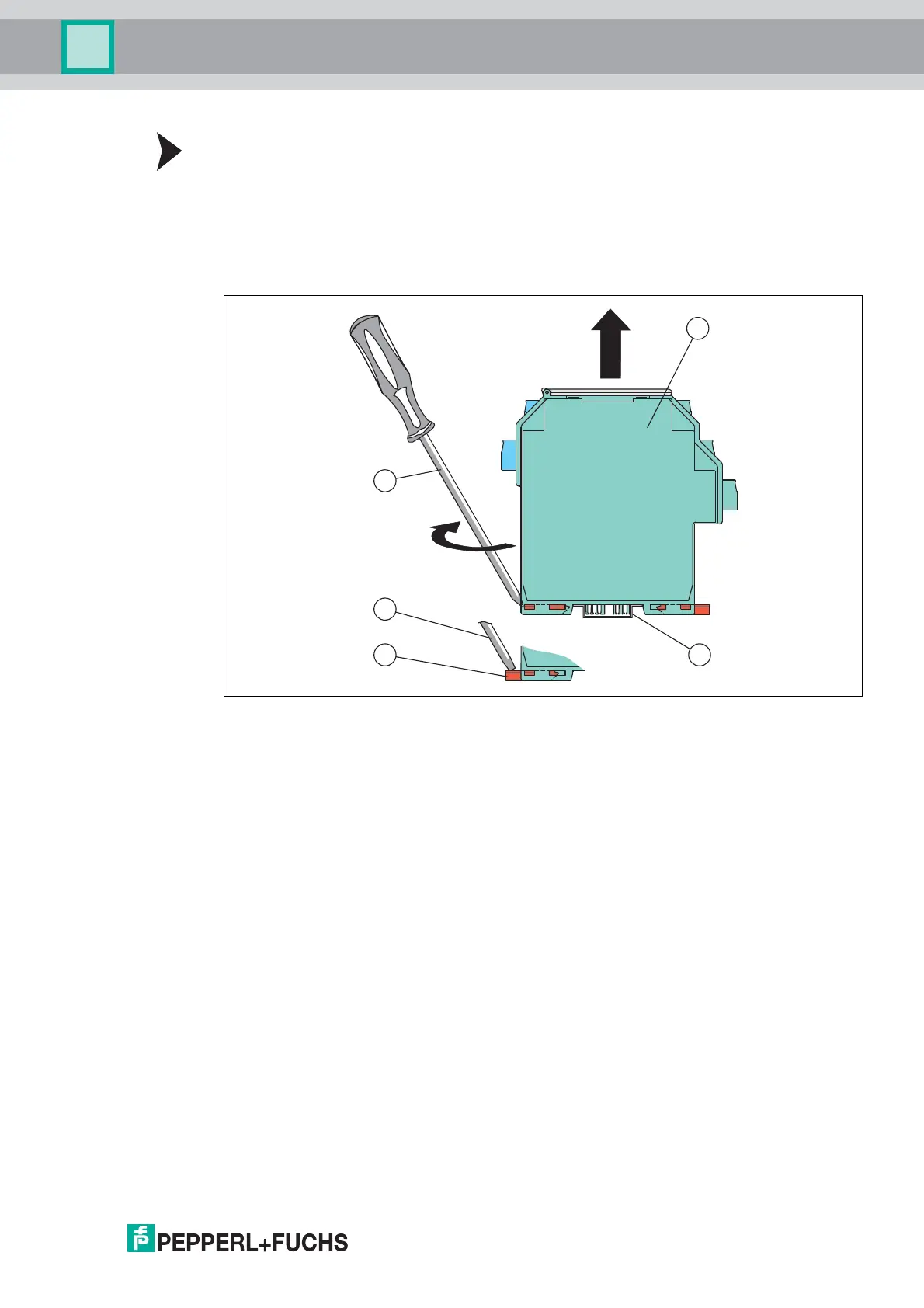
Use a suitable slot-head screwdriver for dismounting the device.
1. Insert the screwdriver (4) into the groove of the red mounting bracket (3).
2. Turn the screwdriver (4) in the groove until the red mounting bracket (3) springs back.
3. Repeat these steps on the other side of the device.
4. Remove the device (2) from the DIN mounting rail (1).
Figure 8.1 Dismounting the device from the DIN mounting rail
1 35 mm DIN mounting rail
2 Device
3 Mounting bracket
4 Slot-head screwdriver



 To Next Page