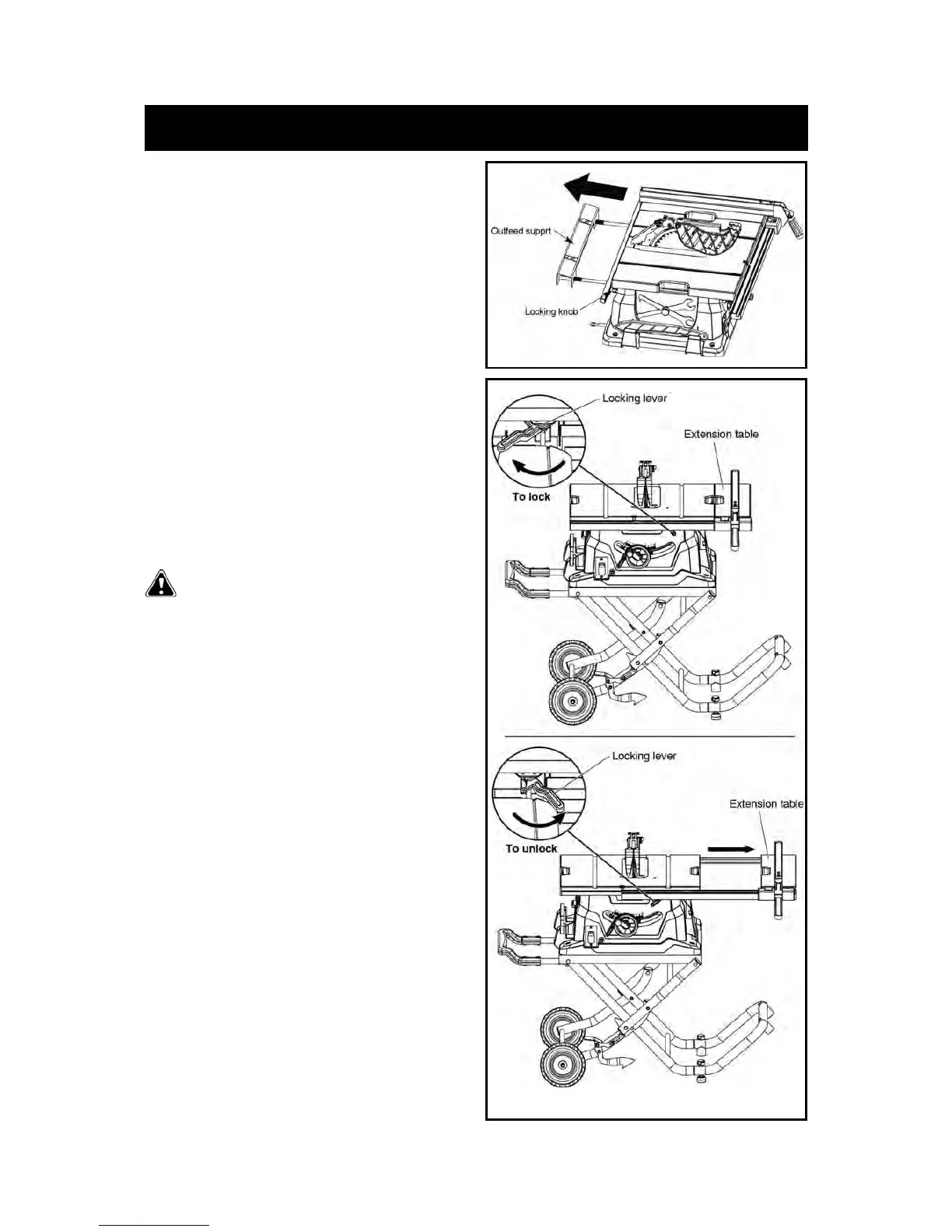
USING THE OUTFEED SUPPORT
Refer to Figure 41.
• The outfeed support slides to give the operator additional
support for cutting long workpieces.
• With the table saw in the off position, stand behind the saw.
• Loosen two locking knobs and grasp the outfeed support with
both hands and pull it until it is fully extended.
• Tighten two locking knobs.
USING THE SLIDING EXTENSION TABLE
Refer to Figure 42.
Increase the length of the saw table by using the extension
table.
• Set the rip fence to 14” (355.6 mm) on the right rail.
• Push the extension-table locking lever to right to unlock the
lever.
• Slide the extension table to the desired width.
NOTE: Use the scale on the left rail when a specific width
is desired.
• Once the extension table is set to the desired width, relock the
lever by pulling the lever to left.



 To Next Page