F5 Corpus
Repairs - Chassis
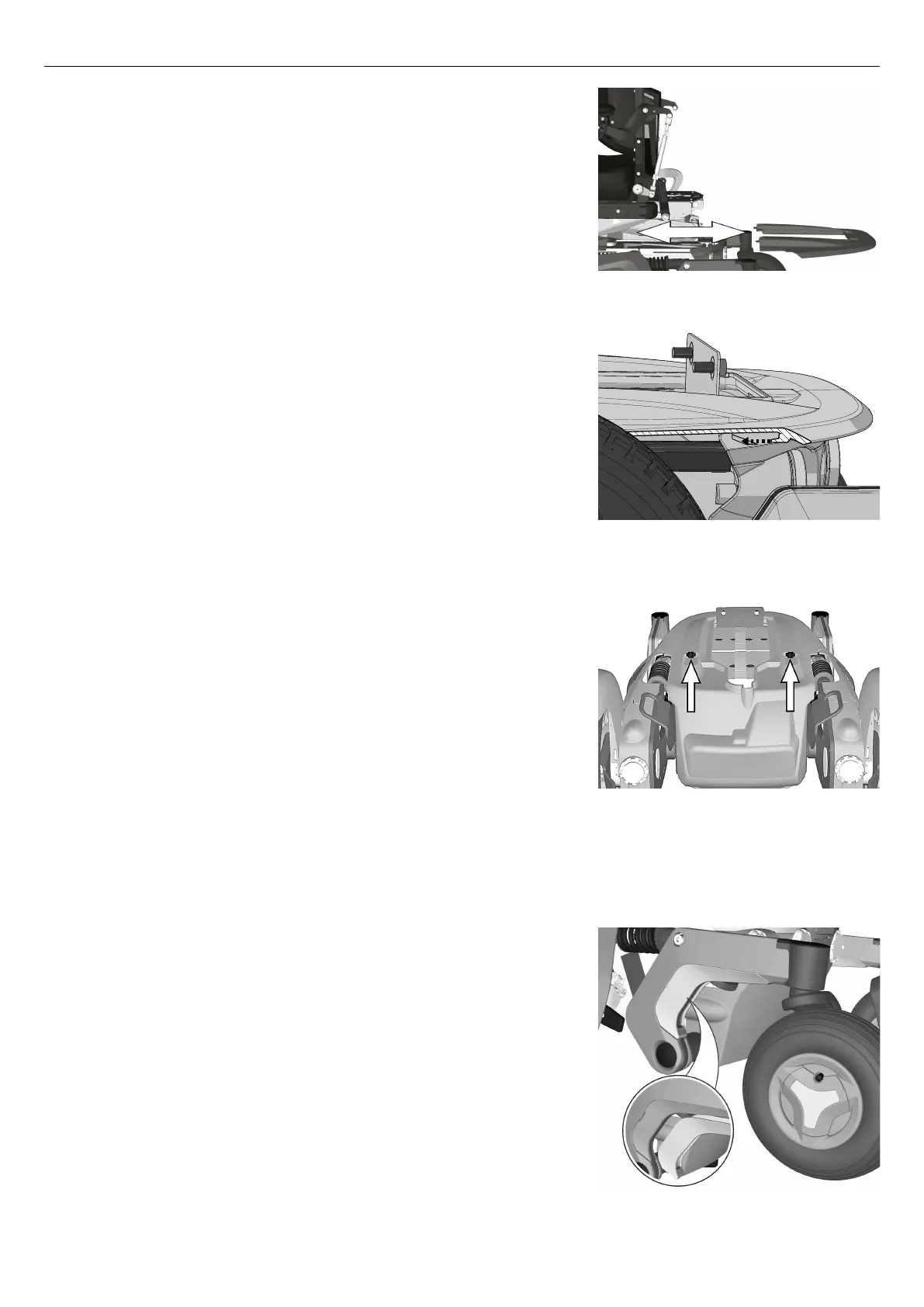
Figure 191. Top cover.
Figure 192. Make sure that the top cover hooks on to
the rear cover.
6. Slide the top chassis cover on to the chassis and at the same time
press the rear edge of it downwards to make sure it hooks on to the
rear chassis cover.
Figure 193. The chassis covers are fitted with two
knobs.
7. Mount the two knobs holding the chassis covers without tightening
them.
8. Press the top chassis cover and the front chassis cover against each
other until any space between them is eliminated, then tighten the
two knobs.
4.2.1.3 Link arm covers
Removing link arm accent color cover
Figure 194. Link arm accent color cover.
There is an accent color cover fitted on each link arm. This cover can
be removed with the link arm still assembled on the wheelchair.
1. Switch off the main power switch on the control panel.
2. Remove the accent color cover by carefully bending it loose from
underneath of the link arm by using a screwdriver.
71




 To Next Page