F5 Corpus
Repairs - Chassis
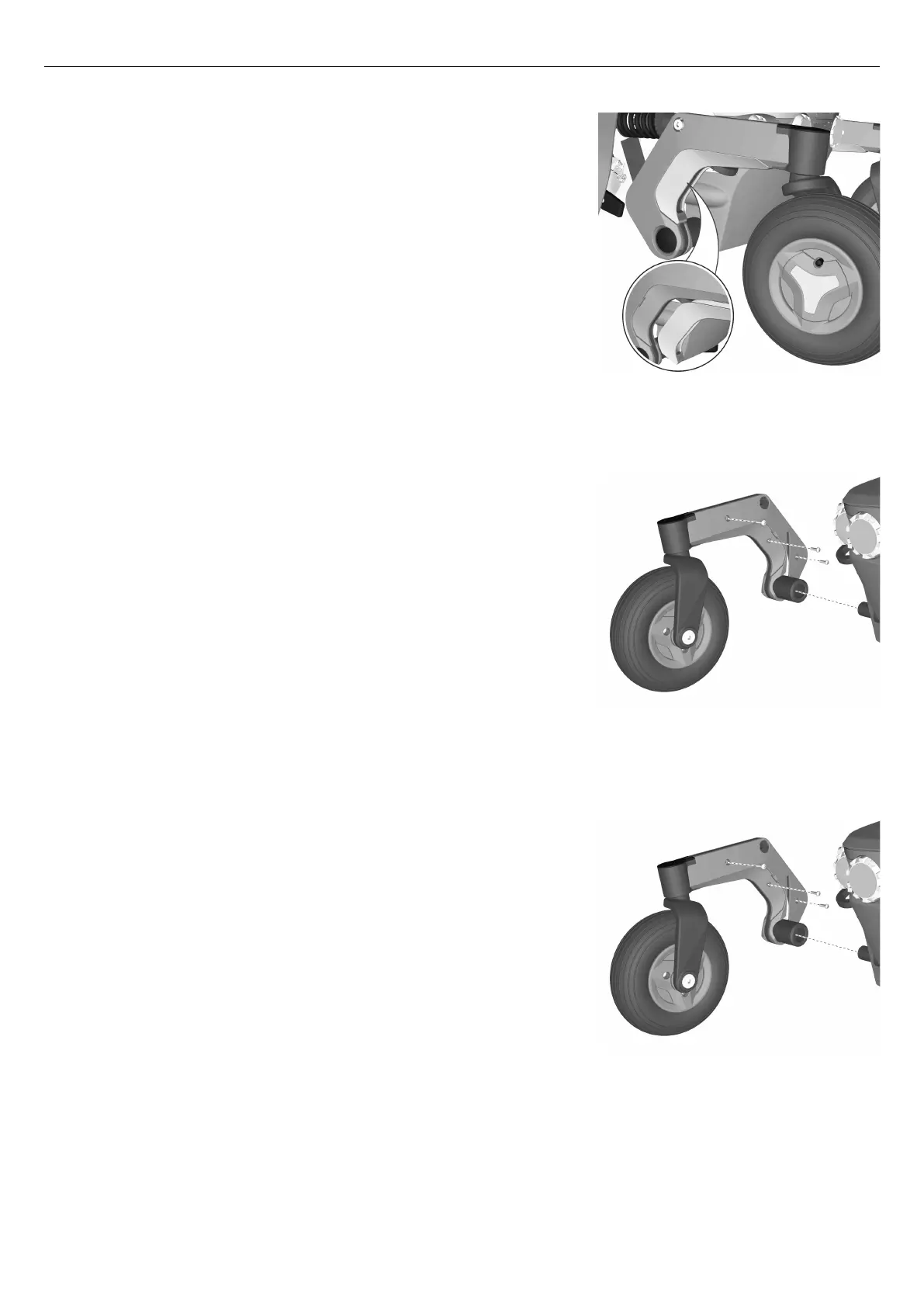
Mounting link arm accent color cover
Figure 195. Link arm accent color cover.
There is an accent color cover fitted on each link arm. This cover can
be removed with the link arm still assembled on the wheelchair.
1. Switch off the main power switch on the control panel.
2. Fit the link arm accent color cover by carefully pushing it in to
position until you hear a “click”.
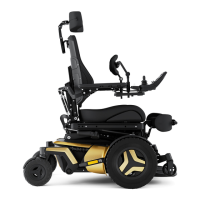
Removing link arm covers
Figure 196. The link arm covers are mounted with three
screws.
Both sides of the link arms have covers fitted. The covers are fitted with
three screws. To remove these covers, the link arm has to be removed.
1. Switch off the main power switch on the control panel.
2. Remove the accent color cover. See fig.
Removing link arm accent color cover
, Page 71.
3. Remove the link arm. See 4.2.13
Link arms
, Page 149.
4. Remove the three screws holding the link arm covers.
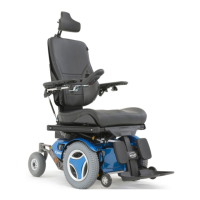
Mounting link arm covers
Figure 197. The link arm covers are mounted with three
screws.
Assemble in the reverse order.
1. Fit the link arm covers using the three screws.
2. Fit the link arm. See 4.2.13
Link arms
, Page 149.
3. Fit the link arm accent color cover. See
Mounting link arm accent color cover
, Page 72.
72








 To Next Page