F5 Corpus
Repairs - Chassis
4.2.1.4 Removing the drive package covers including the
front fender
Removing front fender
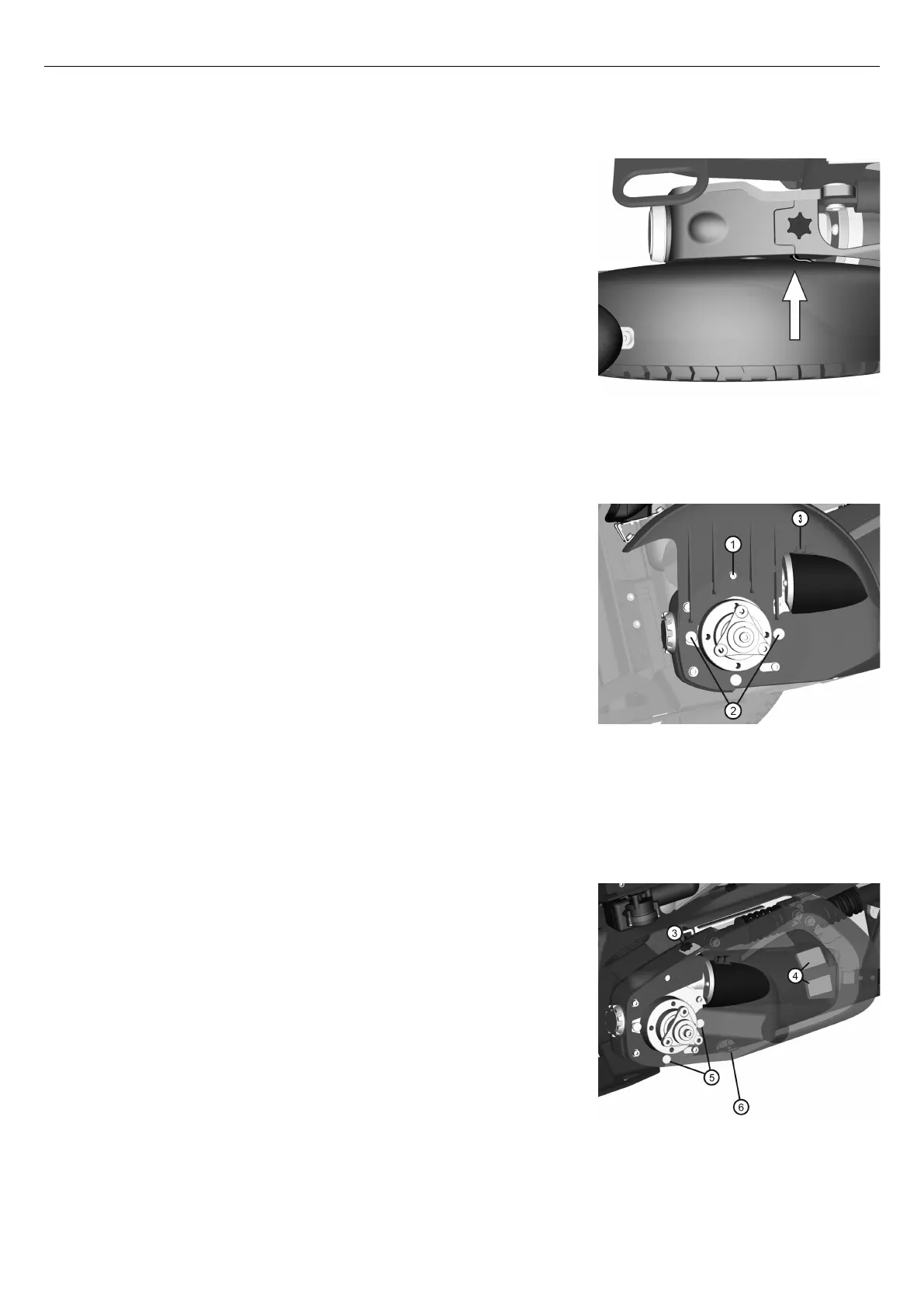
Figure 198. On wheelchairs with lights, pull the cable
out of the slot to reveal the cable connector. Divide the
connector to unplug the front lights.
1. On wheelchairs with lights, pull the cable out of the slot to reveal
the cable connector. Divide the connector to unplug the front
lights.
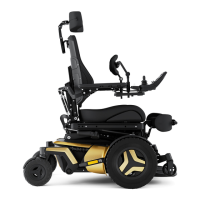
Figure 199. The front fender is fitted with one screw (1)
and two fixing points (2) at the bottom. The wheelchair
is shown without the drive wheel to get a better view of
the front fender, the drive wheel does NOT need to be
removed for this operation.
2. Rotate the drive wheel in question to get access to the screw (1)
holding the front fender.
3. Remove the screw and washer. Carefully pull the front fender
straight up.
Removing drive motor cover
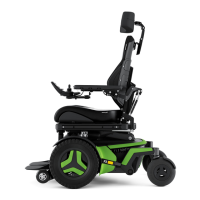
Figure 200. The drive motor cover is assembled with a
knob (3) on the top and a dual lock (4) on the side and
a fixing point (5) at the bottom.
The drive motor cover is assembled with a knob (3) on the top and
hook and loop fasteners (4) on the side and a fixing point (5) at the
bottom. The front fender needs to be removed before removing the
drive motor cover. See
Removing front fender
, Page 73.
1. Remove the knob (3).
2. Pull the upper rear edge of the drive motor cover straight out to
release the hook and loop fastener (4). Bend a bit at the lower edge
to release the cover from the fixing point (6) and then pull it straight
backwards to release it from the fixing points (5).
73




 To Next Page