ON-LINE RACK PH 9360 - PH 9301 .
Rack Installation
● Please follow below steps to mount UPS into 19” rack or rack enclosure.
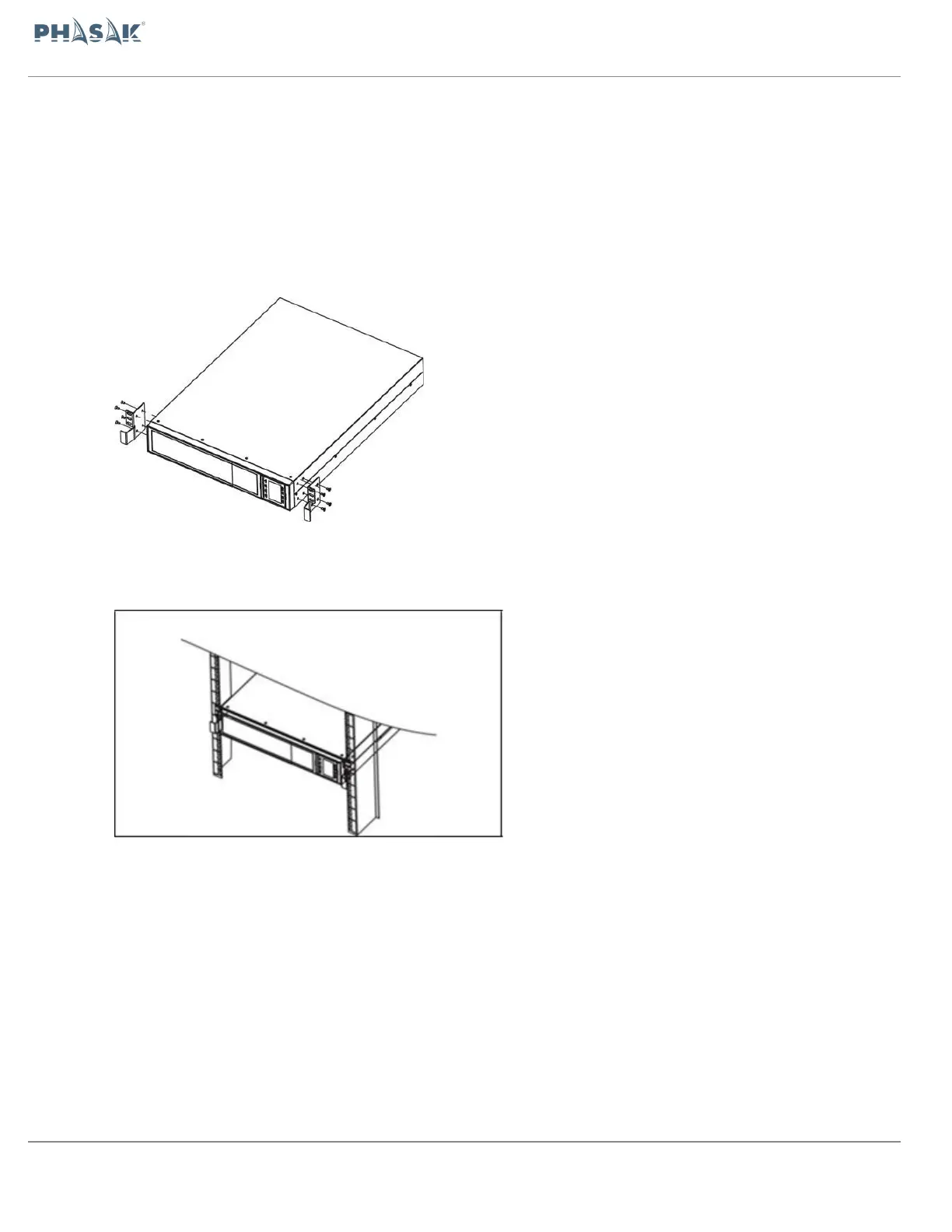
Step 1: Attach mounting ears to the side mounting holes of UPS using the screws
provided and the ears should face forward. Please refer to chart 1.
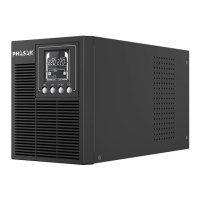
Step 2: Lift the UPS module and slide it into rack enclosure. Attach the UPS module to
the rack with screws, nuts and washers (user-provided) through its mounting ears and
into the rack rails. Please refer to chart 2.
75 / 100


 To Next Page