4. System Installation and Disassembly
Page 31 of
4.4.3.2 Systems with the iXM-RS 150F Achromatic Camera
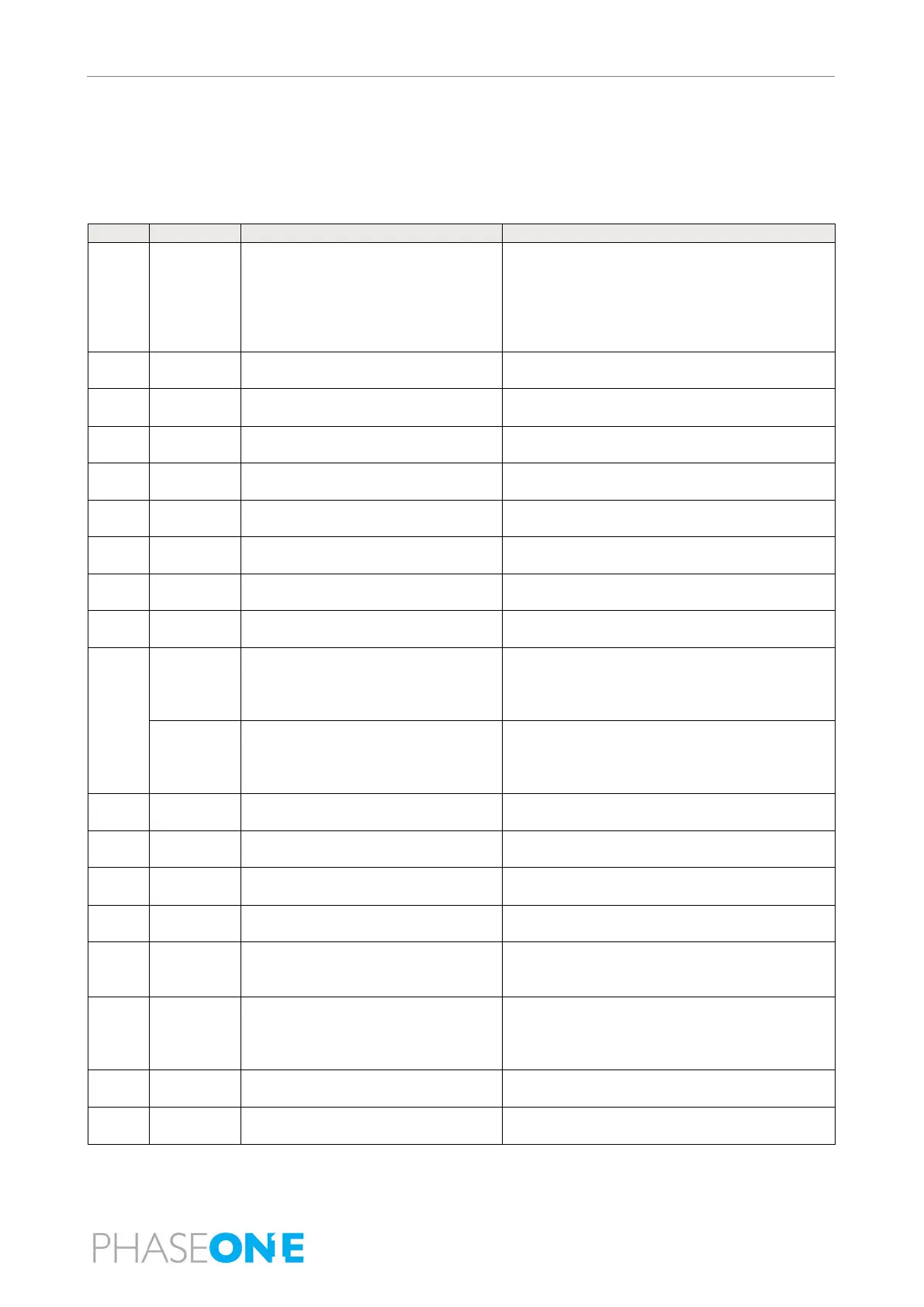
Table 6 lists the order and how to connect the components in a PAS 280 with an iXM-RS 150F achromatic
camera.
Table 6. PAS 280 System with iXM-RS 150F Achromatic Camera - Connection Details
Aircraft Power Source (add suitable
connector - see 4.4.2 - Connecting the
System to the Aircraft Power Source for
pinout)
Stabilizer, POWER SOCKET
iX Controller, 28 VDC
Power cable, iX Controller/POS AV
iX Controller, left power port
POS AV PCS, PWR
Controller/Cameras
iX Controller, right power ports
iXM-RS 280 (right camera)
Controller/Cameras
iX Controller, right power ports
iXM-RS 280 (left camera)
Controller/Cameras
iX Controller, right power ports
iXM-RS 150F achromatic camera
iXM-RS 280 (right camera)
iXM-RS 280 (left camera)
iXM-RS 150F achromatic camera
POS AV PCS
(for DSM
400
Com Cable, iX Controller/POS
AV/DSM 400
POS AV PCS, IO2
Stabilizer, INTERFACE
(for GSM
4000
stabilizer)
Com cable POS AV to GSM 4000
stabilizer
GSM 4000 Stabilizer, INTERFACE
iX Controller, IO
iXM-RS 280 (right camera)
iXM-RS 150F achromatic camera
iXM-RS 280 (right camera)
iXM-RS 280 (left camera)
iXM-RS 150F achromatic camera
iXM-RS 280 (left camera)
Power, Video DP, USB harness
Operator monitor (power, video, USB ports)
iX Controller Power (left ports); video (HDMI);
USB (USB ports)
Power, Video HDMI, USB harness
Pilot monitor (power, video - includes USB
signal)
iX Controller Power (left ports); video (DP);
Keyboard Dongle (supplied with
Keyboard)
Antenna cable (supplied with
antenna)
Aircraft Antenna Connector
POS AV PCS, A1



 To Next Page