- 36 -
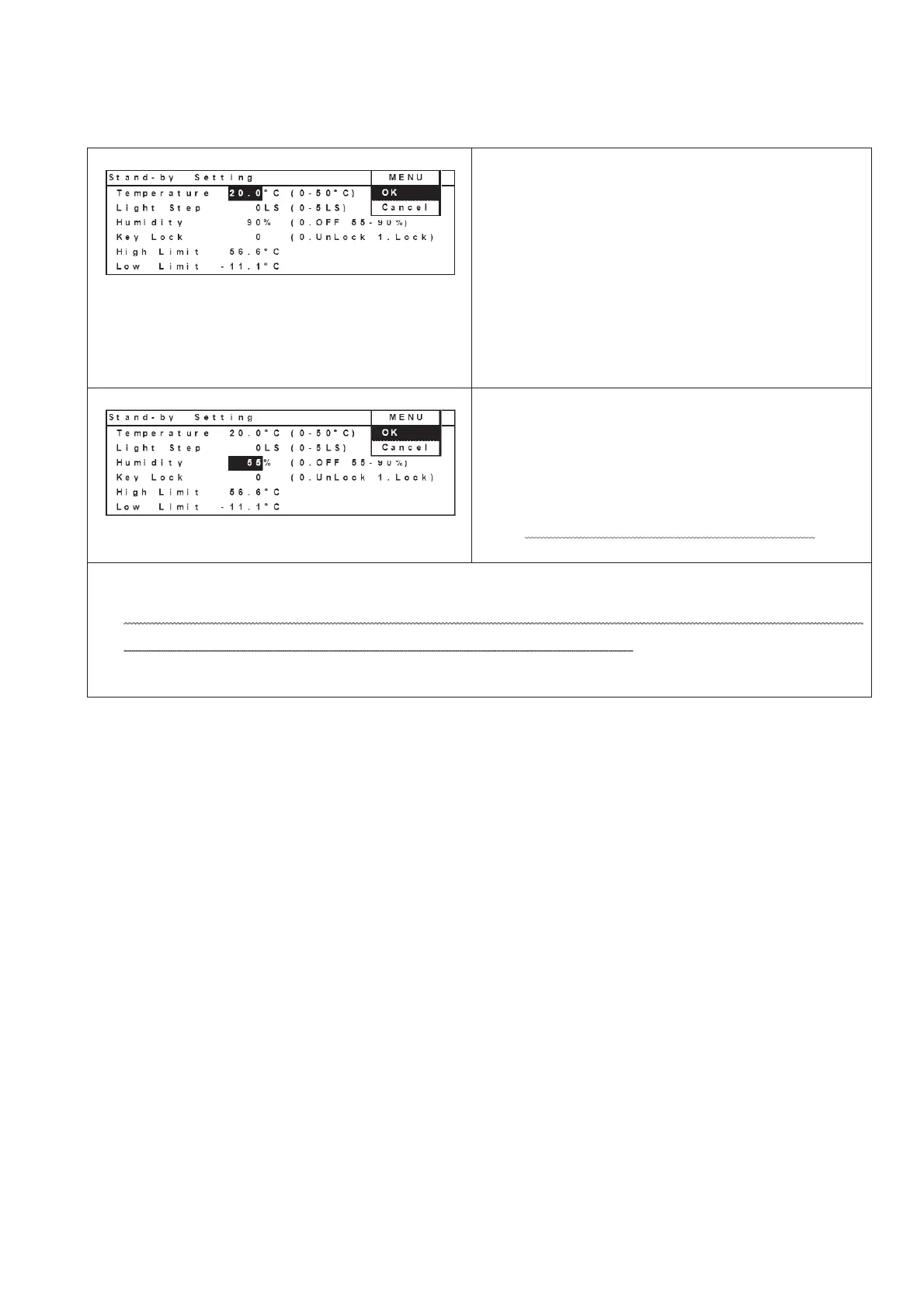
21. In Stand-by Setting screen, move curser to a
column besides “Temperature” column.
Change the value from “99.9” to “20.0”.
Set “0”LS besides “Light Step” column and set
“90”% besides “Humidity” column.
Select “OK” in the MENU bar and press ENTER
key.
Make sure temperature and humidity should be
stabilized.
(Temperature: 20+/-1Υ, Humidity: 90+/-5%)
22. Input “55” besides “Humidity” column and select
“OK” in the MENU bar and press ENTER key.
Make sure temperature and humidity should be
stabilized.
(Temperature: 20+/-1Υ, Humidity: 55+/-5%)
Do not change temperature and light step.
In case chamber temperature and humidity deviate from the range, you should perform
calibration according to the chapter, “Operations on LCD panel”.


 To Next Page