- 35 -
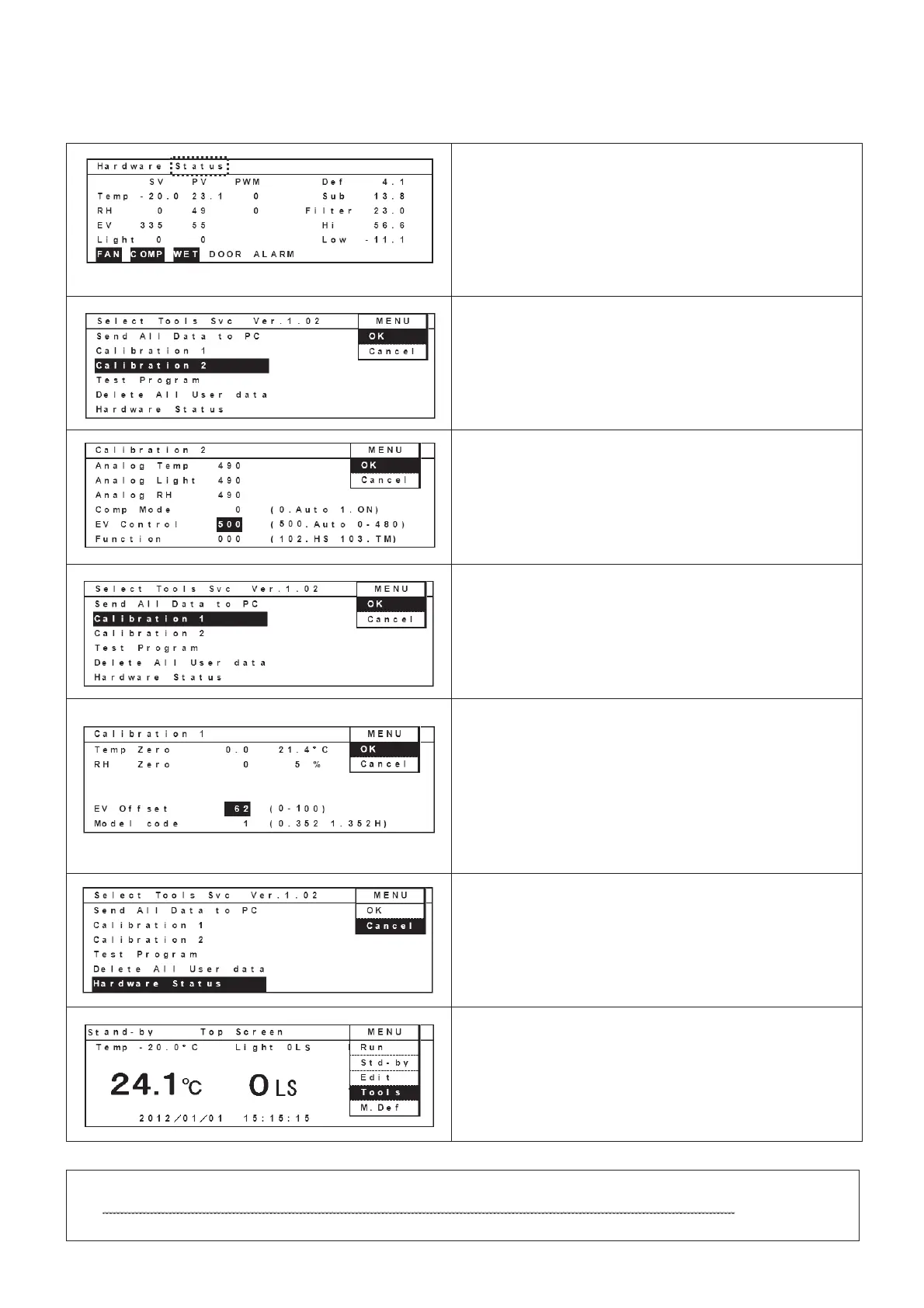
14. If the value is in the range, write down an offset
value.
Offset value is obtained by subtracting “43” from
the displayed value besides “EV” column.
Ex) 55 – 43 = 12
Select “OK” in the MENU bar and press ENTER
key to display Select Tools Svc screen.
15. Move curser to display “Calibration 2” with reverse
video.
Select “OK” in the MENU bar and press ENTER
key to display Calibration 2 screen.
16. Move curser to a value besides “EV Control”
column and change the value from “55” to “500”.
Select “OK” in the MENU bar and press ENTER
key to display Select Tools Svc screen.
17. Move curser to display “Calibration 1” with reverse
video.
Select “OK” in the MENU bar and press ENTER
key to display Calibration 1 screen.
18. Move curser to a column besides “EV offset”
column and input an adjustment value.
Adjustment value is obtained by adding “50” to the
offset value which was obtained in the procedure
#14.
Ex) 12 + 50 = 62
Select “OK” in the MENU bar and press ENTER
key to display Select Tools Svc screen.
19. Select “Cancel” in the MENU bar and press
ENTER key to display Stand-by Top screen.
20. Select Std-by in the MENU bar and press
ENTER key.
Place humidifier in the chamber and calibrate chamber temperature and humidity.


 To Next Page