EasyManua.ls Logo

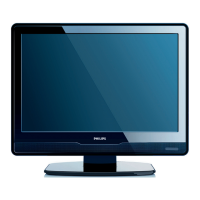
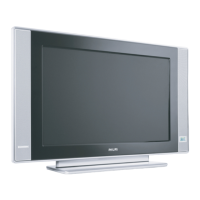
Philips 26PW9100D - User Manual

Philips 26PW9100D
43 pages
Print Icon
To Next Page IconTo Next Page
Loading...
User Manual
32PT9100D
26PW9100D
30PW9100D
30PW9110D
Thank you for choosing Philips.
Need help fast?
Read your Quick Use Guide and/or
Owner's Manual
first for quick tips
that make using your Philips product
more enjoyable.
If you have read your instructions
and still need assistance,
you may access our online help at
www.usasupport.philips.com
or call
1-888-PHILIPS (744-5477)
while with your product
(and Model / Serial number)
S
T
O
P
For Customer Use
Enter below the Serial No. which is located
on the rear of the cabinet. Retain this
Model No.
__________________________
Serial No.
_________________________

Other manuals for Philips 26PW9100D

Questions and Answers

  • M
    Monique WellsAug 18, 2025
    What to do if my Philips 26PW9100D has no picture on the screen?
    • T
      Tammy McgrathAug 18, 2025
      First, check your antenna connections to ensure they are properly secured to the TV's ANT 75 ohm plug. Next, verify that the TUNER MODE control is set correctly. Finally, try running the Auto Program feature to find all available channels.
  • M
    melissafarleyAug 21, 2025
    How to fix Philips 26PW9100D not responding to remote control?
    • J
      Jessica SandersAug 21, 2025
      First, check that the batteries are inserted correctly, according to the diagram in the battery compartment. Remove and reinsert the batteries to ensure good contact. If that doesn't work, replace the old batteries with new ones.
  • S
    Shelley RyanAug 23, 2025
    How to fix disturbing sound on Philips 26PW9100D TV?
    • K
      Kathleen HernandezAug 23, 2025
      It is normal to hear a disturbing sound from a distance less than 2 meters (6 feet) with the television sound muted. If the problem occurs on one channel, it may be a signal problem. Contact your cable provider or local broadcaster regarding that specific channel.
  • S
    Sabrina LopezAug 26, 2025
    Why is the sound not in stereo on my Philips 26PW9100D TV?
    • K
      Kimberly DaviesAug 26, 2025
      This could be happening for a few reasons. Not all broadcasts are transmitted in STEREO. Also, SAP might be turned ON, or the sound mode might be set to MONO. Finally, STEREO may not be displayed when watching from a playback device. Try checking several major network stations to be sure the station you selected is in STEREO and set the sound mode to STEREO.
  • W
    William PerkinsAug 28, 2025
    What to do if my Philips 26PW9100D is not adding channels after automatic installation?
    • A
      Ana AlvaradoAug 28, 2025
      Try the automatic installation again and confirm if the television is adding your local channels. If the same channels are still not added, it appears that you may have a signal problem. Contact the cable provider or local broadcaster regarding the specific channel. You may also try adding the weak channels which were deleted during automatic installation.
  • J
    Joseph JonesAug 31, 2025
    Why is there no power to my Philips 26PW9100D TV?
    • B
      Breanna LongAug 31, 2025
      Check the TV's power cord. Unplug it from the TV, wait 10 seconds, and then plug it back into the wall outlet. Power on the TV again. Ensure the power cord is plugged directly into the wall socket and not an extension cord.
  • M
    Martin BarnettSep 2, 2025
    What to do if I get a weak signal message on my Philips 26PW9100D?
    • C
      Caitlin WhiteSep 2, 2025
      Check the incoming cable or antenna to ensure it is properly secured to the TV's antenna input. If the connection is good, check if the cable or antenna is connected to any external accessory device, such as a VCR or setup box. If so, connect the signal directly to your TV instead of through the external accessory. Then, perform the auto-programming again to make sure all channels are stored in the TV's memory.
  • C
    Chelsea SandersSep 4, 2025
    How to get AV channels on Philips 26PW9100D TV?
    • R
      Rachel CareySep 5, 2025
      Press the ‘AV’ button on the remote control repeatedly to select the desired AV channels.
  • E
    erinshawSep 7, 2025
    Why Philips 26PW9100D TV channel numbers do not follow the program channel numbers?
    • T
      Tammy NorrisSep 7, 2025
      Go to TUNER MODE in the television menu, select the correct signal source, and then perform the automatic installation again.
  • W
    William PhillipsSep 9, 2025
    What to do if Philips 26PW9100D displays wrong channel or no channels above 13?
    • C
      Charles WrightSep 10, 2025
      Repeat channel selection. Add the desired channel numbers (using the CHANNEL EDIT control) into the TV’s memory. Check to be sure the TUNER MODES are set to the CABLE option and run the Auto Program feature to find all available channels.

Summary

Safety Symbols Overview

Important Safety Instructions

Example of Antenna Grounding

Illustrates proper antenna grounding methods according to electrical codes.

Guide to Digital Television

What is Digital Television (DTV)?

Defines Digital Television (DTV) and its benefits like better picture quality.

Quick Tips Before You Start

Offers essential preliminary tips for setting up and using the TV.

Description of Remote Control Buttons

Basic TV and Remote Control Operation

Remote Control Battery Installation

Explains how to load batteries into the remote control.

How to Use the Language Control

How to Use the Tuner Mode Control

Automatic Program

Channel Edit (Add or Delete Channels)

Auto Chron (Synchronisation of Time)

How to Add or Delete Weak Digital Signals

Information Banner - Channel Banner Size

Emergency Alert

Factory Channel Reset

Picture Menu Controls

Sound Menu Controls

How to Correct a Tilted Image

How to Use the Freeze Controls

How to Use the Timer Menu Controls

How to Use the PIP (Picture-In-Picture) Controls

Active Control Options

Understanding AutoLock Controls

Movie Ratings

Blocking programs based on the Motion Picture Association of America (MPAA) ratings.

TV Ratings

Blocking programs based on TV broadcaster ratings for age appropriateness.

Setting Up Access Code to Block Channels

How to Block Channels

Block; Clear All Channels at the Same Time

Movie Ratings

TV Ratings

Blocking Options

Sleeptimer

How to Use the Format Control

Close Captioning

Close Captioning Services - Digital

Customizing display options for digital closed captioning services.

Caption Option and Size - Digital

Auto Picture

Auto Sound

Alternate Channel

Quadrasurf

Universal Remote: Code Entry for Accessories

Universal Remote: Search Method for Accessories

Remote Control Direct Entry Codes for Accessory Devices

Glossary

Troubleshooting Tips

Cleaning and Care

Specifications

Philips Limited Warranty

Philips 26PW9100D Specifications

Picture/Display IconPicture/Display
aspect ratio16:9
diagonal screen size28 inch / 70 cm
visible diagonal screen size26 cm
Sound IconSound
output power (RMS)2 x 10W
music power20 W
Power IconPower
standby power consumption< 1W
mains powerAC 90-140V, 60Hz
Weight and Dimensions IconWeight and Dimensions
box dimensions853 x 590 x 616 mm
weight including packaging42 kg
set dimensions767 x 503 x 488 mm
set weight37 kg

Related product manuals