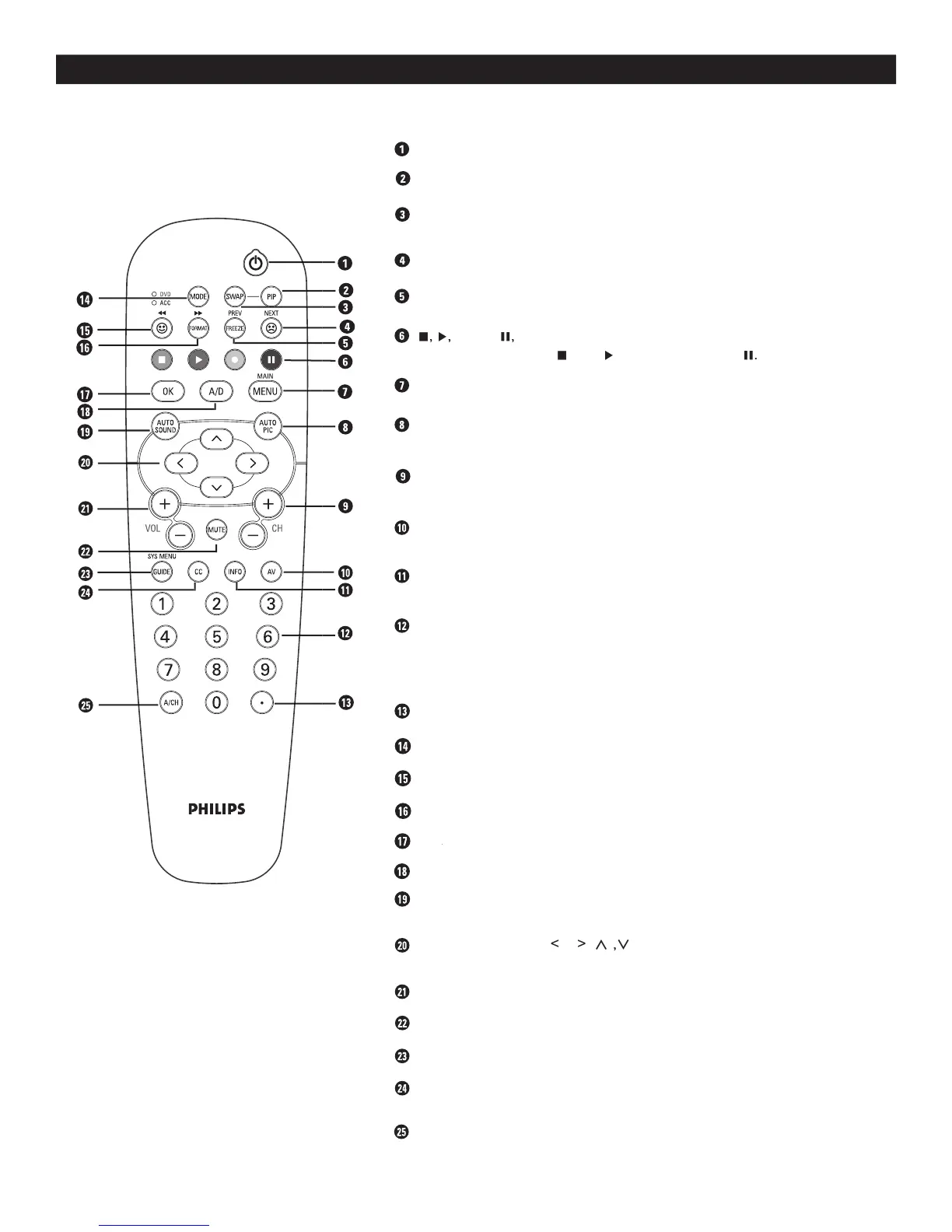
DESCRIPTION OF REMOTE CONTROL BUTTONS
- To control TV, DVD, ACC, DBS, VCR, etc., functions.
Button - To add channels to the “QuadraSurf” lists.
Button - To select picture format.
Button - To activate selection when programming remote control.
OK Button - To activate selection when programming remote control.OK
Button - To select Analog or Digital mode.
Button - To select factory-defined sound settings.
(Theatre, Music, or Voice).
) To highlight and select items on the
Buttons To increase or decrease the TV sound level.
Button - To cut out the sound from the TV.
Button - To display current program information.
(Alternate Channel) Button - Toggle between last viewed and current
Button - Press to turn the TV On or Off.
Button - To swap program on the main screen with program in
Button - To delete channels from the Favorite lists.
Button - To freeze picture on the TV screen.
Used with an external device when the ACC mode
Button - To display the main menu.
Button - To select from five pre-defined picture settings.
Personal, Movies, Sports, Weak Signal, or Multimedia).
CH(annel) + or CH(annel)-
Buttons To select channels in ascending or
Button - To select different signal sources connected to the AV inputs
Button - To display channel number, sound mode, time and status of
Buttons - To select TV channels or enter values in the
on-screen menu. For single channel entries, press the numbered button
for the channel you desire. The TV will pause for a second or two before
changing to the chosen channel.
Button - To activate Picture-in-Picture feature.



 To Next Page