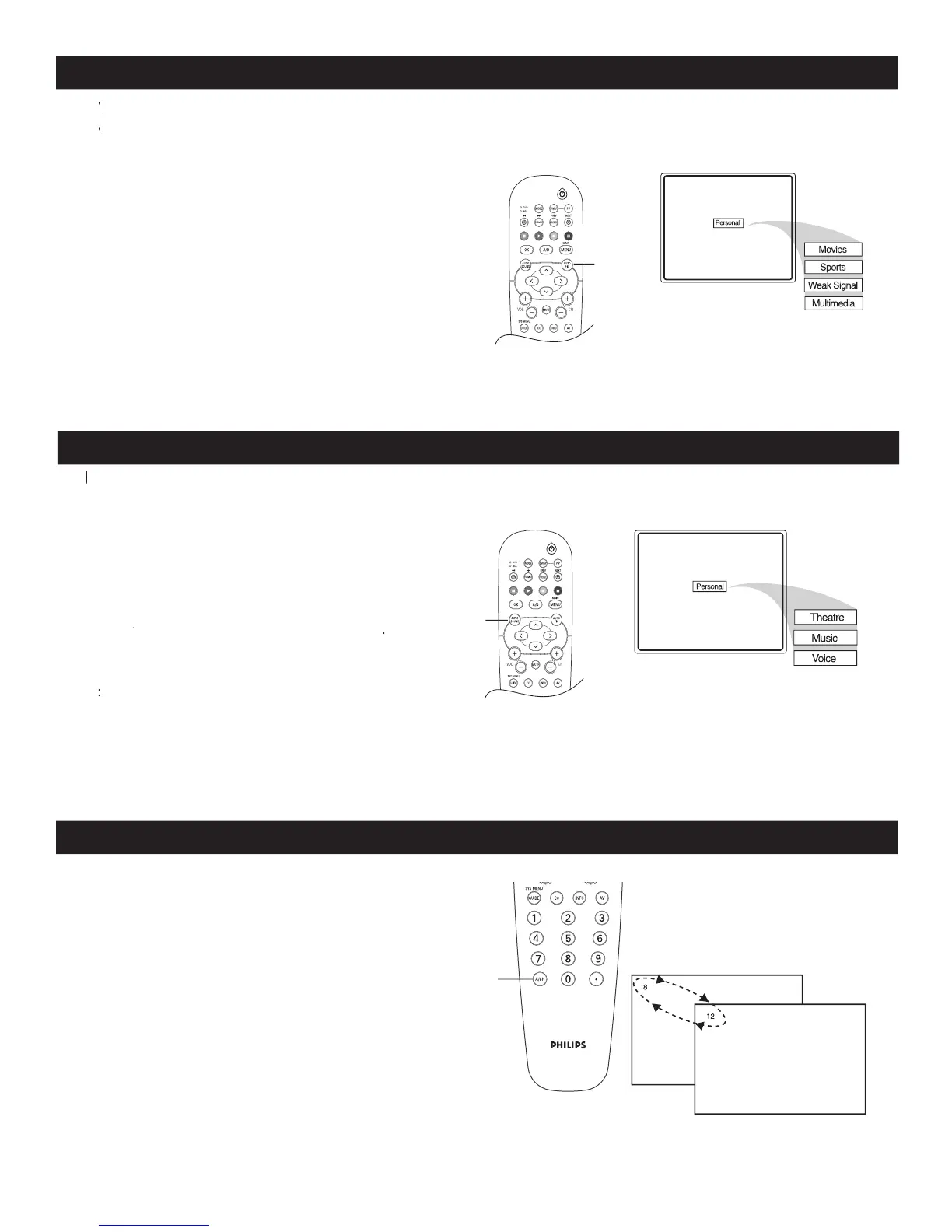
AUTO PICTURE
1
The current Auto Picture setting will be displayed
2
The way you choose to set the Picture Menu
Controls will become your Personal setting.
AUTO SOUND
1
The current Auto Sound setting will be displayed
2
The way you choose to set the Sound Menu
Controls will become your Personal setting.
1
Your remote control also has an
(Alternate Channel) button. Pressing this
button will toggle between the Current and
previously selected channel.
ALTERNATE CHANNEL
hether you’re watching a movie or a sporting event, your TV has automatic video control settings to match your
W
hether you’re watching a movie or a sporting event, your TV has automatic video control settings to match your
W
current program source or content.
Wcurrent program source or content. W
he Auto Sound feature allows the listener to select between four different pre-set sound options.
he Auto Sound feature allows the listener to select between four different pre-set sound options.
T



 To Next Page