24
Tips
Care of the screen
Clean the TV with a slightly damp soft
cloth. Do not use abrasive solvent as it
can damage the TV screen.
Mobile telephone warning !
To avoid disturbances in picture and
sound, malfunctioning of your TV or even
damage to the TV, keep away your mobile
telephone from the TV.
Poor Picture
• Have you selected the correct TV
system?
• Is your TV or house aerial located too
close to loudspeakers, non-earthed
audio equipment or neon lights, etc.?
• Mountains or high buildings can cause
double pictures or ghost images.
Sometimes you can improve the picture
quality by changing the direction of the
aerial.
• Is the picture or teletext
unrecognisable? Check if you have
entered the correct frequency. See
Installation, p. 8.
• Are brightness, sharpness and contrast
out of adjustment? Select Factory
settings in the Setup menu, p. 10.
• Sometimes poor picture quality is
possible when having activated an S-VHS
camera or camcorder connected to the
right side of your TV and another
peripheral is connected to
EXT1, EXT2
or EXT3 at the same time. In this case
switch off one of the other peripherals.
No picture
• Is the aerial connected properly?
• Are the plugs tightly connected in the
aerial socket?
• Is the aerial cable in good condition and
does it have suitable plugs?
• Are the connection facilities to a possible
second TV in good condition? If in doubt,
consult your dealer.
No sound
• No sound on any channel? Check the
volume isn’t at minimum.
• Is the sound interrupted with the mute
key ¬? Check if your speaker
configuration corresponds with the
selections made in the Setup menu,
Speakers, p. 9. E.g. is your amplifier
switched on when you have 2 extra
front speakers connected?
• No sound from the rear speakers or
the centre speakers? Select an
appropriate surround mode, according
to the broadcasted sound signal or
adjust the volume or check if the
wireless transmitter is properly
connected. See Surround Modes, p. 13.
No Surround sound
• Check if the headphone is not plugged
in.
• Check if the channel is broadcasting
good quality surround sound.
Remote control
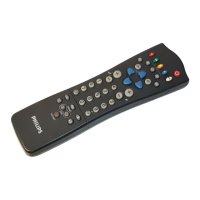
• If your TV no longer responds to the
remote control, the batteries may be
dead or the wrong mode (TV or other
peripheral, see p. 3) is selected.
• You can still use the M key and
the -/+ keys at the top of your TV.
Menu
Have you selected the wrong menu? Press
the
MENU key again to exit from the
menu.
NEXTVIEW - No information
See Acquisition and updating of
NEXTV
IEW
information, p. 16.
NEXTVIEW - Displayed time is wrong
The broadcaster on programme number
one does not transmit the correct local
date and time. Use
Reshuffle in the
INSTALLATION menu to place another
broadcaster on programme number one.
Wireless Surround speaker system
• Are the active surround speaker and the
Surround Sound setting in the Setup
menu switched to the same transmitting
channel?
• External RF equipment, mobile
telephones or people moving around
close to the TV may disturb the sound
transmission.
• When no RF surround sound is
possible, or when there is too much
interference, try to switch to another
wireless channel or use the wired back
up solution. See Connect extra
loudspeakers/amplifier, p. 20.
• When you switch to another wireless
channel, take care to select the same
transmitting channel as well in the setup
menu as on the speaker box.
• For wireless transmitter modules with a
built in antenna: direct the antenna to
achieve the best reception.
No solution
Switch your TV off and then on again
once.
Never attempt to repair a defective
TV yourself.
Check with your dealer or call a TV
technician.
End of life directives
Philips is paying a lot of attention to
producing environmentally-friendly in
green focal areas.Your new TV contains
materials which can be recycled and
reused.At the end of its life specialised
companies can dismantle the discarded TV
to concentrate the reusable materials and
to minimise the amount of materials to be
disposed of.
Please ensure you dispose of your old TV
according to local regulations.
How to dispose of dead batteries?
The batteries supplied do not contain the
heavy metals mercury and cadmium.
Nevertheless in many countries dead
batteries may not be disposed of with your
household waste. Please ensure you dispose
of dead batteries according to local
regulations.
Tips




 To Next Page