49BDL5057P
36
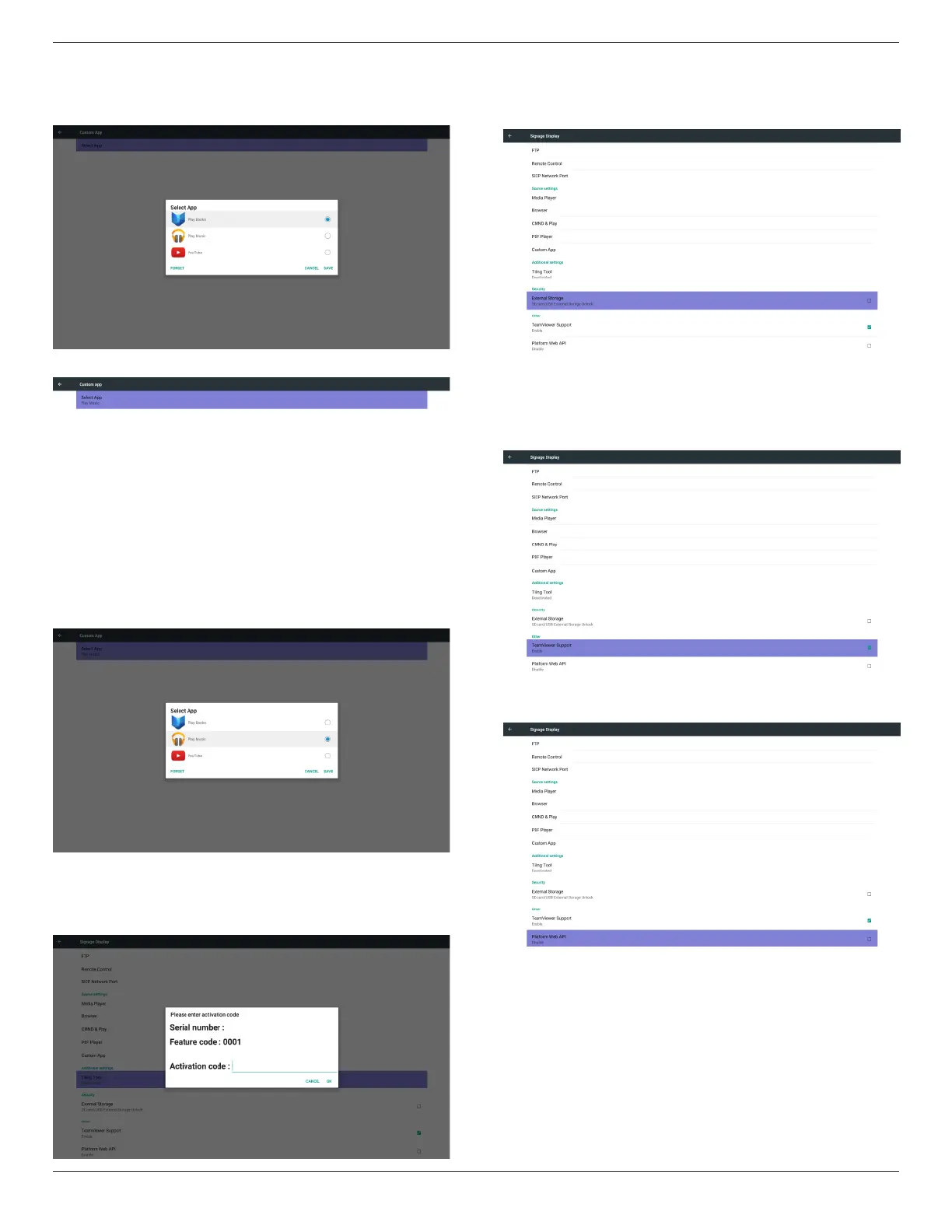
Usercanselectcustomerinstalledapkinlist
Case1.NosetupCustomApp
Screenwillshowavailableappsandfocusonrstappitemautomatically.
Aftersetup,itwillshowAppname
Case2.SetupCustomApp.(thereisacheckedcircleonright)
5.6.4. Additional Settings
Whenthecustomerpayment,cangetactivatecode,aftersuccessful
input,canenablethefunctionoftilingtool.
5.6.5. Security
1. ExternalStorage
Lock/Unlockexternalstorage.
5.6.6. Others
1. TeamViewerSupport
Enable/DisableTeamViewersupport.
2. PlatformWebAPI
Enable/DisablePlatformWebAPI.








 To Next Page