8 EN
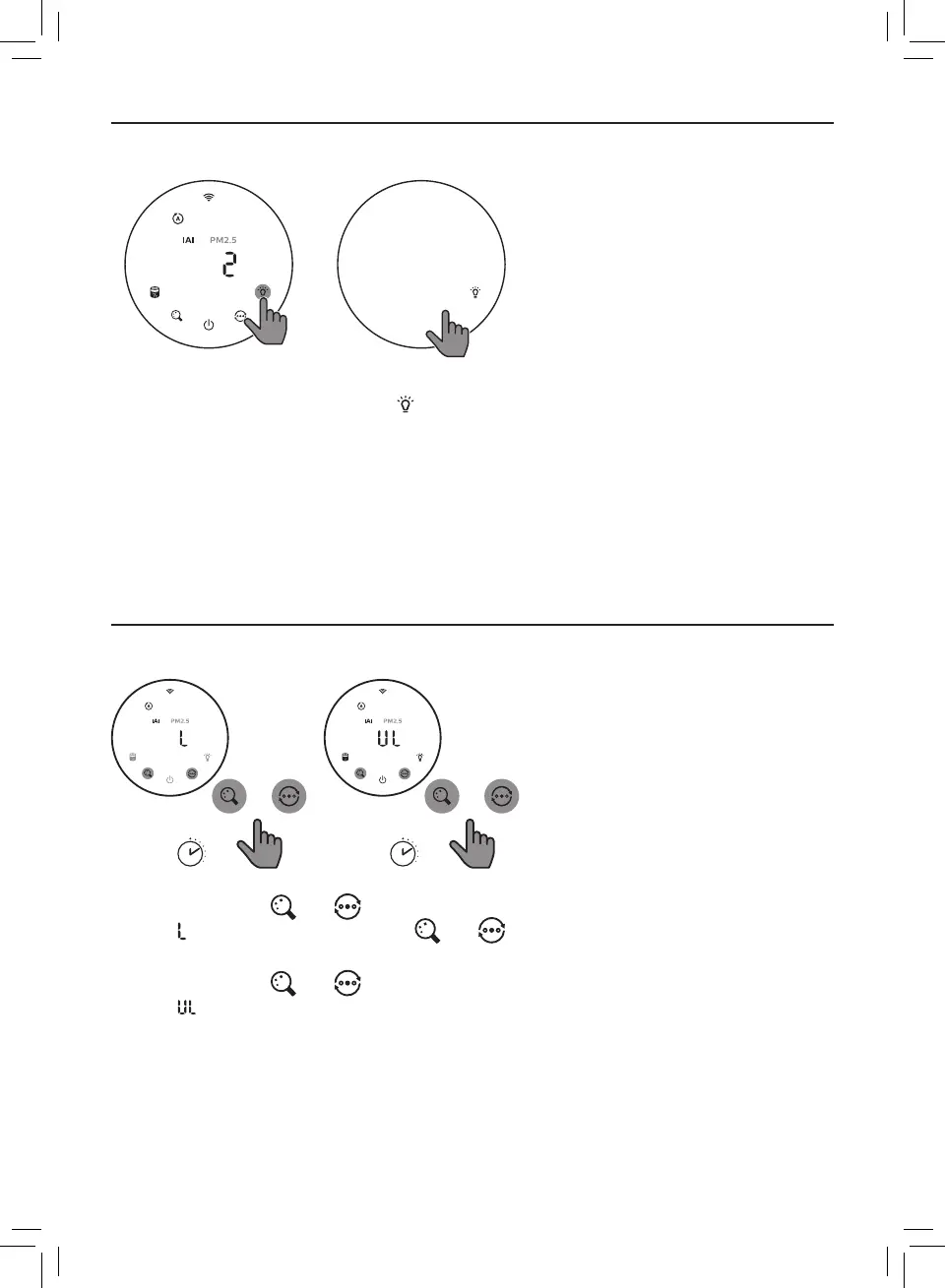
Using the light on/o function
You can touch the light on/o button manually to turn o all lights and the control pa
nel�
Touch any button to wake up all lights�
With the light sensor:
• The control panel can automatically turn on, turn o or dim according to the ambient
light�
• The control panel will be o or dim when the ambient light is dark�
You can touch any button to wake up all lights� If no further operation, all lights will be o or
dim again to match with the ambient light�
Setting the child lock
+
+
1 Touch and hold and button for 3 seconds to activate child lock�
» displays on the screen, only and button light up�
» After 3 seconds, the screen goes back to normal display�
2 Touch and hold and button for 3 seconds again to deactivate child lock�
» displays on the screen for 3 seconds and goes back to normal display�
» All buttons light up�









 To Next Page