10 EN
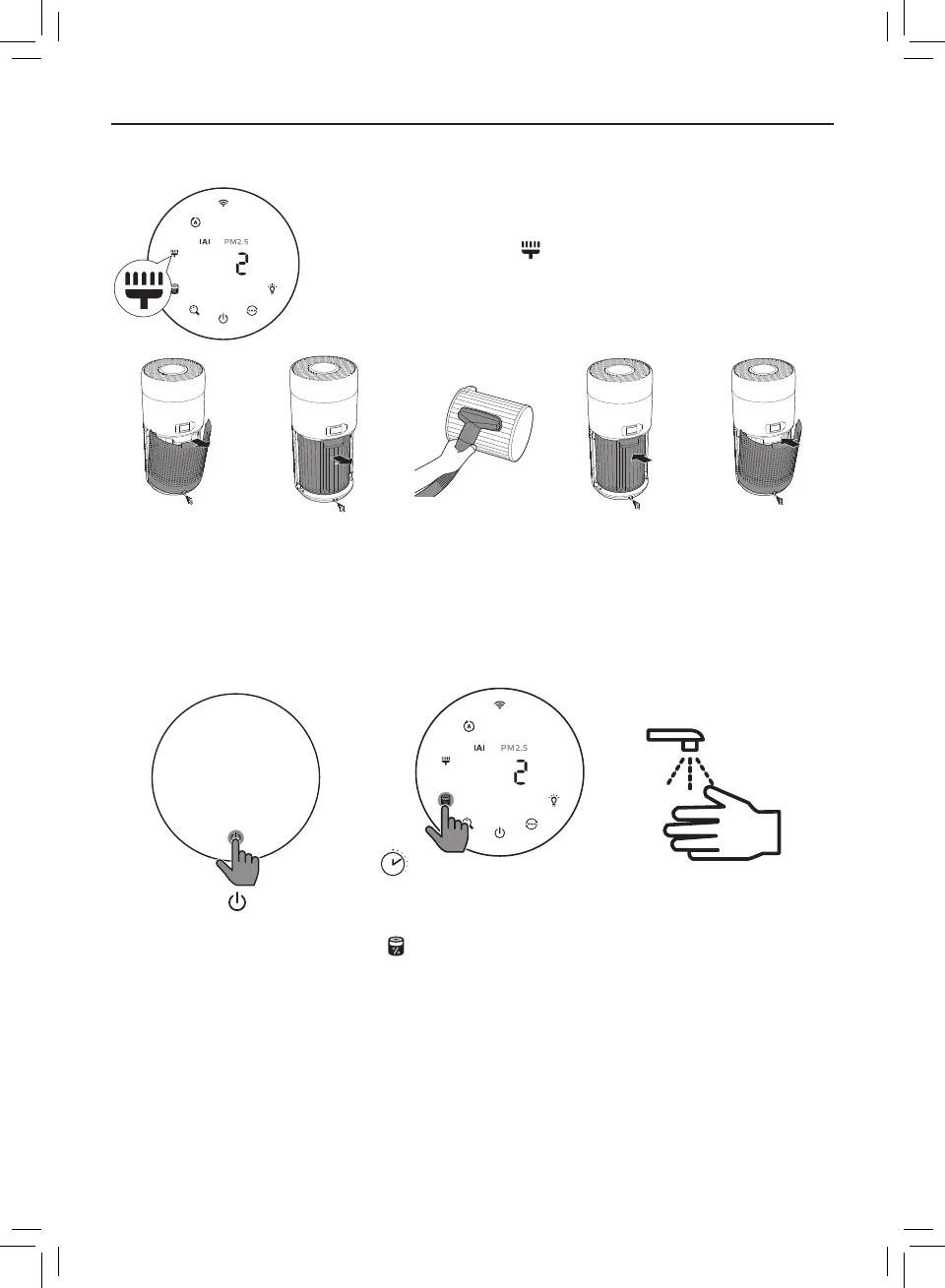
Cleaning the surface of the lter
Clean the surface of lter with vacuum cleaner when the
lter cleaning alert display on the screen�
1 Pull the
back cover
and remove
it from the
appliance�
2 Pull the lter
from the
appliance�
3 Clean the
surface of
the lter with
a vacuum
cleaner�
4 Put the lter
back into the
appliance�
5 Reattach the
back cover�
3
s
6 Touch the button to
switch on the appliance�
7 Touch and hold the lter
status check/reset button
for 3 seconds to reset the
lter cleaning time�
8 Wash your hands
thoroughly after
cleaning the lter�







 To Next Page