9EN
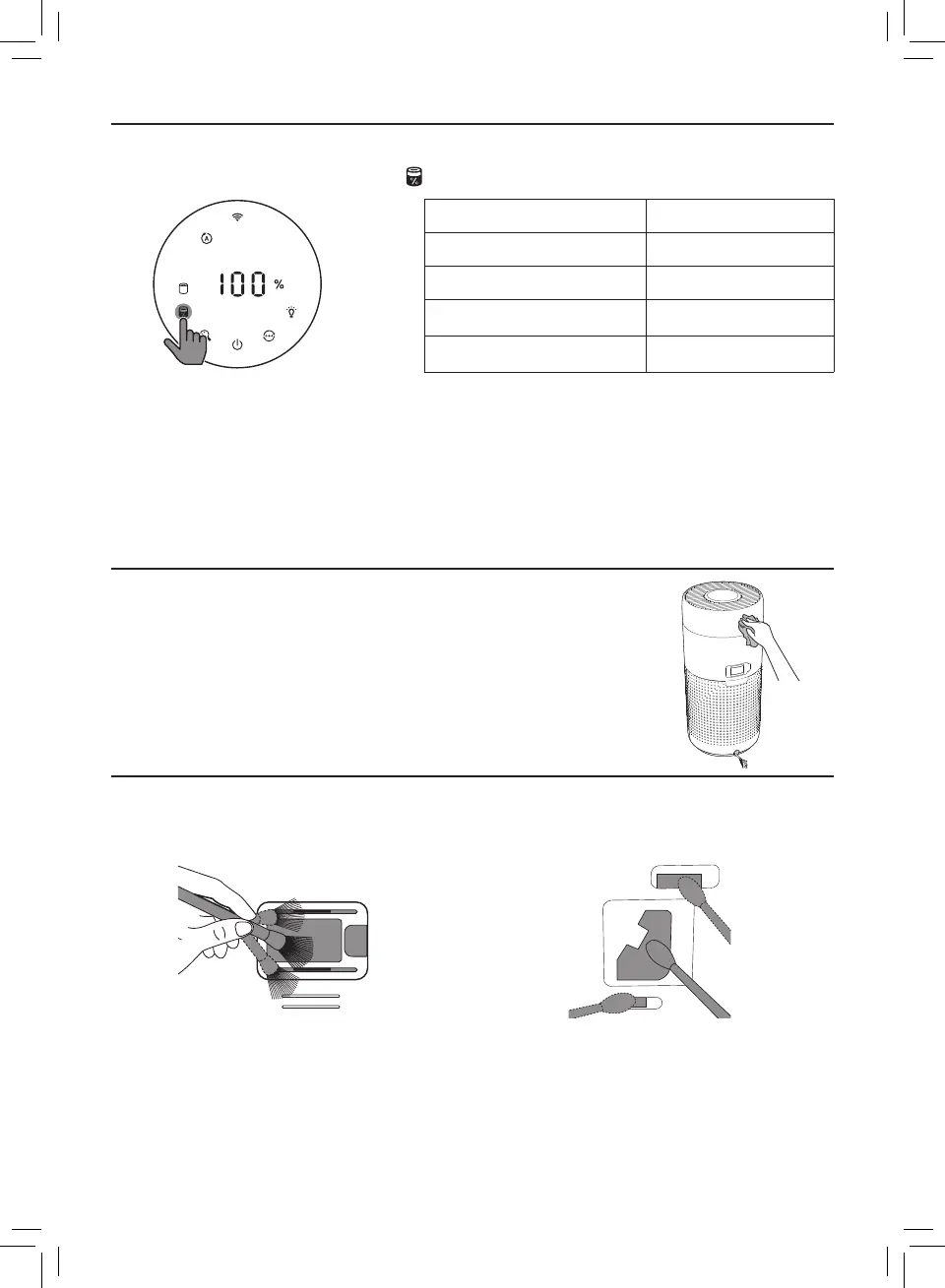
Checking the lter status
• Touch the lter status check/reset button to check the lter service life status�
Icon color Display (%)
Blue 16-100
Blue-purple 9-15
Purple-red 4-8
Red 0-3
Note: The appliance goes back to normal display if no operations after 3 seconds�
4 Cleaning and maintenance
Note:
• Do not attempt to clean the particle sensor with a vacuum cleaner�
• Switch o the air purier and unplug from the power socket before following action�
Cleaning the body of the air purier
Use a soft, dry cloth to clean both the interior and exterior of the air
purier and the air outlet�
Cleaning the particle sensor
Clean the particle sensor every 2 months for optimal functioning of the appliance�
1 Clean the particle sensor inlet and
outlet with a soft brush�
2 Clean the particle sensor with a damp
cotton swab� Dry all parts thoroughly with
a dry cotton swab�







 To Next Page