11EN
Replacing the lter
Note:
• The lter is not washable or reusable�
• Do not smell the lter as it has collected pollutants from the air�
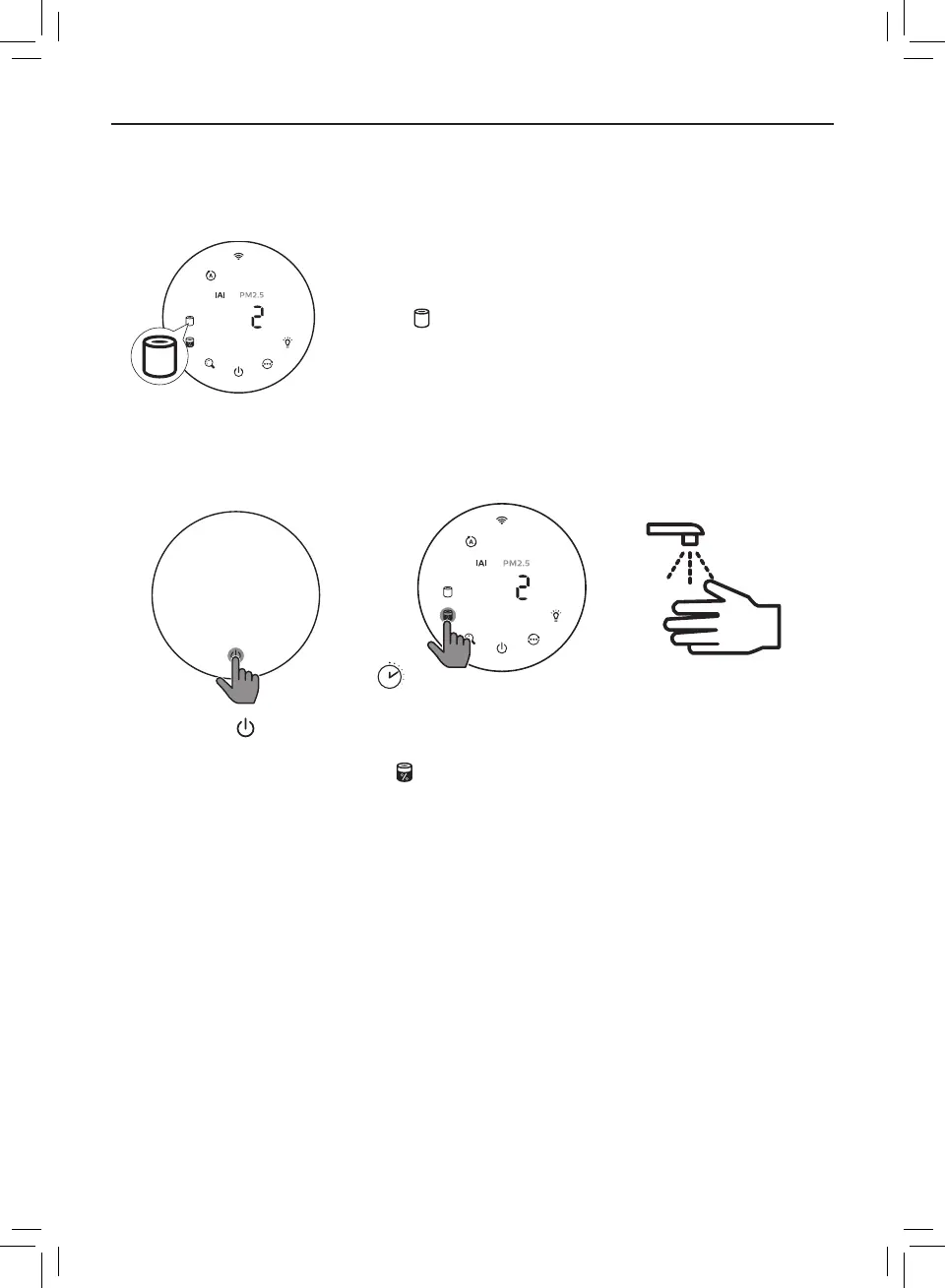
When the lter need to be replaced, the lter replacement
alert lights up red�
1 Replace the lter with Philips NanoProtect lter Series 3 (FY2180/30) , Please
follow the step of Chapter “Installing the lter”�
3
s
2 Touch the button
to switch on the
appliance�
3 Touch and hold the lter
status check/reset button
for 3 seconds to reset
the lter replacement
time�
4 Wash your hands
thoroughly after
replacing the lter�







 To Next Page