7EN
Changing the mode setting
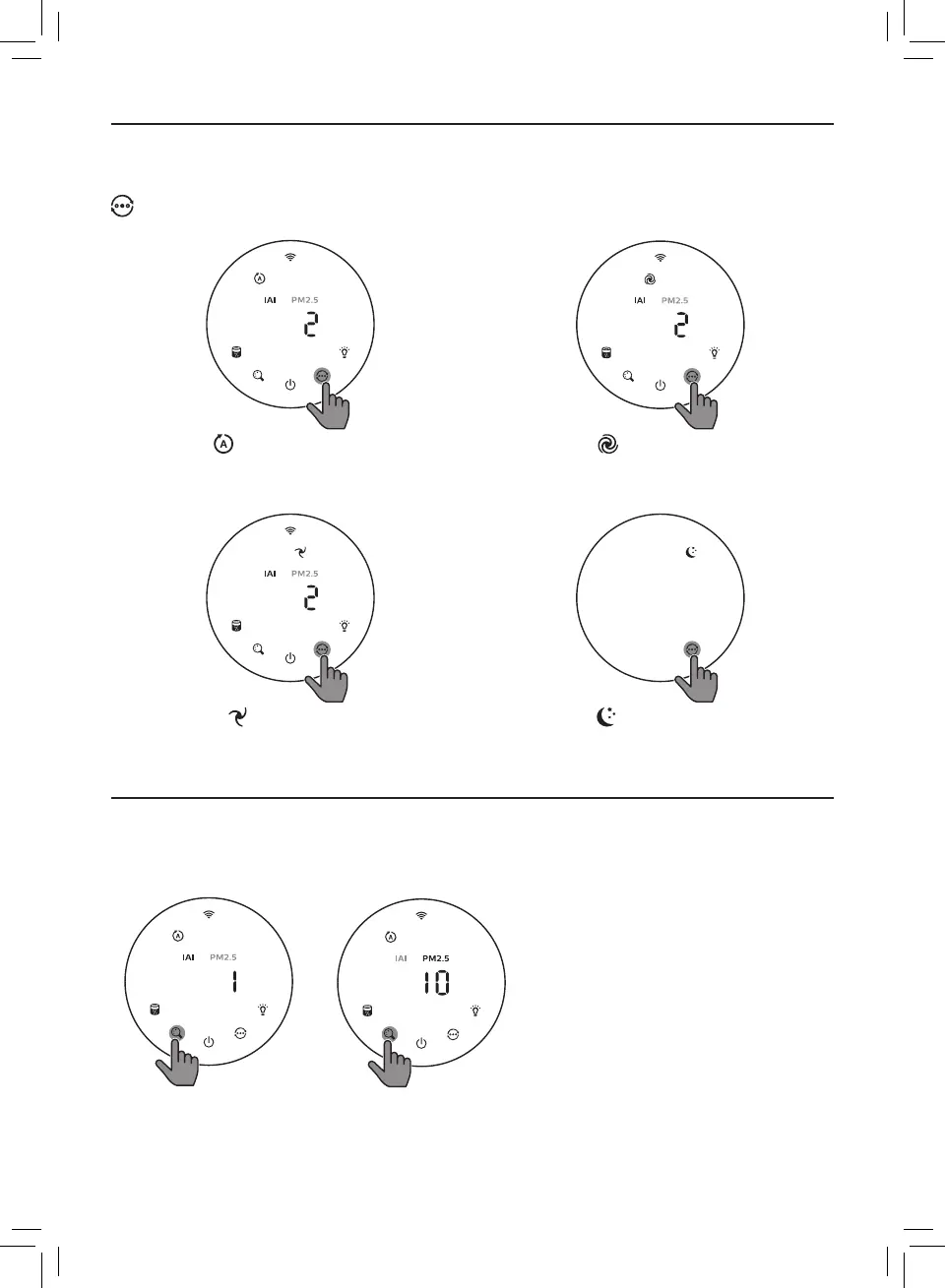
You can choose Auto mode, Turbo mode, Gentle mode or the Sleep mode by touching the
button�
Auto mode ( ): The air purier automatically
adjusts the fan speed in accordance with the
ambient air quality�
Turbo mode ( ): The air purier operates
on the highest speed�
Gentle mode ( ): The air purier operates
at a low speed�
Sleep mode ( ): The air purier operates
quietly at a low speed� After 3 seconds, the
screen lights o�
Switching the display indicator
Note:
• The appliance display IAI level by default�







 To Next Page