6 EN
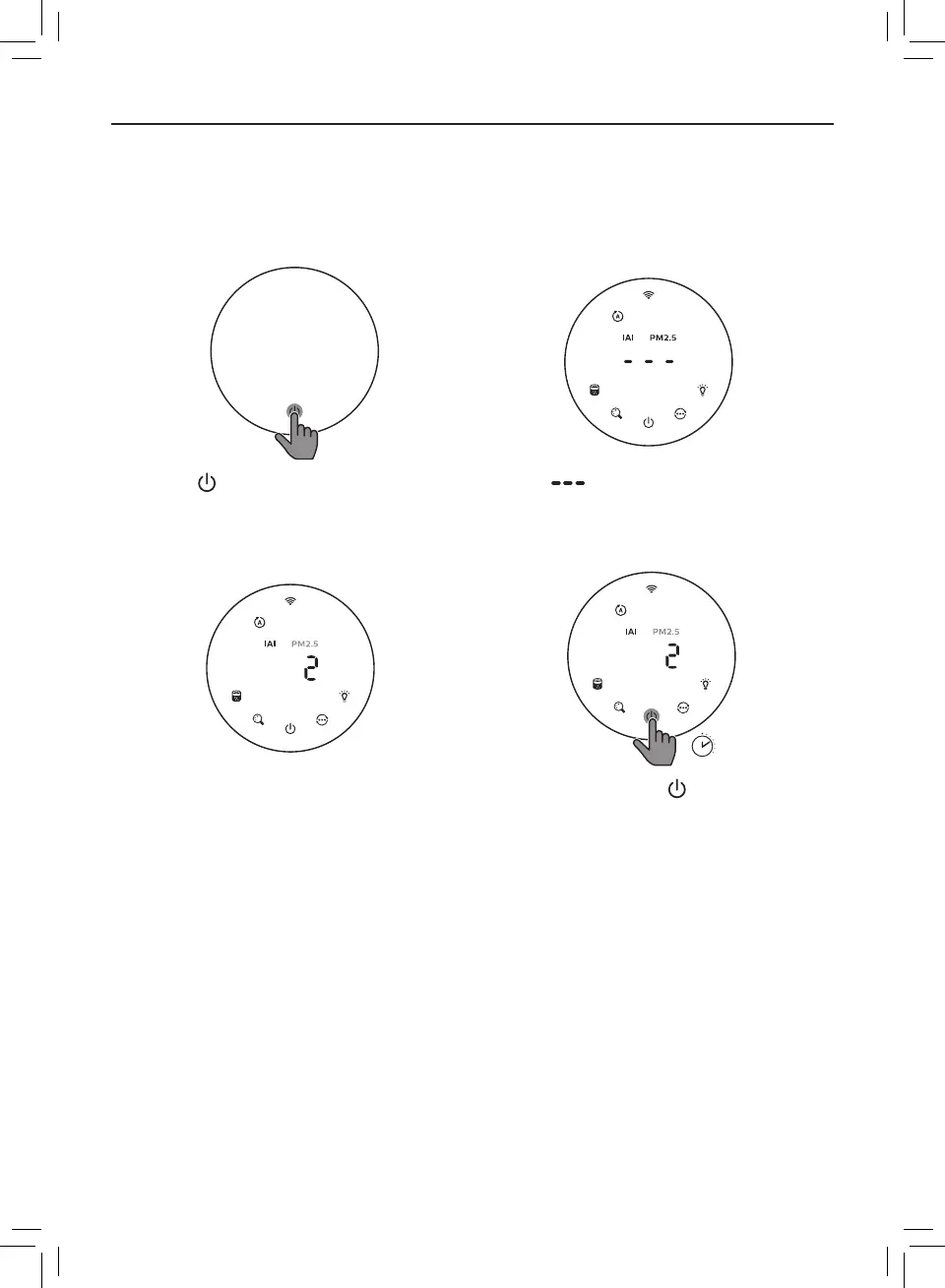
Turning On and O
Note:
• Put the plug of the air purier in the power socket�
• If the purier stays connected to the electrical outlet after turning OFF, the air purier will operate under the previous
settings when turned ON again�
• Touch to switch on the air purier� • The “ ” displays on the screen
during warming up� Then the air
purier shows the IAI/PM2�5 level after
measuring the air quality�
3
s
• The air purier operates in the auto
mode with IAI displayed on the screen�
• Touch and hold the button for
3 seconds to switch o the air purier�







 To Next Page