13
English
EN
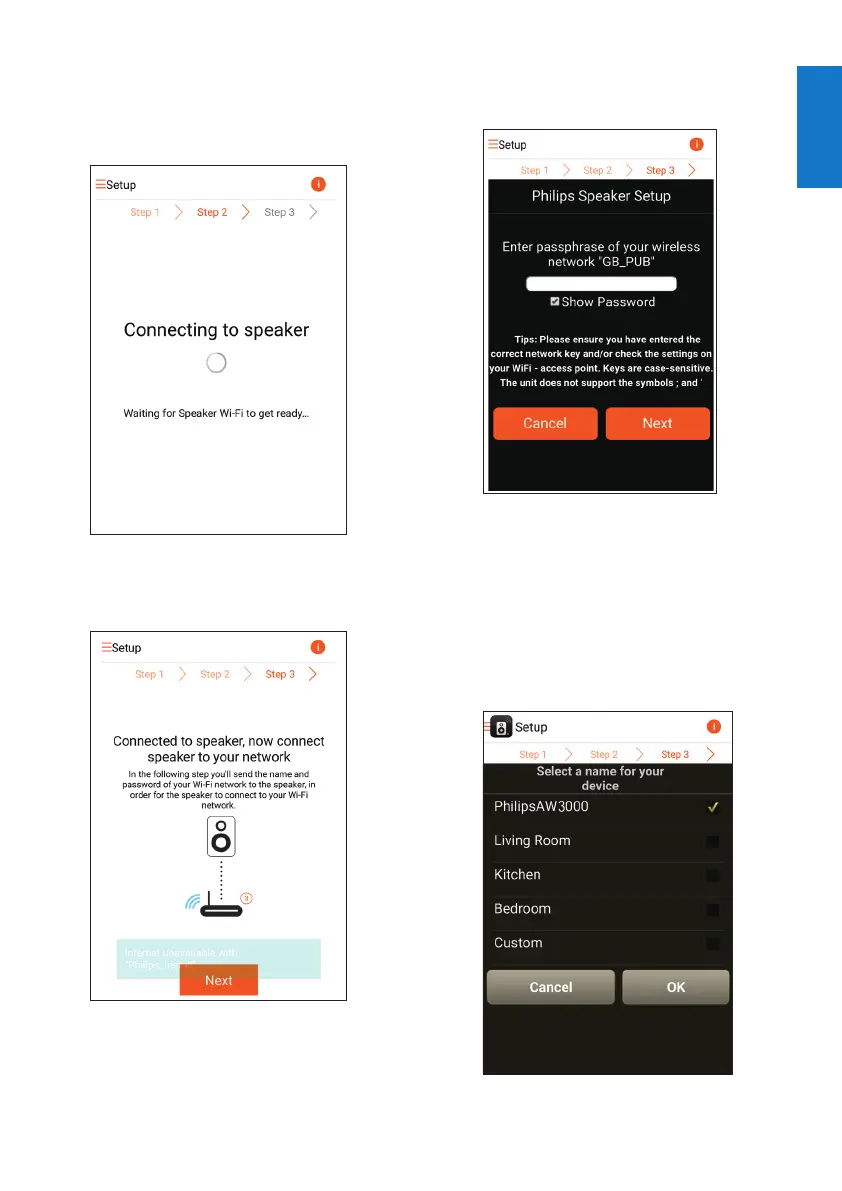
5 Tap Next on the above app screen.
» Your Android device starts to connect
with the new Wi-Fi network created
by AW2000 automatically.
6 Wait until the wireless Hi-Fi receiver is
found.
7 Enter the password of your home Wi-Fi
network,andthentapNext.
* If your Wi-Fi password contains such special
characters as #/:/;/', you need to change your
password.
8 Name your wireless Hi-Fi receiver as you
like,andthentapOK to connect AW2000
to your home Wi-Fi network.



 To Next Page