7
English
EN
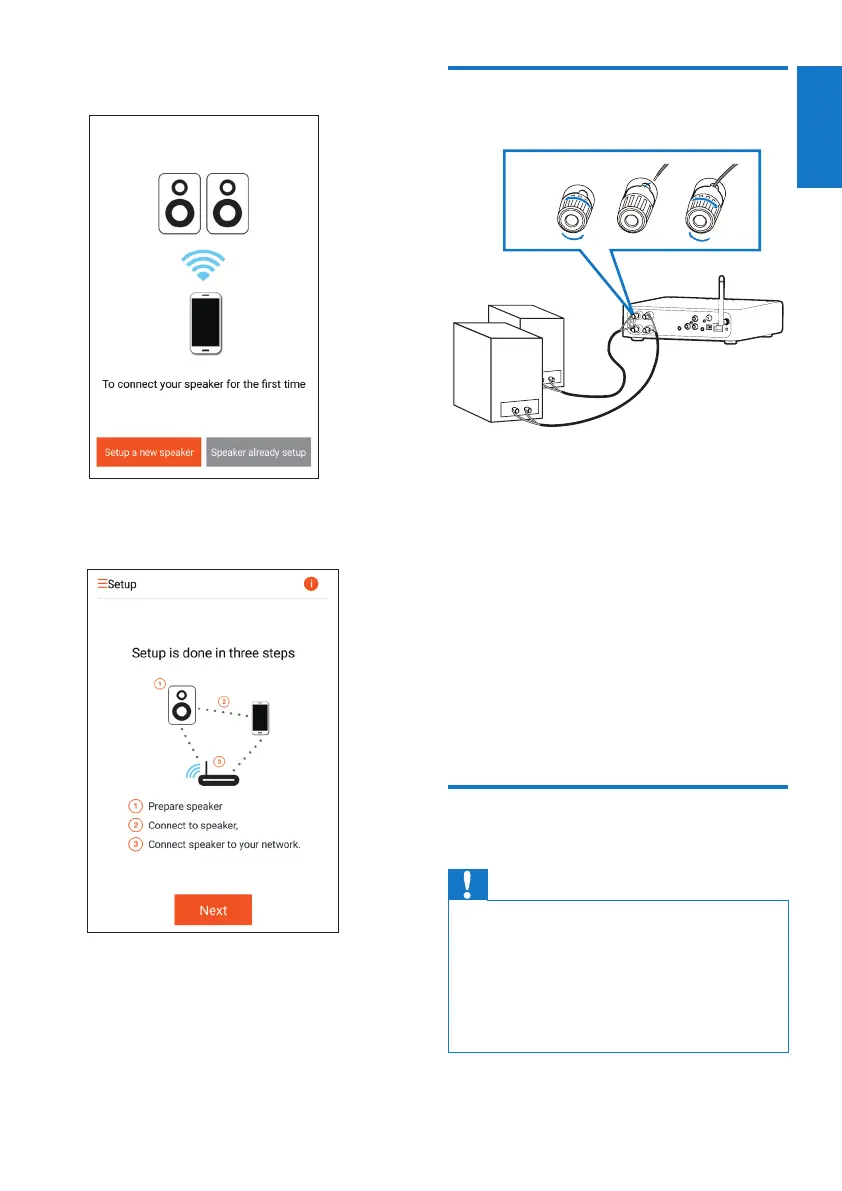
3 On the initial Setuppage,tapSetup a new
speaker.
4 Readthegeneralsetupsteps,thentap
Next.
Connect to an existing
speaker system
1 Unscrew the speaker connectors.
2 Insert fully the end of a speaker cable with
red mark into the left red (+) connector.
3 Screw the left red (+) connector to secure
the cable.
4 Insert fully the end of a speaker cable
without red mark into the left black (-)
connector.
5 Screw the left black (-) connector to
secure the cable.
6 Repeat steps 2-5 to insert the other
speaker cable into the right connectors.
Connect power and switch
on
Caution
•
Risk of product damage! Make sure that the power
supply voltage matches the voltage printed on the
bottom of the device.
• Riskofelectricshock!WhenyouunplugtheACcord,
always pull the plug from the socket. Never pull the
cord.
• BeforeyouconnecttheACcord,makesurethatyou
have completed all the other connections.



 To Next Page