20 EN
6 Upgrade
firmware
ToimprovetheperformanceofAW2000,
Philipsmayofferyounewrmwareforupgrade
of your AW2000.
Warning
•
Always connect your AW2000 to AC power for
rmwareupgrade.NeverpoweroffyourAW2000
duringrmwareupgrade.
1 Make sure that AW2000 is powered on
and connected to the same Wi-Fi network
as your smartphone or tablet.
2 Make sure that your home Wi-Fi network
is connected to the Internet.
3 Run Philips AirStudio+ Lite on your iOS
or Android smartphone or tablet.
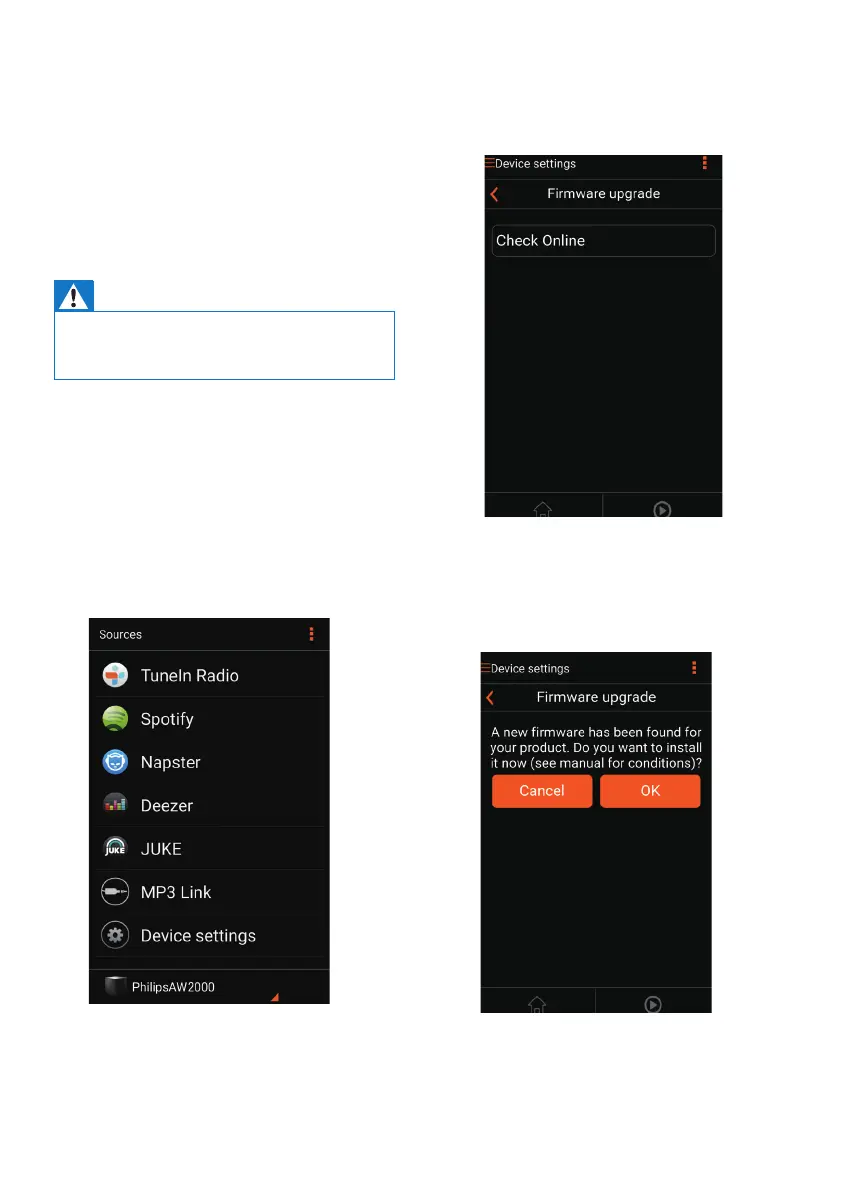
4 Tap Services -> Device settings.
5 Tap Check online.
» Ifanewrmwareisavailable.A
rmwareupgradepromptpopsup
automatically.
6 Tap OK on the prompt message to start
rmwareupgrade.
» The power/status indicator on
AW2000ashesamberduringthis
process.
7 Waituntilthermwareupgradeprocess
nishes,thentapOK on the prompt
message to restart the device.



 To Next Page