12 EN
Tip
•
Aftersuccessfulnetworksetup,youcantapRock n'
Roll on the above app screen to get ready for music
playdirectly.Formoredetails,gotothe'Play'section
(see 'Play' on page 16).
Option 2: Set up through a
non-WPS Wi-Fi router and
Android device
1
Beforesetup,makesurethatyourAndroid
device is connected to your home Wi-Fi
network.
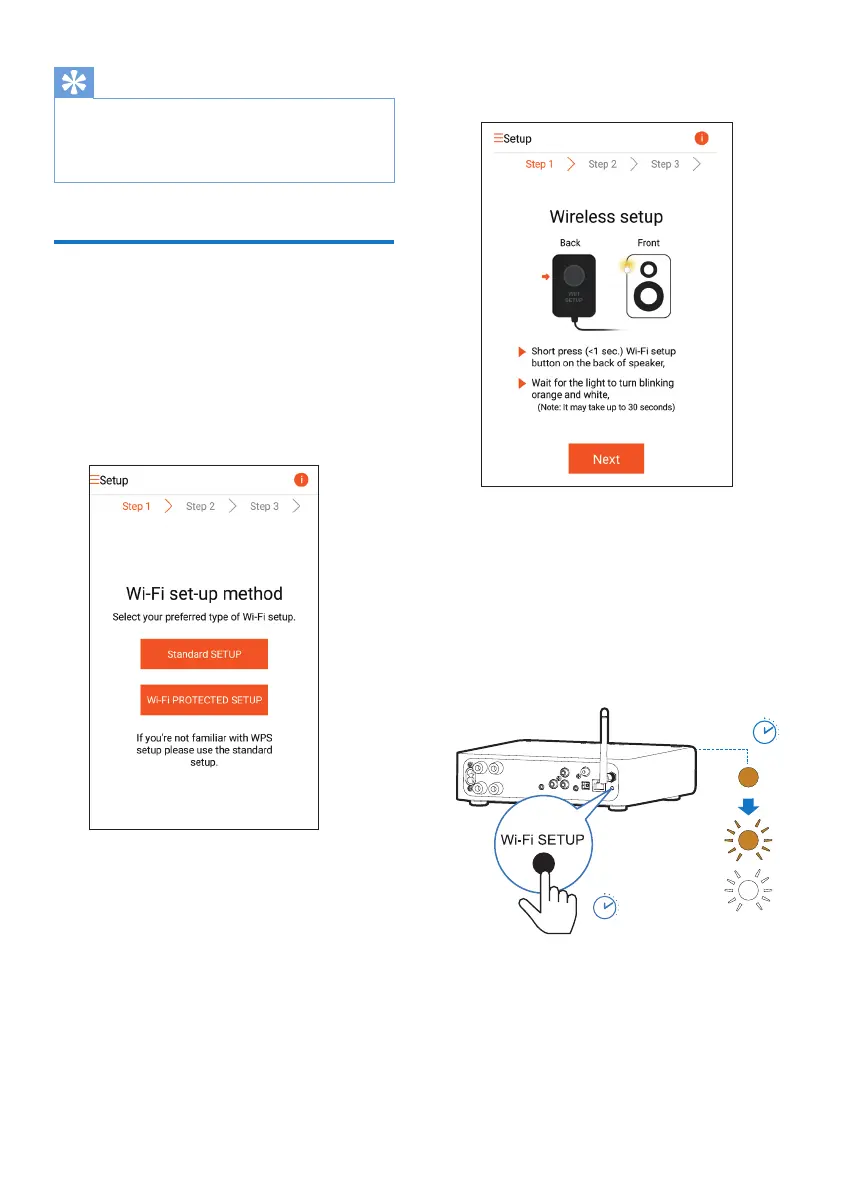
2 Select Standard SETUP and tap Next.
3 Read the Wi-Fi setup instructions on the
app.
4 Asinstructed,brieypressWI-FI SETUP
on the back of AW2000.
» The power/status indicator starts to
blink amber and white alternately.
» A new Wi-Fi network created by
AW2000willappear,withthenetwork
name (SSID) of Philips_Install.
< 30S
< 3S



 To Next Page