11
English
EN
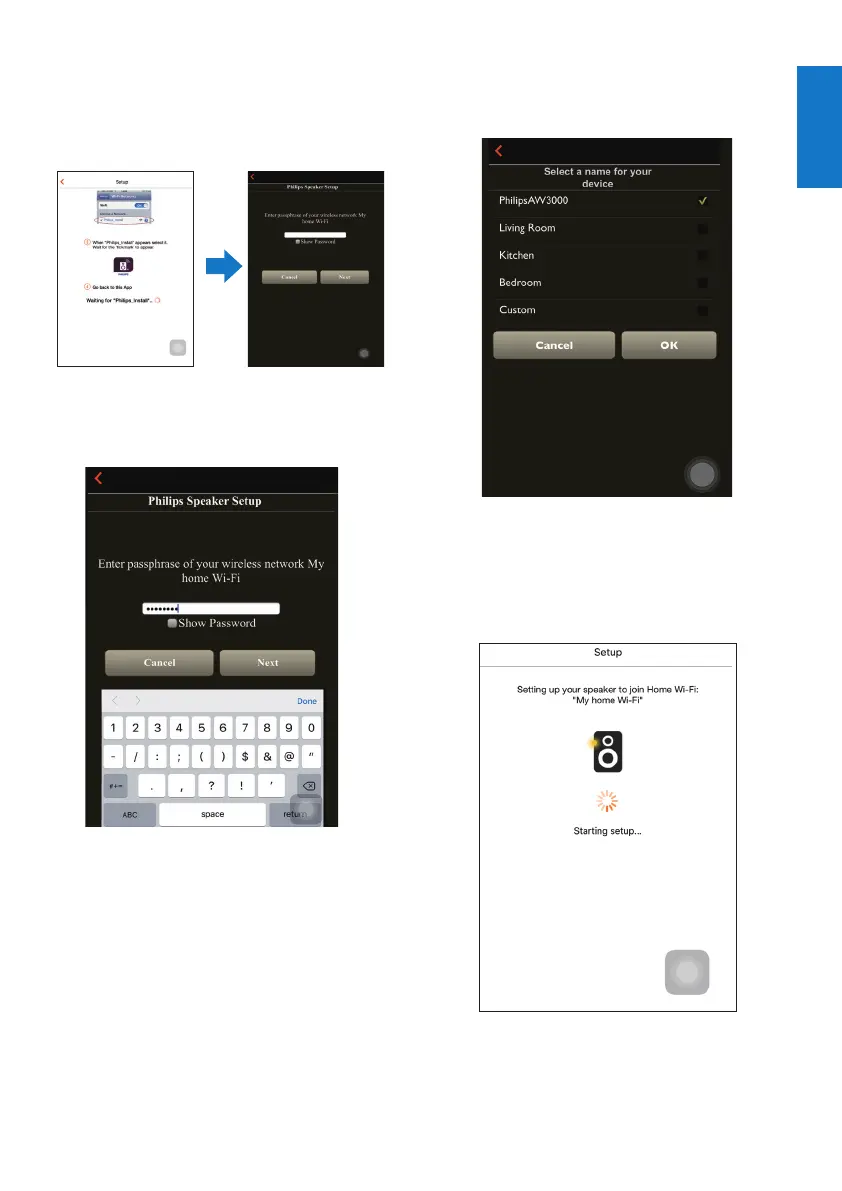
7 Make sure that your iOS device is
connected to Philips_Install,andthengo
back to Philips AirStudio+ Lite.
8 Wait until the password input box appears.
9 Enter the password of your home Wi-Fi
network,tapDonetonishinput,andthen
tap Next.
* If your Wi-Fi password contains such special
characters as #/:/;/', you need to change your
password.
10 Name your wireless Hi-Fi receiver as you
like,andthentapOK to connect AW2000
to your home Wi-Fi network.
11 Wait until the power/status indicator on
AW2000 turns solid white.
» The following app screen appears.
» AW2000 is connected to your home
Wi-Fi network successfully.



 To Next Page