10 EN
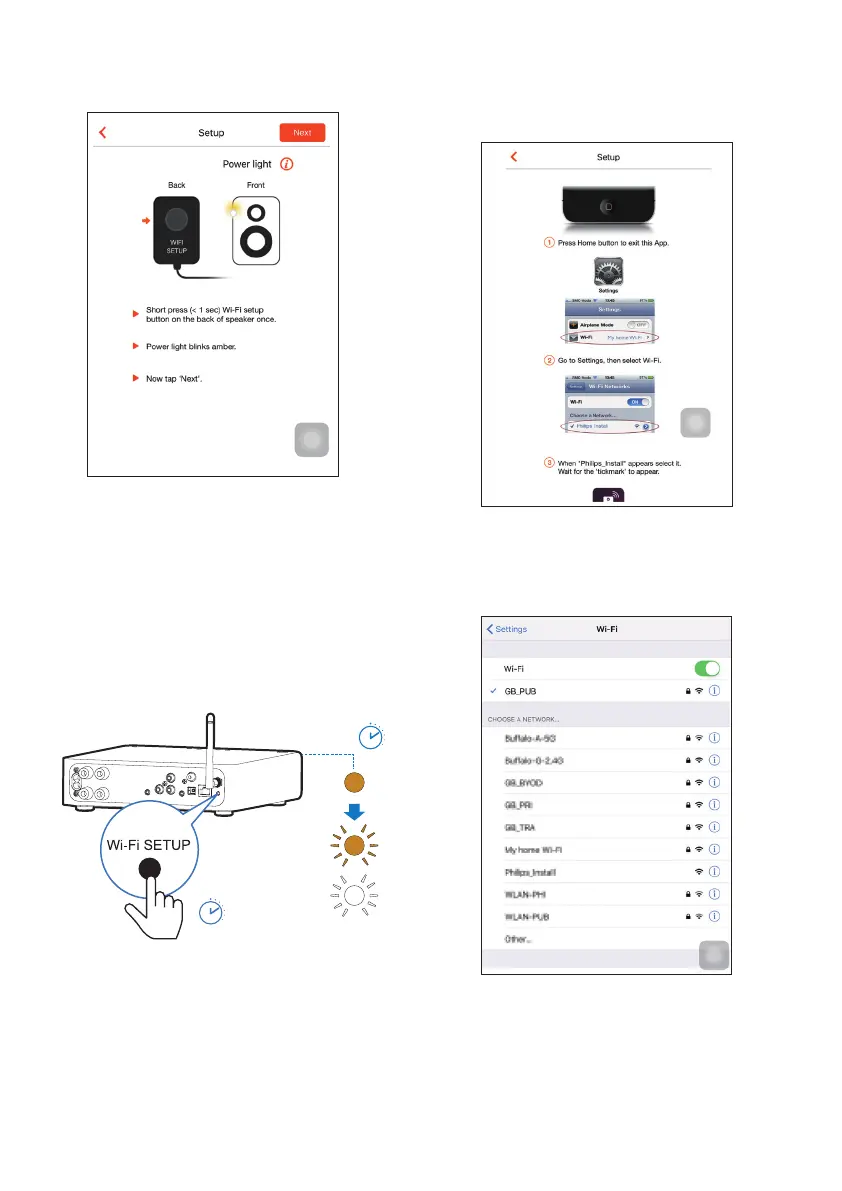
3 Read the Wi-Fi setup instructions on the
app.
4 Asinstructed,brieypressWI-FI SETUP
on the back of AW2000.
» The power/status indicator starts to
blink amber and white alternately.
» A new Wi-Fi network created by
AW2000willappear,withthenetwork
name (SSID) of Philips_Install.
< 30S
< 3S
5 Tap Nextontheaboveappscreen,and
then read how to proceed with network
setup.
6 Asinstructed,exittheapp,andthenselect
Philips_Install from the list of available
Wi-Fi networks.



 To Next Page