17
English
EN
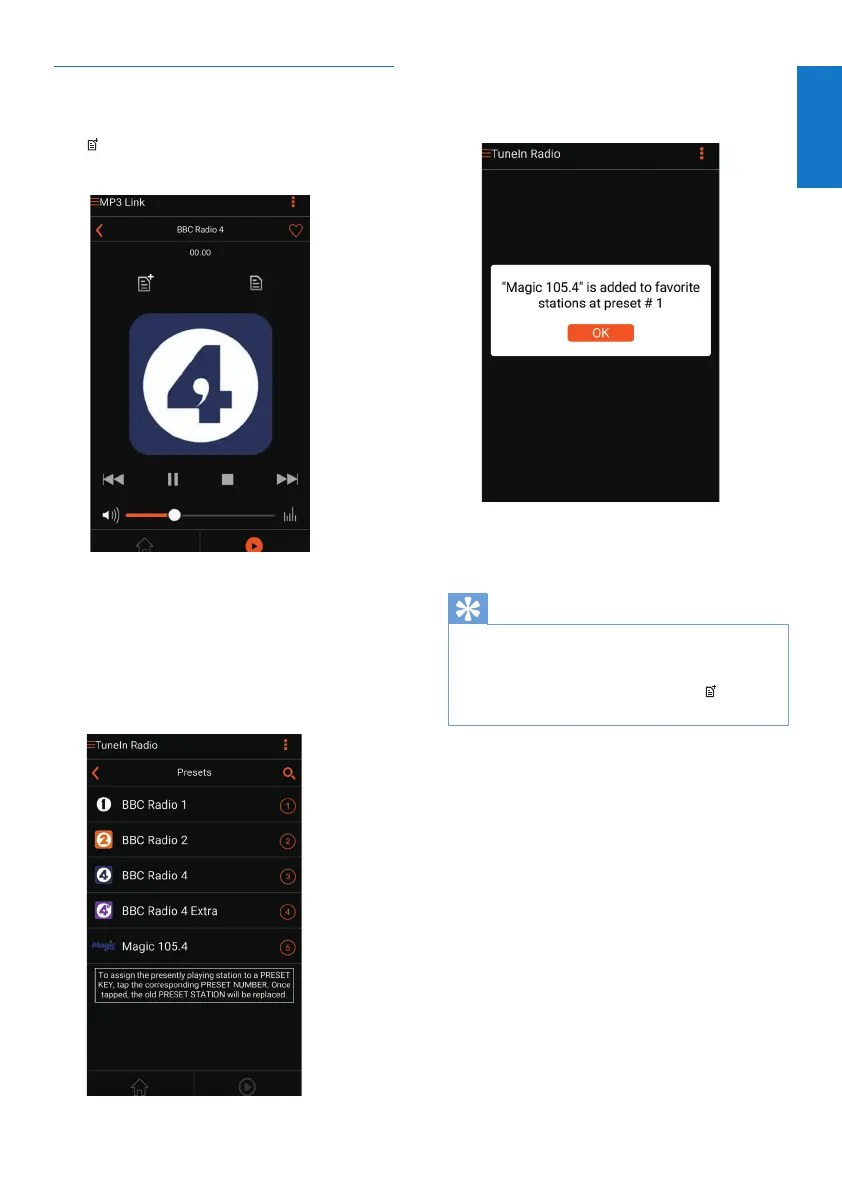
Preset Internet radio stations
1 Tune to an Internet radio station and tap
.
» A list of preset radio stations appears.
2 Tap a row in the list where you want to
addthepresetstation.Forexample,ifyou
want to assign preset number 2 to this
station,tapthesecondrow.
» Amessagepopsup,inwhichthe
station name and preset number are
shown.
3 Tap OKinthemessageboxtoconrm.
» The station is added into your list of
preset radio stations.
4 Repeat the above procedures to add more
presets.
Tip
•
Youcannotdeleteapresetradiostationdirectly,but
you can replace it with another radio station. For
example,ifyouwanttodeleteastationatpreset#3,
youcantunetoanotherradiostation,tap
,andthen
tap the 3rd row to replace the previous station.
To tune to a preset radio station
• Press numerickeys(1-5) on AW2000
directlytotunetotherstvepreset
radio stations.
• You can also go to Presets on the app
screen and tap one of your preset stations
to start play.



 To Next Page