User Manual BDH4222V/4223V
37
8.4 SLEEP TIMER SETTINGS
Setting Sleep Timer Using OSD
To set the sleep timer using the OSD screen:
1 Press the MENU +/- keys on the remote or the front control panel.
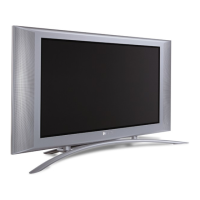
2 Use the ADJ +/- keys to navigate to “OTHER” OSD sub-menu as
displayed below.
3 Use the MENU +/- keys to navigate to SLEEP
4 Use the ADJ +/- keys to set to ON.
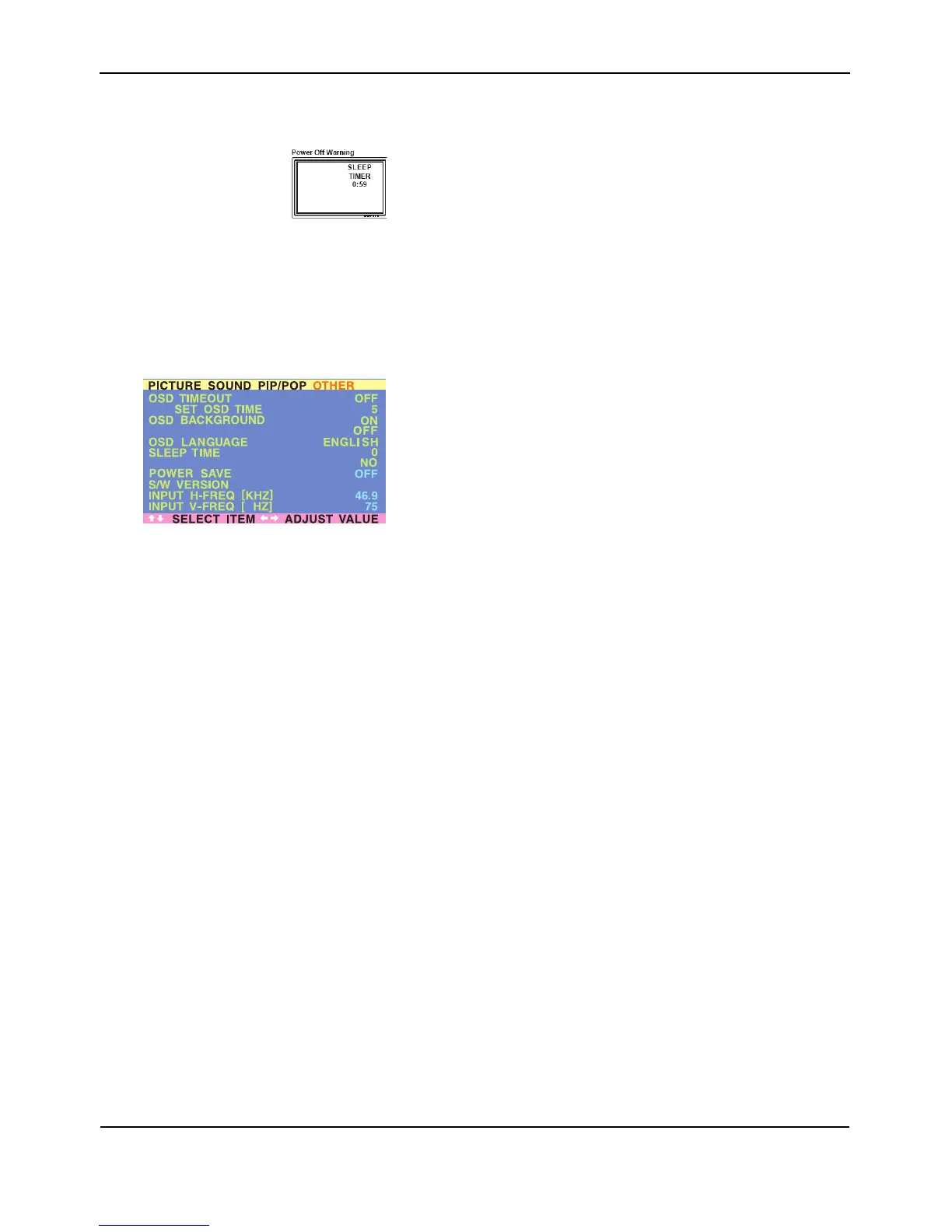
The monitor will function normally until the 1-minute mark. At the
1-minute mark, the sleep timer will display a second by second
countdown clock to notify you that the monitor is about to turn off.
Sleep Timer options:
■ Sleep Timer On/Off
To turn on sleep timer, switch to ON position. To turn OFF sleep
timer, switch to OFF.
■ Timer Setting
Use the ADJ +/- keys to set the turn-off timer from 1 to 120
minutes in steps of 20 minutes.
6
BURN-IN RECOVERY
PIXEL SHIFT
H4222_0316



 To Next Page