User Manual BDH4222V/4223V
41
8.8 PICTURE ADJUSTING
8.8.1 FOR AV
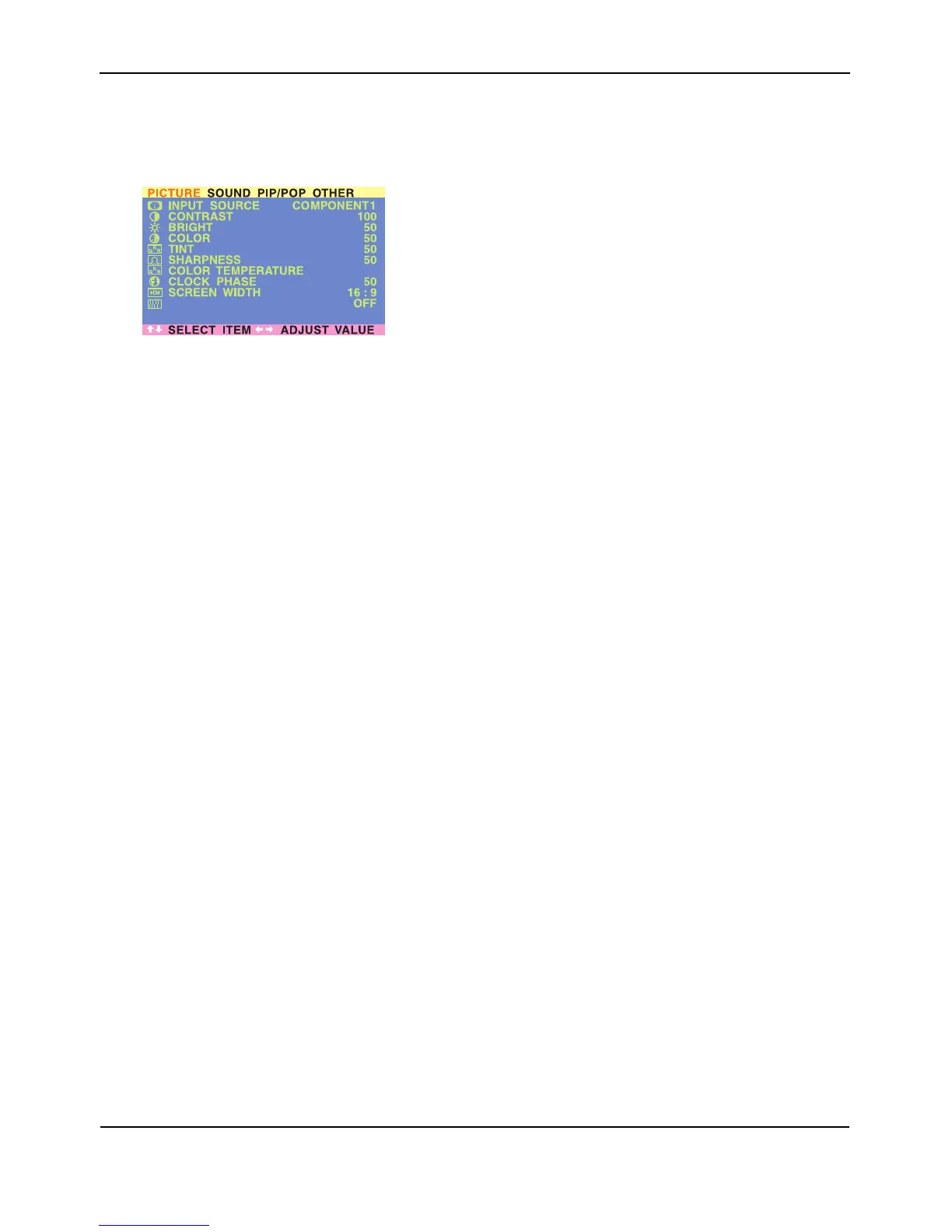
Accessing Picture Adjustment Mode
Various picture adjustments can be set using the Picture Adjustment
OSD menu. To access the OSD menu:
1 Press the MENU +/- keys on the remote or the front control panel.
2 The first menu displayed is the PICTURE menu. Make sure that the
“Picture” OSD menu is displayed.
3 Use the MENU +/- keys to move up and down to choose the option
you wish to adjust. An explanation of each adjustment is listed
below.
4 Use the ADJ +/- keys to change the setting.
Notes:
● These controls are available when input selection is set to: AV1 and
AV2 (S).
● To restore picture settings to the factory defaults, simply press the
RECALL key on the remote control.
NOISE REDUCTION
NORMAL


 To Next Page