EN 14
4.3. HDMI audio output
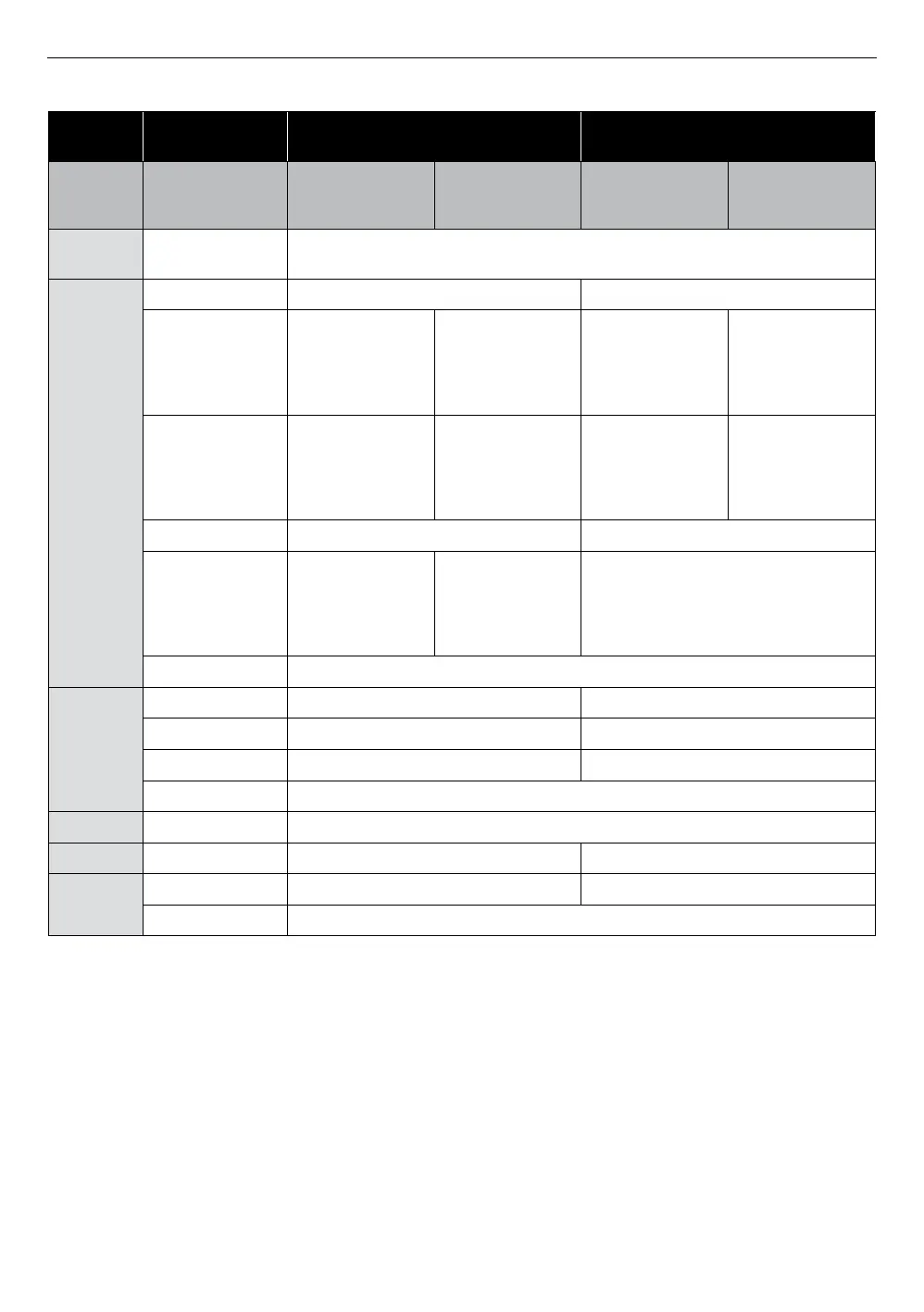
“HDMI Audio”
setting A
“Bitstream” “LPCM”
“Blu-ray Disc
audio”
setting A
“All” or
“Primary/
Secondary Audio”
“Primary audio only”
“All” or
“Primary/
Secondary audio”
“Primary audio only”
Media
È
Audio Source
È
Which audio format can be output depends on compatibility of the connected
device.
BD-video
Dolby Digital Dolby Digital or Downmix 2ch PCM Downmix 2ch PCM
Dolby Digital Plus
Dolby Digital
or
Downmix 2ch PCM
*
1
Dolby Digital Plus
or
Dolby Digital
or
Downmix 2ch PCM
*
1
Downmix 2ch PCM
*
1
Downmix 2ch PCM
*
1
Dolby TrueHD
Dolby Digital
or
Downmix 2ch PCM
*
2
Dolby TrueHD
or
Dolby Digital
or
Downmix 2ch PCM
*
2
Downmix 2ch PCM
*
1
Downmix 2ch PCM
*
1
DTS
®
DTS
®
or Downmix 2ch PCM Downmix 2ch PCM
DTS-HD
®
DTS
®
or
Downmix 2ch PCM
*
3
DTS-HD
®
or
DTS
®
or
Downmix 2ch PCM
*
3
Downmix 2ch PCM
*
3
LPCM Multi LPCM
DVD-video
Dolby Digital Dolby Digital or Downmix 2ch PCM Downmix 2ch PCM
DTS
®
DTS
®
or Downmix 2ch PCM Downmix 2ch PCM
MPEG MPEG or Multi LPCM Multi LPCM
LPCM Multi LPCM
Audio CD LPCM 2ch LPCM
DTS-CD DTS
®
DTS
®
or Downmix 2ch PCM Downmix 2ch PCM
AVCHD
Dolby Digital Dolby Digital or Downmix 2ch PCM Downmix 2ch PCM
LPCM Multi LPCM
*1) Only Dolby Digital data from the Dolby Digital Plus stream will be decoded and downmixed to 2ch PCM.
*2) Only 2ch data from the Dolby TrueHD stream will be decoded and output as downmixed 2ch PCM.
*3) Only the core substream is decoded.
NoteD
• If the connected device is not compatible with HDMI bitstream, audio will be output as multi LPCM or 2-channel
down-mixed LPCM depending on the capability of the connected device even if you select ˝Bitstream˝ in ˝HDMI
Audio˝ setting.
• When playing back a BD-Video which only contains the primary audio, the audio output will be the same case
as ˝Primary Audio Only˝ even if the ˝Blu-ray Disc Audio˝ is set to ˝All˝ or ˝Primary/Secondary Audio˝.
• If “Blu-ray Disc Audio” is set to “All” or “Primary/Secondary Audio”, HD Audio will not be output. In order to
enable the Button Sound feature, set “Blu-ray Disc Audio” to “All”. (The Button Sound setting may be found in
the Pop Menu.
• In order to configure “HDMI Audio” settings, the following conditions must be met:
- “Voice Guide” is set to “Off”


 To Next Page