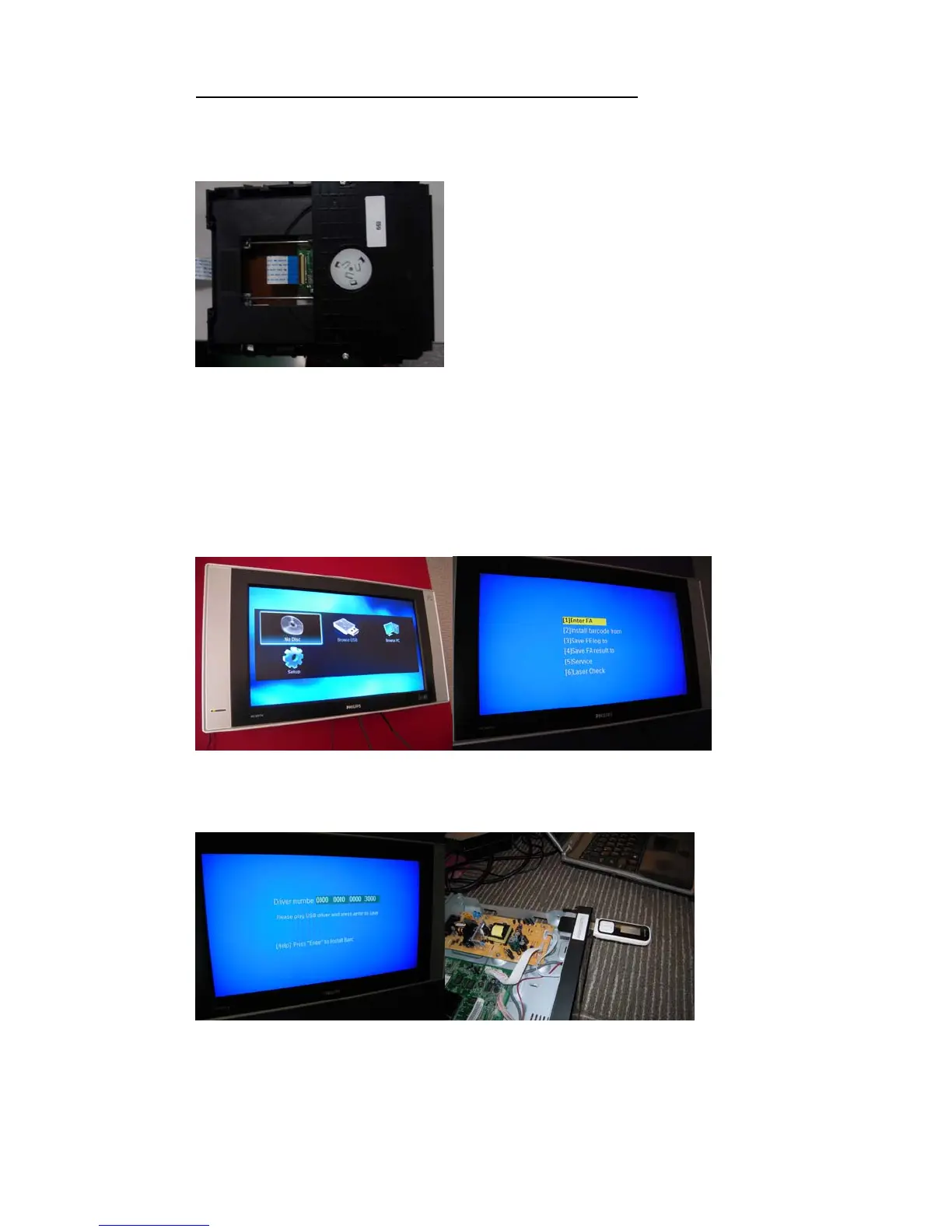
AppendixA–howtoproceedOPUandmainboardalignment?
1. RecordalltheNdigitsonattachedlabeloftheoriginalloaderornewloadersparepart
(ifreplacedanewloader),forexample:
Note:Somesetsdonothavethislabel,pleasefollowappendixBtogettheN digitsfrom
textfileandprogram.Afterthat,
place a sticker with “N digits” on the loader for future
repairs.
2. PoweronthesetandconnectwithTV,press“5”“1”“7”“7”byremotecontrolwhenin
theHOMEmenu,itwillenteraspecialmenuwith6options.Use“Up”and“Down”
buttonbyremotecontroltoselectoption“[5]Service”
3. Whenyouseethisscreen,pleaseplugaUSBdrive.Afterthatpress“Enter”toinstall
barcode.
Note:Weneedtoplug‐inUSBdriveotherwiseyoucannotproceedtonextstep.Thisis
forsavingdataincaseoffailurehappen,andthenloadersuppliercouldusethis
informationtoinvestigate.



 To Next Page