23
2 Touch number icons directly to input
phone number.
Touch
c
to delete last input
Touch
to access Bluetooth option
menu.
Touch
to go back to previous
screen.
3 After the phone number entered, touch
.
» The unit starts dialing.
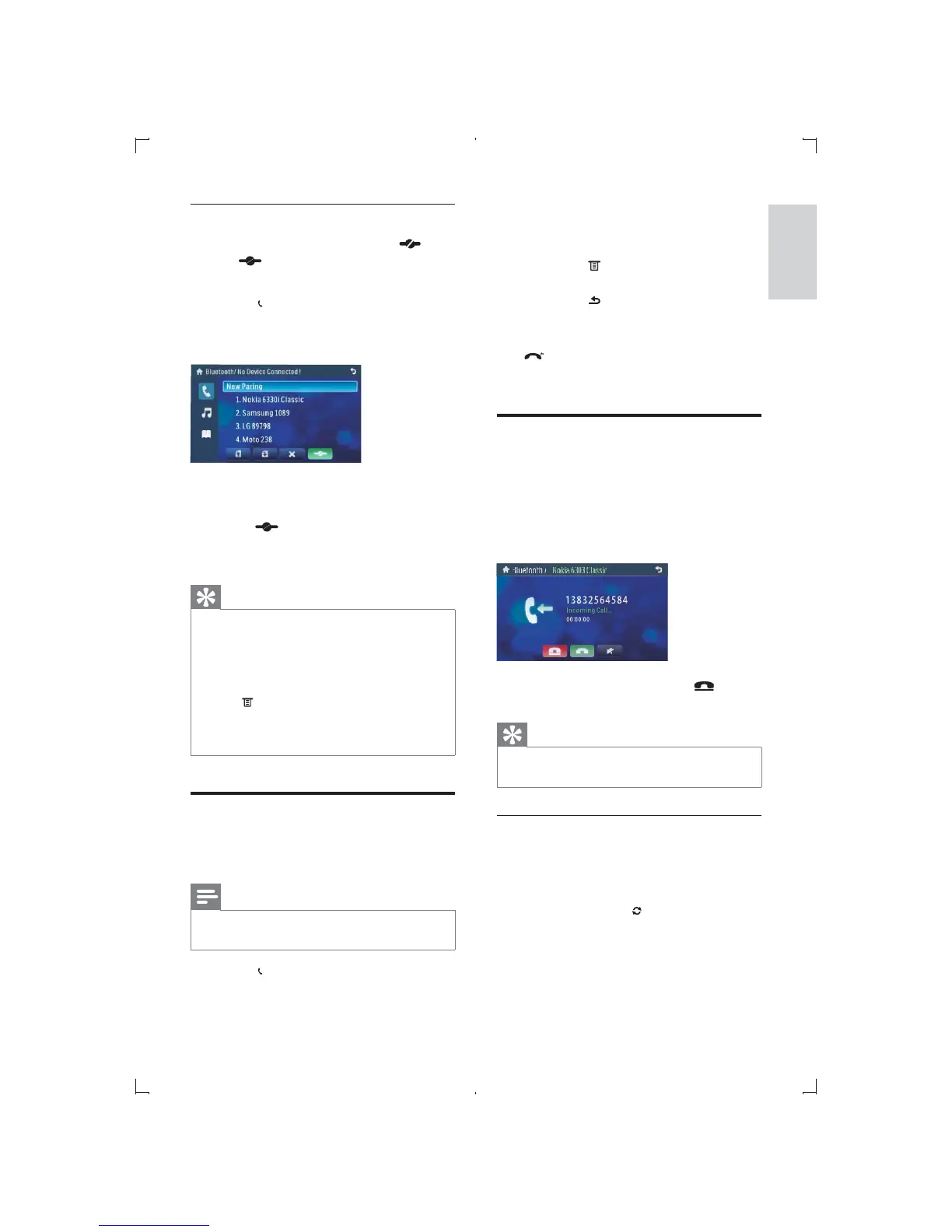
Receive call
By default, all incoming calls are received
automatically.
1 If there is incoming call, [Incoming call...]
Bluetooth microphone.
2 When conversation ends, tap (red)
to terminate the call.
Tip
You can select to receive calls manually by set
[Auto answer] to [Off] status.
Switch phone call to the mobile
If you do not want your passenger to hear
your incoming call, you can switch the call to
the mobile.
1 During talking, tap .
» The voice is transferred from the unit’s
loudspeaker to the mobile phone.
Disconnect Bluetooth devices
1 To disconnect one device, touch (red).
»
(green) is displayed.
Re-connect Bluetooth devices
1 Touch on top of the screen.
» The bluetooth/paired device screen
displays.
2 Touch on one device that you want to
re-connect.
3 Touch (green).
» Start to re-connect the selected
device.
Tip
The device will also be disconnected when the
device is moved beyond the operational range.
If you want to reconnect the device to the
unit, place it within the operational range.
If you do not want to reconnect the device to
the unit automatically, under Bluetooth mode,
touch
, and then touch option after [Auto
connect] repeatedly until [Off] displays. For
details, see the “Adjust Bluetooth settings”
section.
Make a call
You can make phone call with the unit under
any mode.
Note
Make sure the phone is connected to the unit
via Bluetooth.
1 Touch on top of the screen.
» The dial screen displays.
English
EN



 To Next Page