25
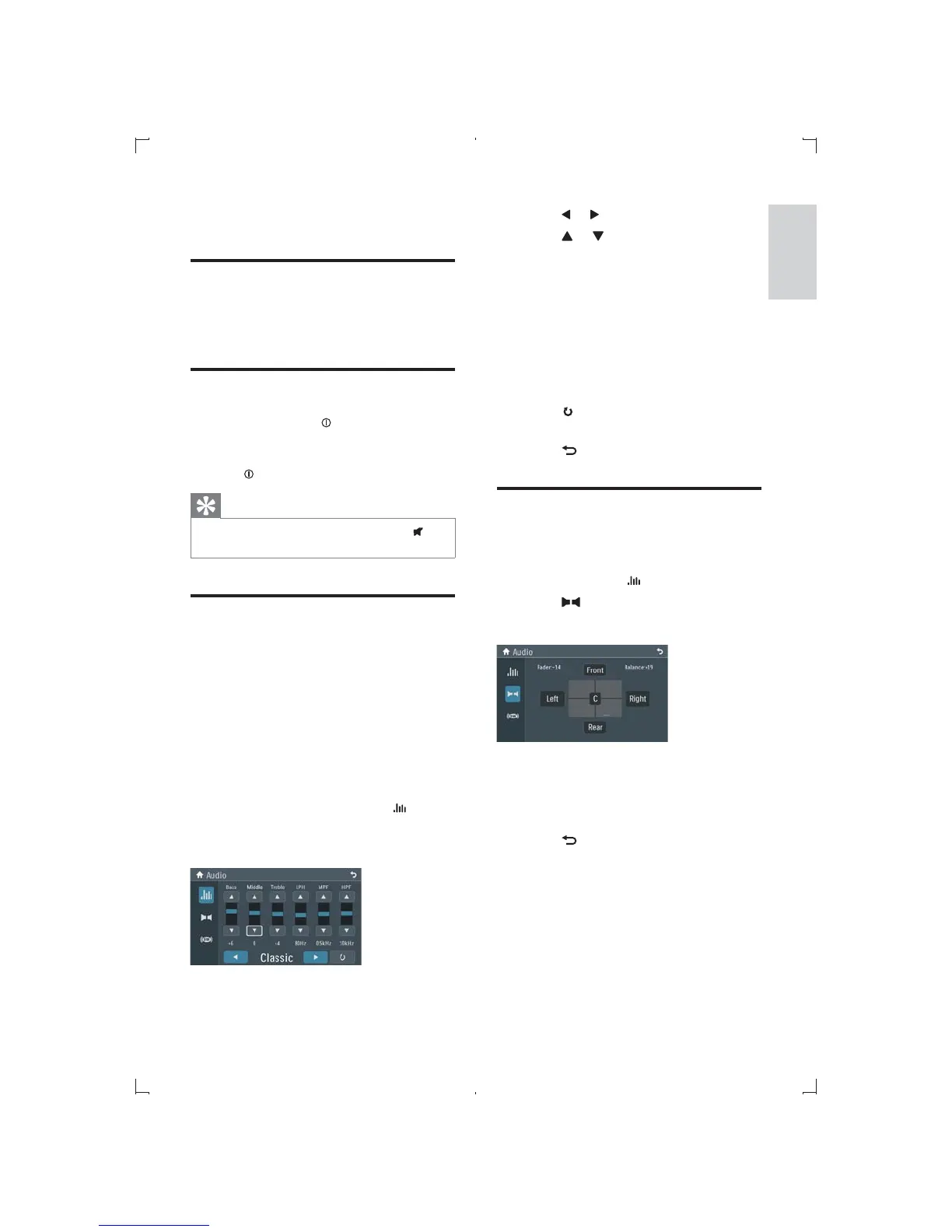
2 Touch or to select an EQ.
3 Touch or to adjust below settings:
[Bass] bass range: -15 to +15.
[Mid] middle range: -15 to +15.
[Treb] treble range: -15 to +15.
[LPH]
80Hz, 100Hz, 200Hz.
[MPF]
500Hz, 1KHz, 1.5KHz, 2.5KHz.
[HPF]
12.5KHz, 15KHz, 17.5KHz.
4 Touch to restore the above settings
into default settings.
5 Touch to exit.
Adjut fader/balance
You can also adjust the front and rear speaker
balance, the left and right speaker balance settings.
1 During play touch on the screen.
2 Touch .
» Sceen below displays:
3 Touch [Front], [Rear], [Left], [Right] or
[C] (center) to adjust fader/balance value.
Fader range: +16 to -16.
Balance range: -16 to +16.
4 Touch to exit.
6 Adjust sound
Adjust volume
1 Press +/- on the front panel to increase/
decrease volume.
Mute
1 During play, press /MUTE on the front
panel.
To turn the sound back on, press
/MUTE again.
Tip
You can also turn off sound by touching on
the screen.
Select preset equalizer
You can select preset equalizer:
[User]
[Techno]
[Rock]
[Classic]
[Jazz]
[Optimal]
[Flat]
[Pop]
1 During audio/video play, touch on the
screen.
» The current Equalizer setting is displayed.
English
EN



 To Next Page