13EN
5 Play audio/
video/picture
Make sure that the disc or device contains
playable music or video.
Note
• ForCDsrecordedinmultiplesessions,onlytherst
session is played.
• Does not support MP3 Pro audio format.
• It may not support and display special characters track
name (ID3) or album name properly.
• It cannot play some WMA is protected by Digital Rights
Management (DRM).
• Thesystemdoesnotdisplayorplaythefoldersorles
that exceed the supporting limit.
Warning
• Toreducetheriskoftrafcaccident,donotwatch
video during driving.
Load and eject discs
Warning
• Toreducetheriskoftrafcaccident,donowatch
video during driving.
You can play video, audio or images stored on
the following discs:
• DVD video, DVD-R, DVD-RW
• VCD
• AudioCD,CDwithJPEGles,CD-R,
CD-RW
Note
• Ensure that the disc contains playable content.
You can play DVD discs with the following
region codes:Press to open the front panel.
Russia, India
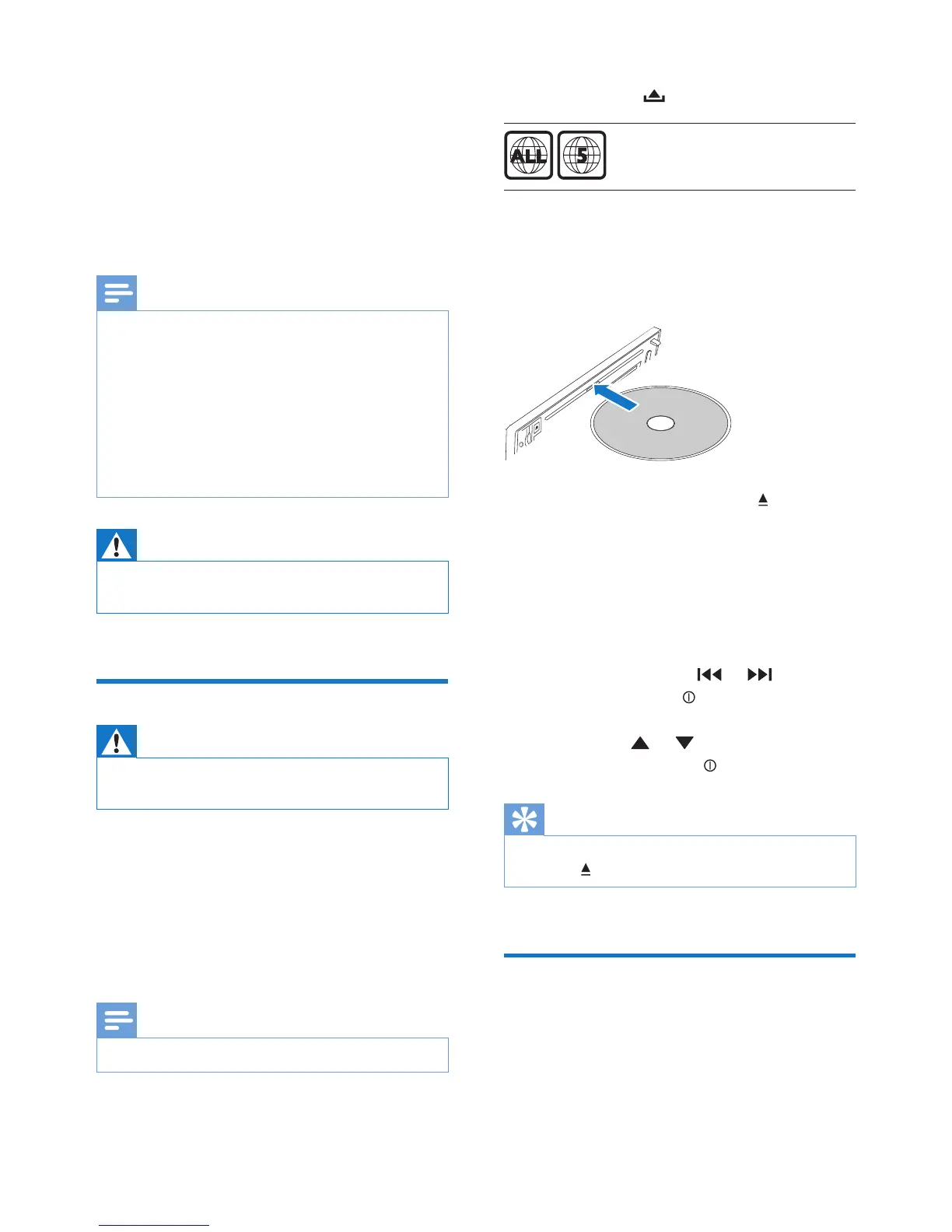
8 Insert the disc into the disc slot with label
side facing up.
» Play resumes from the point where it
was last stopped.
9 To remove the disc, press the button.
» When the disc is ejected, the
unit switches to TUNER mode
automatically.
10 Close the front panel.
» After a few seconds, the screen
illuminates.
• For video discs, press or to select
an item, then press to start playing.
• For discs that contain MP3s, WMAs, or
JPEGs, press or to select a folder,
track or picture. Press to start playing.
Tip
• If the disc is blocked in the disc compartment, press and
hold the button until the disc comes out.
Insert and remove USB
device
1 Slide down the USB socket cover.
2 Insert the USB device into the USB socket.



 To Next Page