22 EN
9 Other settings
Turn on or off the screen
backlight
To change screen backlight of the system, press
and hold .
• Dimmer High
• Dimmer Low
• Screen backlight turn off
Select Video Output format
The default video output format is based on
the format that is broadcast in your country.
If the picture is distorted, change the video
output.
Simply press the button repeatedly to select
the correct video output format.
Listen to other devices
You can connect an external audio/video device
to the car audio system.
1 Connect the the device to the car audio
system.
2 Press .
» The main menu is displayed.T
3 Press the navigation buttons to select
[AV-IN].
4 Operate the connected the device (see
the device's instructions manual).
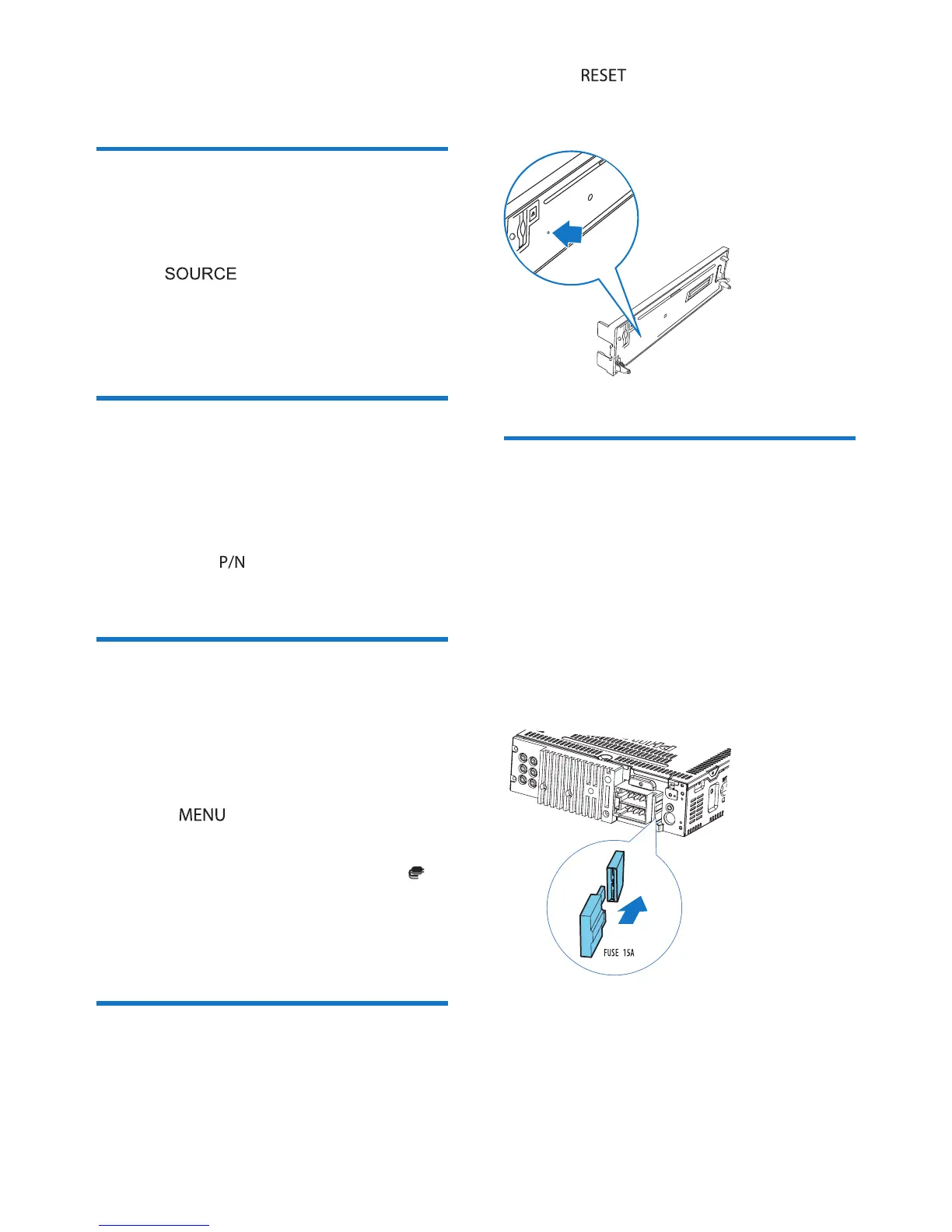
Reset
To reset the car audio system to its default
setting:
1 Detach the front panel.
2 Press by using a ball-point pen or
similar tool.
» All settings are erased except clock.
Replace fuse
If the system does not power on, the fuse may
be damaged and need replacement.
1 Detach the front panel and take out the
system.
2 Check the electric connection.
3 Buy a new fuse that matches the voltage of
the damaged fuse (15A).
4 Replace the fuse.



 To Next Page