EasyManua.ls Logo

Philips DC932 - Page 20

Philips DC932
32 pages
Print Icon
To Next Page IconTo Next Page
To Previous Page IconTo Previous Page
Loading...
CD
CHANGER*
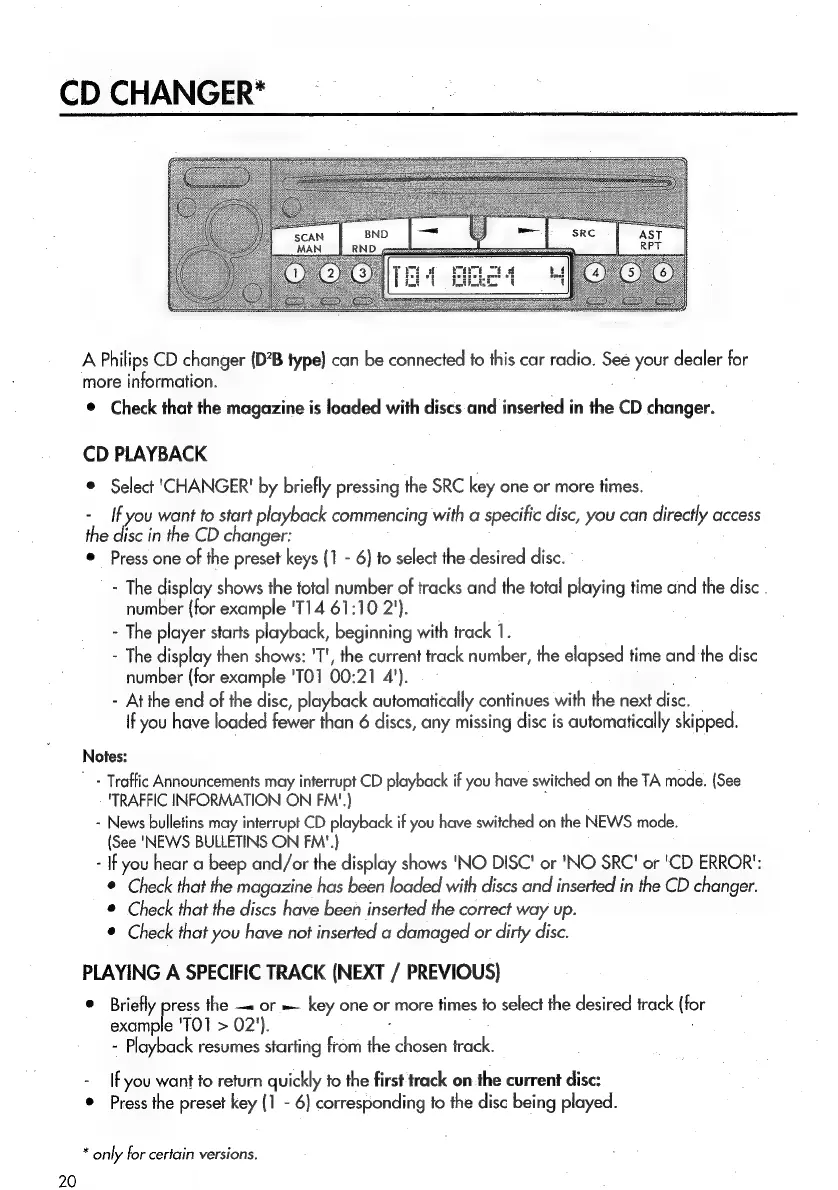
A
Philips
CD
changer
(D?B
type}
can
be
connected
to
this
car
radio.
See
your
dealer
for
more
information.
©
Check
that
the
magazine
is
loaded
with
discs
and
inserted
in
the
CD
changer.
CD
PLAYBACK
©
Select
'CHANGER'
by
briefly
pressing
the
SRC
key
one
or
more
times.
-
If
you
want
to
start
playback
commencing
with
a
specific
disc,
you
can
directly
access
the
disc
in
the
CD
changer:
e
Press
one
of
the
preset
keys
(1
-
6)
to
select
the
desired
disc.
-
The
display
shows
the
total
number
of
tracks
and
the
total
playing
time
and
the
disc
.
number
{for
example
'T14
61:10
2').
-
The
player
starts
playback,
beginning
with
track
1.
-
The
display
then
shows:
'T',
the
current
track
number,
the
elapsed
time
and
the
disc
number
(for
example
'TO1
00:21
4').
-
At
the
end
of
the
disc,
playback
automatically
continues
with
the
next
disc.
If
you
have
loaded
fewer
than
6
discs,
any
missing
disc
is
automatically
skipped.
Notes:
'
-
Traffic
Announcements
may
interrupt
CD
playback
if
you
have
switched
on
the
TA
mode.
(See
"TRAFFIC
INFORMATION
ON
FM‘'.)
;
-
News
bulletins
may
interrupt
CD
playback
if
you
have
switched
on
the
NEWS
mode.
(See
'NEWS
BULLETINS
ON
FM'.}
-
If
you
hear
a
beep
and/or
the
display
shows
'NO
DISC'
or
'NO
SRC'
or
'CD
ERROR’:
®
Check
that
the
magazine
has
been
loaded
with
discs
and
inserted
in
the
CD
changer.
©
Check
that
the
discs
have
been
inserted
the
correct
way
up.
©
Check
that
you
have
not
inserted
a
damaged
or
dirty
disc.
PLAYING
A
SPECIFIC
TRACK
(NEXT
/
PREVIOUS)
©
Briefly
press
the
or
=
key
one
or
more
times
to
select
the
desired
track
(for
example
'TO1
>
02').
-
Playback
resumes
starting
from
the
chosen
track.
-
If
you
want
to
return
quickly
fo
the
first
track
on
the
current
disc:
*
Press
the
preset
key
(1
-
6)
corresponding
to
the
disc
being
played.
*
only
for
certain
versions.
20

Related product manuals