EasyManua.ls Logo

Philips DC932 - Source Selection

Philips DC932
32 pages
Print Icon
To Next Page IconTo Next Page
To Previous Page IconTo Previous Page
Loading...
ON/OFF,
VOLUME,
SOURCE
SELECTION
...
ac
rR
|
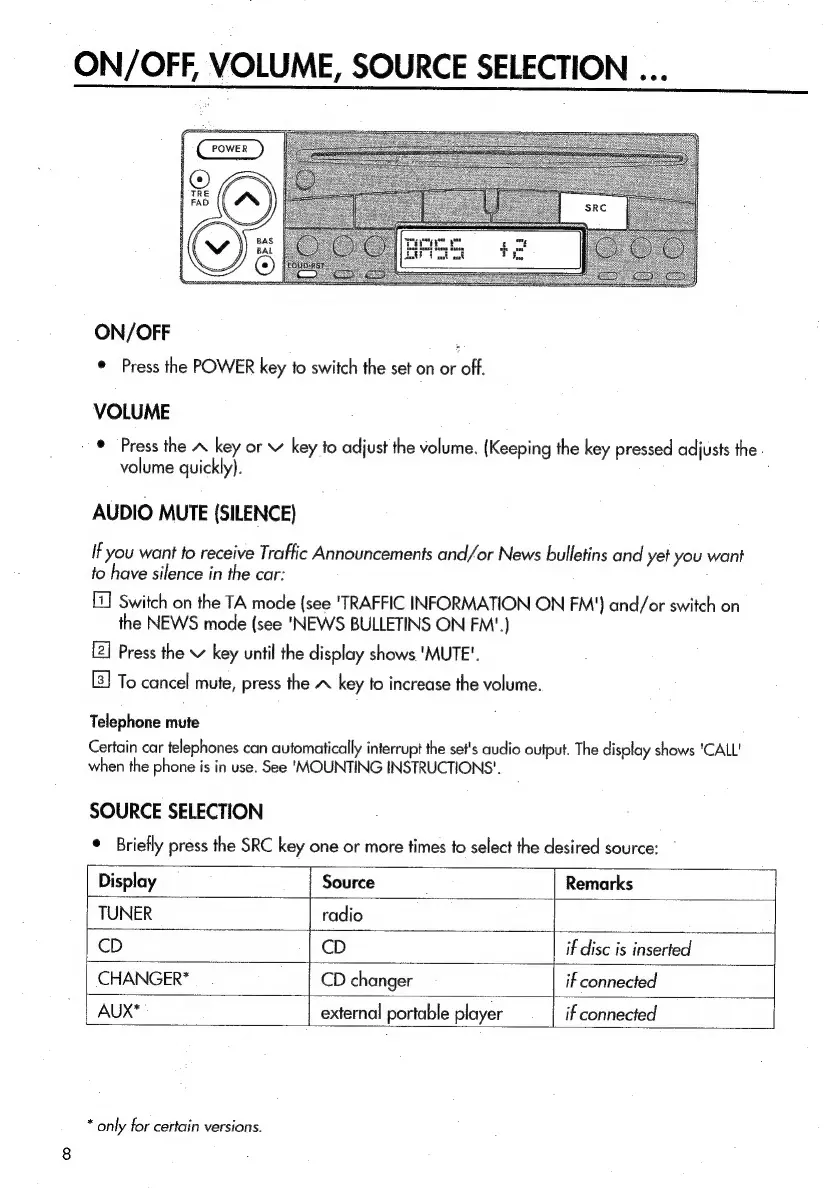
ON/OFF
;
©
Press
the
POWER
key
to
switch
the
set
on
or
off.
VOLUME
©
Press
the
A
key
or
key
to
adjust
the
volume.
(Keeping
the
key
pressed
adjusts
the.
volume
quickly).
AUDIO
MUTE
(SILENCE)
If
you
want
to
receive
Traffic
Announcements
and/or
News
bulletins
and
yet
you
want
fo
have
silence
in
the
car:
Switch
on
the
TA
mode
{see
'TRAFFIC
INFORMATION
ON
FM')
and/or
switch
on
the
NEWS
mode
(see
'NEWS
BULLETINS
ON
FM'.)
Press
the
v
key
until
the
display
shows
'MUTE'.
To
cancel
mute,
press
the
A
key
to
increase
the
volume.
Telephone
mute
Certain
car
telephones
can
automatically
interrupt
the
set's
audio
output.
The
display
shows
'CALL'
when
the
phone
is
in
use.
See
‘MOUNTING
INSTRUCTIONS'.
SOURCE
SELECTION
*
Briefly
press
the
SRC
key
one
or
more
times
to
select
the
desired
source:
Display
|
Source
Remarks
TUNER
radio
CD
CD
if
disc
is
inserted
CHANGER*
CD
changer
if
connected
AUX*
external
portable
player
if
connected
*
only
for
certain
versions.

Related product manuals