20
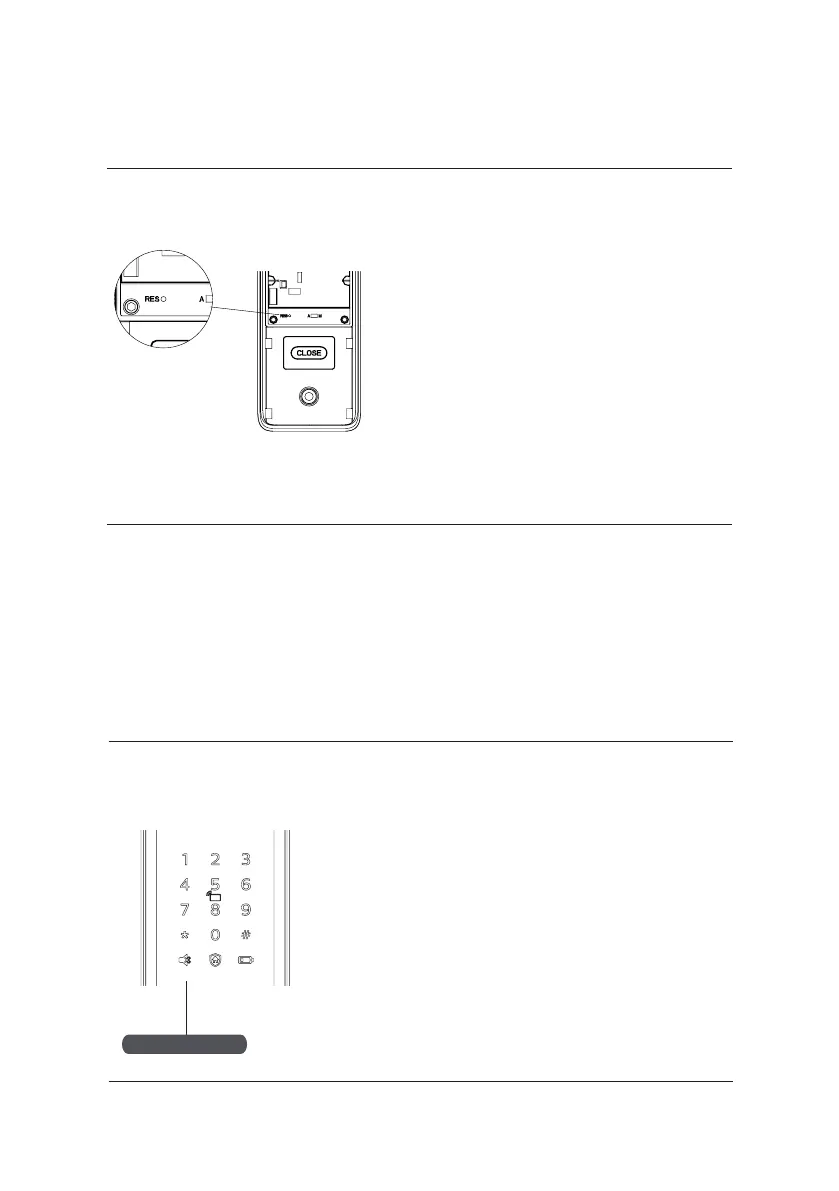
One-button mute function
Restore factory settings: one button to return
to initial state
Function:
Empty all user information and restore to
factory settings.
How to use:
Double click the [RES] button with a sharp
object, and all the user information will be
emptied. The lock will be restored to factory
settings.
Mute button
Function:
Use only one button to mute the lock by turning
o the voice guide. Applicable to the scenes
where you don’t want to disturb your family.
How to use:
1. Mute: When the system is awake, long press
the [Mute] button for 2 seconds to enter one-
time mute mode. The button will glow green.
2. Unmute: When the system is awake, long
press the [Mute] button for 2 seconds to restore
the voice guide. The button will glow white.










 To Next Page