OPERATING YOUR UNIT
3.1 LOCAL OPERATION
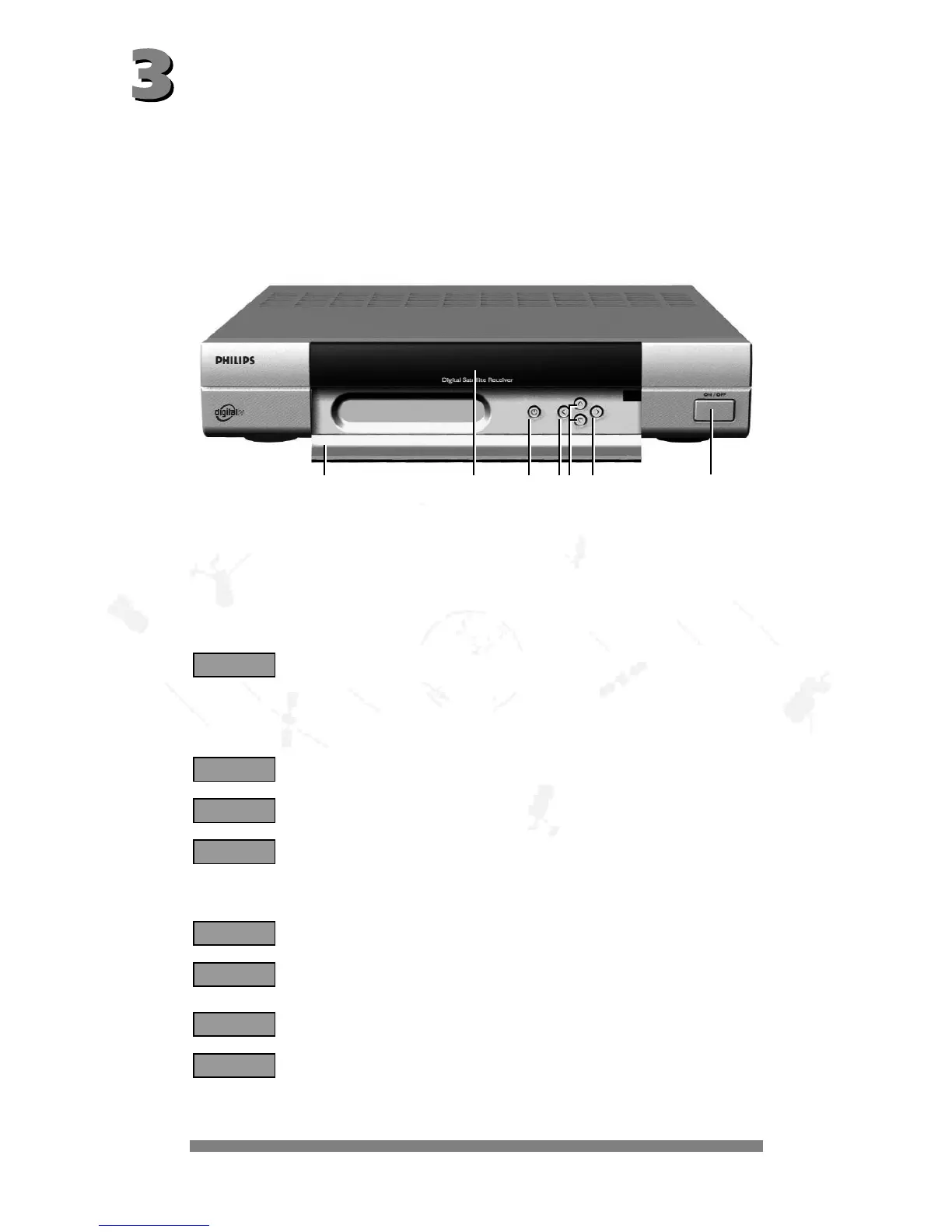
Open (and close) the flap on the front of the unit by pressing the marked area (on the right-hand
side).
Local operation is by means of the keys
STANDBY
, 8 and 9 for switching between channels
upwards/downwards (CH -/+), as well as + and * for adjusting the volume (VOL -/+).
To switch between radio and TV, press the
STANDBY
key briefly and then within one second
the + key for radio or * for TV mode.
1 - Flap
2 - 4 Digit LED front indicator
3 - *: standby key
4 - + and *: adjust volume key (Vol -/+)
5 - 8 and 9: upwards/downwards channels key (CH -/+)
6 - ON/OFF switch button
The LED indicator shows Radio/TV selection mode for one second.
The unit has an on/off switch with power separation.
The indicator for the channel number is via the 4-digit green 7-segment indicator.
TV channel indicator
Radio channel indicator
Indicator t = TV mode (+ channel number of satellite receiver)
N.B.: If the unit has been switched to TV mode by means of the TV key, the
image on the TV unit is the one transmitted by the TV unit, e.g. from an addi-
tional cable source.
The points are indicated if the unit is switched to «mute».
VCR indicator:
During play-back the video/audio signal from the video recorder is automati-
cally switched to the television unit - in standby mode also.
VCR indicator: switched through in standby mode.
The unit is in standby mode and can be switched on using the
STANDBY
key.
-
V c r -
V c r
P 2.3.4.
t 1 2 3
r 25
P 9 9 9
r t
$
1234546



 To Next Page