22 Still Picture, Time Search
Still Picture
1
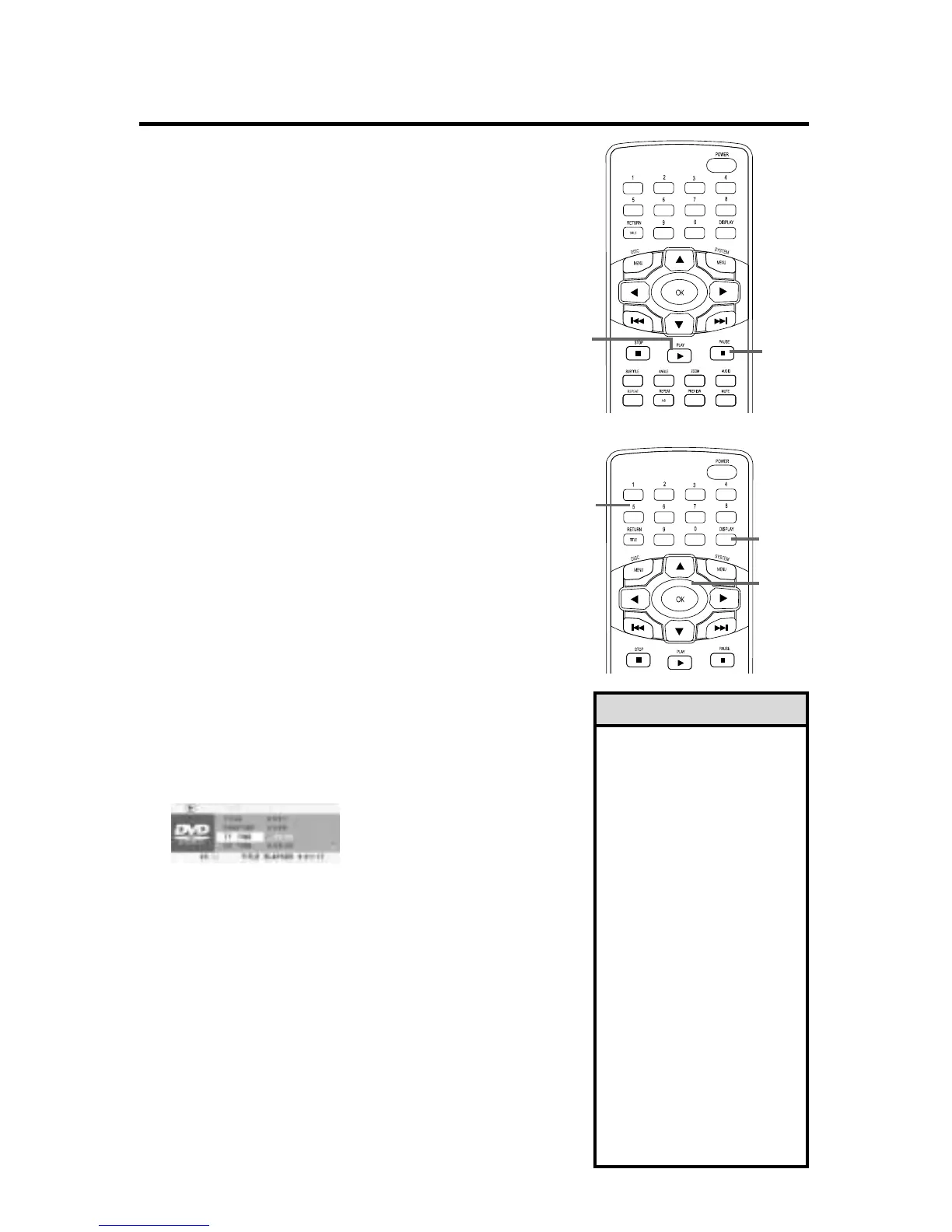
Press PAUSE 8 on the remote to pause a
DVD or Video CD picture.
2
Press PAUSE 8 repeatedly to advance the
still picture one frame at a time.
3
Press PLAY to resume regular play.
Time Search
1
Press DISPLAY during DVD or Video CD
play to see the Display information on the TV.
2
Press p repeatedly to select TIME DISP.
Press OK. Press o or p to highlight a
Counter type, then press OK. See Helpful
Hints at right.The Counter will appear at the
bottom of the display.
3
Press o or p to select TT TIME, CH TIME, or
DISC TIME, for example.This shows the total
playing time of the Title, Chapter, or Disc
(depending on the Disc in the Player).
4
Press OK to select the corresponding
counter.
5
Press the Number
buttons to enter the elapsed playing time
at which you want to resume play. (Press 1
to quit and reselect TT TIME, CH TIME, etc.)
Enter the time in hours, minutes, and seconds.
Play will start at that point.
6
Press DISPLAY to remove the display.
1,2
2-4
5
1,6
• Pausing a picture more than
five minutes activates the
screen saver. See page 47.
• These displays will be avail-
able, depending on the Disc.
CHAPTER ELAPSED - elapsed
playing time of Chapter;
CHAPTER REMAIN - remain-
ing playing time of Chapter;
TITLE ELAPSED - elapsed
playing time of Title;
TITLE REMAIN - remaining
playing time of Title;
TOTAL ELAPSED - elapsed
playing time of Disc;
TOTAL REMAIN - remaining
playing time of Disc.
SINGLE ELAPSED - elapsed
playing time of Track;
SINGLE REMAIN - remaining
playing time of Track.
• Press DISPLAY during Audio
CD play to see the SINGLE
ELAPSED, SINGLE REMAIN,
TOTAL ELAPSED, or TOTAL
REMAIN counter on the TV.
Helpful Hints
3
DVD
example


 To Next Page