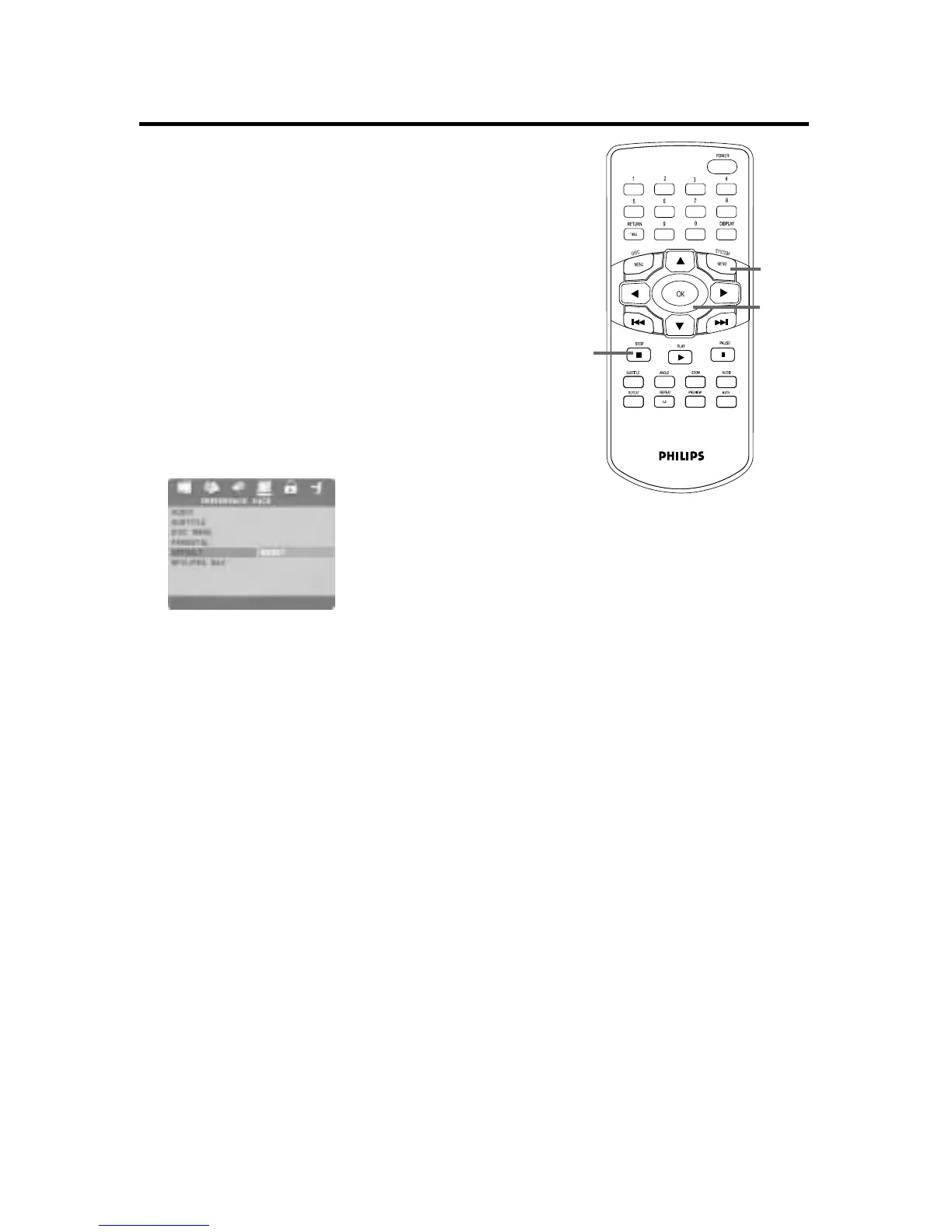
To restore the original settings of the DVD Player,
follow the steps below.
1
Press STOP twice to stop Disc play com-
pletely.
2
Press SYSTEM MENU.
3
Press 2 repeatedly to select the PREFER-
ENCE PAGE, then press OK.
4
Press 4 repeatedly to select DEFAULT.
5
Press 2 to select RESET, then press OK.
The original settings of the DVD Player will be
restored.
6
Press SYSTEM MENU to remove the menus.
2,6
3-5
1
48 Defaults


 To Next Page