44 3D Sound
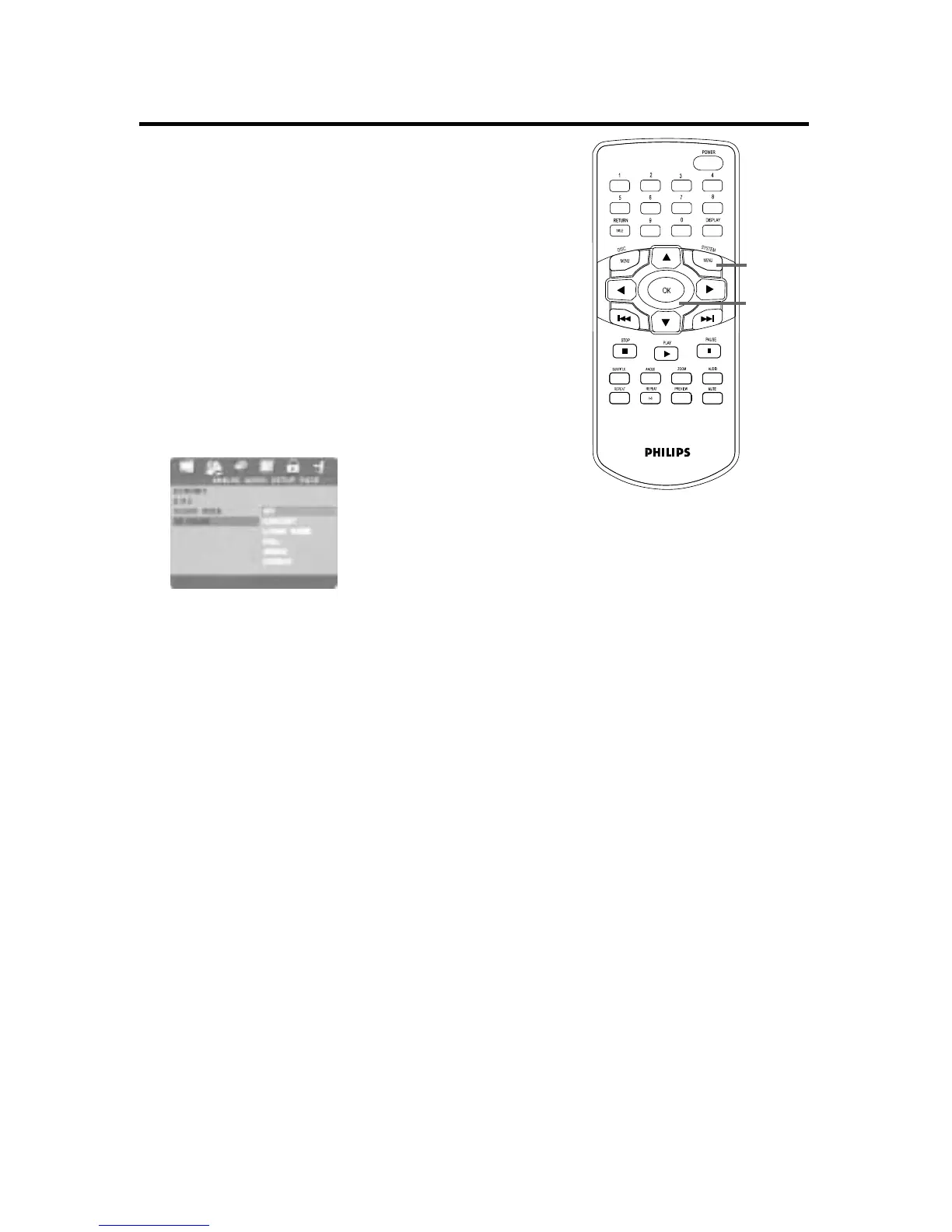
During music playback, this feature simulates echoes
and frequencies that may be available in a particular
environment. Choose the environment that you
would like to recreate by changing the 3D SOUND
setting.
1
Press SYSTEM MENU.
2
Press 2 to select the AUDIO SETUP
PAGE, then press OK.
3
ANALOG AUDIO SETUP will be selected.
Press OK.
4
P
ress
4 to select 3D SOUND. Press 2.
5
Press 3 or 4 to select OFF, CONCERT,
LIVING ROOM, HALL,ARENA, or
CHURCH, then press OK. Choose OFF to
play the Disc with its original sound effects.
6
Press SYSTEM MENU to remove the menus.
1,6
2-5


 To Next Page