3-14
5. Hi-Fi CIRCUIT
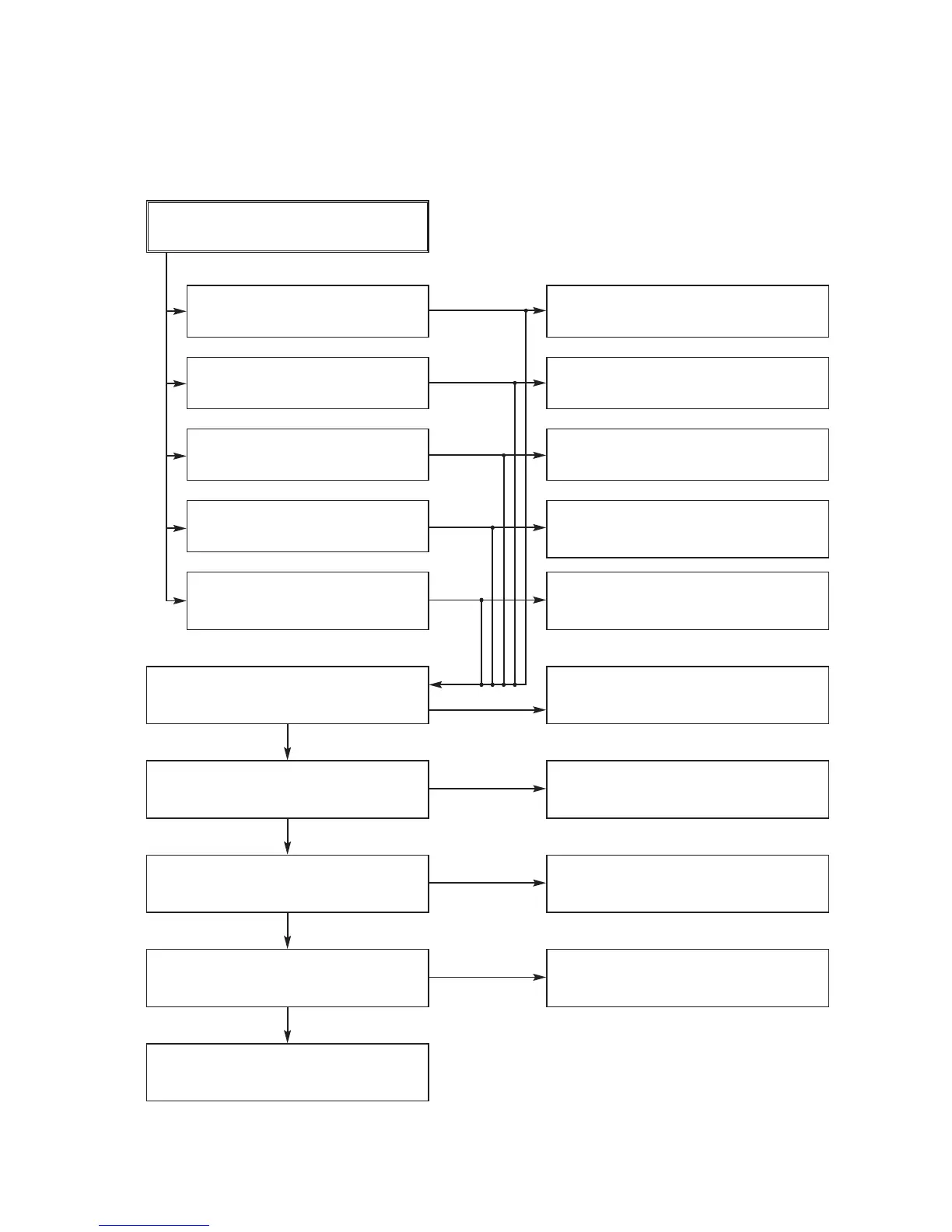
(A) No Sound(EE Mode)
YES
No Sound.
Check the TU Audio of IC801
Pins2, 3.
Check the DVD Audio of IC801
Pins4, 5.
Check the AV1 Audio of IC801
Pins6, 7.
Check the AV2 Audio of IC801
Pins8, 9.
Check the AV3 Audio of IC801
Pins10, 11.
Check the Vcc of IC801 Pins34, 40,
IC802 Pin13.
YES
Check the IIC Clock and DATA at
IC801 Pins42, 43.
YES
Check the Audio of IC801 Pins16, 17.
YES
Check the Audio of IC802 Pins1, 14.
YES
Check the JK902, SC901.
Check the IC751 Pins30, 31.
NO
Check the DVD Audio OUT.
(JK902 DVD_A_L_L/R).
NO
Check the Scart1 Jack.
(SC901 Scart1 Audio in Pins2, 6).
NO
NO
Check the front Jack.
Check the Scart2 Jack.
(SC901 Scart2 Audio in Pins2, 6).
NO
Check the Power 5.0V, 12VT.
YES
NO
Check the IC501 Pins17, 18.
NO
Replace IC801.
Replace IC802.
NO
NO










 To Next Page