Electrical Alignments
EN 107EM5.1E 8.
8.4 Option Settings
8.4.1 Introduction
The microprocessor communicates with a large number of I2C
ICs in the set. To ensure good communication and to make
digital diagnosis possible, the microprocessor has to know
which ICs to address. The presence / absence of these specific
ICs (or functions) is made known by the option codes.
• You can set the "hardware related" options via the SAM -
ALIGNMENTS - OPTIONS or OPTION NUMBERS menu.
• You can set the "software related" options via the SAM -
DEALER OPTIONS menu.
Notes:
• After changing the option(s), save them with the STORE
command.
• The new option setting is only active after the TV is
switched "off" and "on" again with the AC power switch (the
EAROM is then read again).
8.4.2 DEALER OPTIONS
Select this sub-menu to set the initialisation codes (= options)
of the set via text menu's.
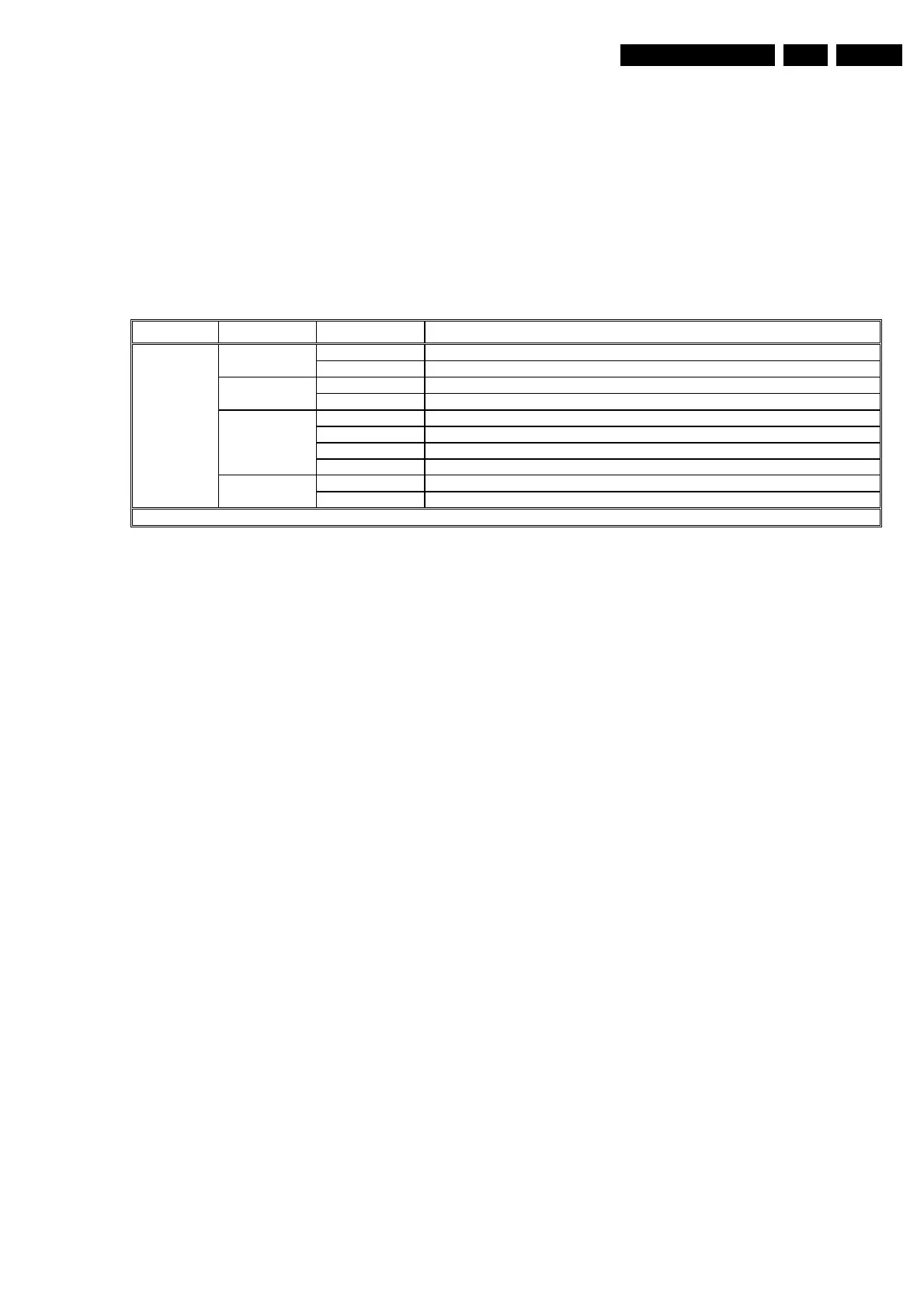
Figure 8-4 Dealer options overview
CL 36532021_014.eps
310303
Menu name Subjects Options Physically in set
Yes Video mute active when there is no signal detected Picture Mute
No Noise when there is no signal detected
Yes TV starts up with language selection menu Virgin Mode
No TV does not start up with language selection menu
None Auto Store mode disabled (not in installation menu)
PDC-VPS Auto Store mode via ATS (Automatic Tuning System) enabled
TXT page Auto Store mode via ACI (Automatic Channel Installation) enabled
Auto Store
Mode (for EU)
PDC-VPS-TXT Auto Store mode via ATS or ACI enabled
FLOF Preference to FLOF (Full Level One Features) teletext
Personal
Options
Txt Preference
(for EU)
TOP Preference to TOP (Table Of Pages) teletext
Note:
Above overview gives the menu items for all regions (EU/AP/US). The correct settings differs per region (see Option Numbers).







 To Next Page