18
ENGLISH
Warning: Add only pre-ground co ee to the compartment. Other sub-
stances and objects may cause severe damages to the machine. Such
damages will not be covered by warranty.
3
Press and release:
The "
" button for a cup of espresso
or
the "
" button for a cup of long espresso.
4
The brewing cycle then starts. Once the prebrewing cycle is complete,
co ee begins to come out of the dispensing spout.
5
The co ee brewing process stops automatically. It is nevertheless
possible to interrupt the co ee brewing process by pressing the “
”
"STOP" button.
After brewing the product, the co ee beans con guration of the ma-
chine is restored.
Note: Repeat the steps described above to brew other co ees.
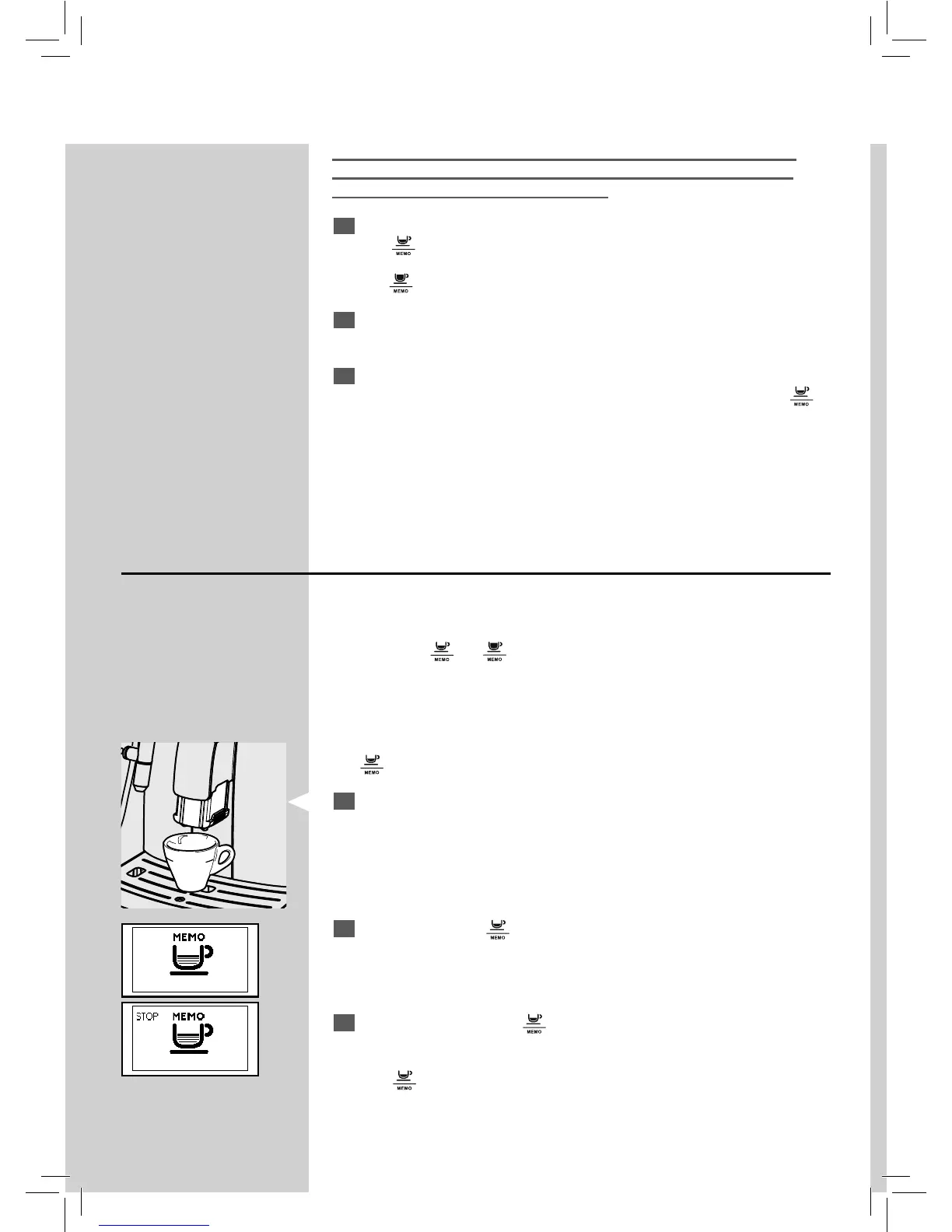
Adjusting the Co ee Length (MEMO Function)
The machine allows you to adjust the amount of brewed co ee according
to your taste and/or the size of your cups.
Each time the “
” or “ ” button is pressed and released, the machine
brews a pre-set amount of co ee. This amount may be reprogrammed
according to your taste. Each button may be individually programmed for a
speci c brew setting.
Note: As an example, the following procedure describes the programming of
the "
" button, which is usually associated with espresso co ee.
1
Place a cup under the dispensing spout.
2
Press and hold the" " button until the "MEMO" icon is displayed. The
machine is now programming.
The machine begins the brewing phase. The "STOP" icon is displayed.
3
From now on, press the " " button when the desired amount of cof-
fee is reached in the cup.
Now the "
" button has been programmed; each time it is pressed and
released, the machine will brew the same amount that has just been set.
GreenGreen







 To Next Page