ENGLISH
35
Programming Controls
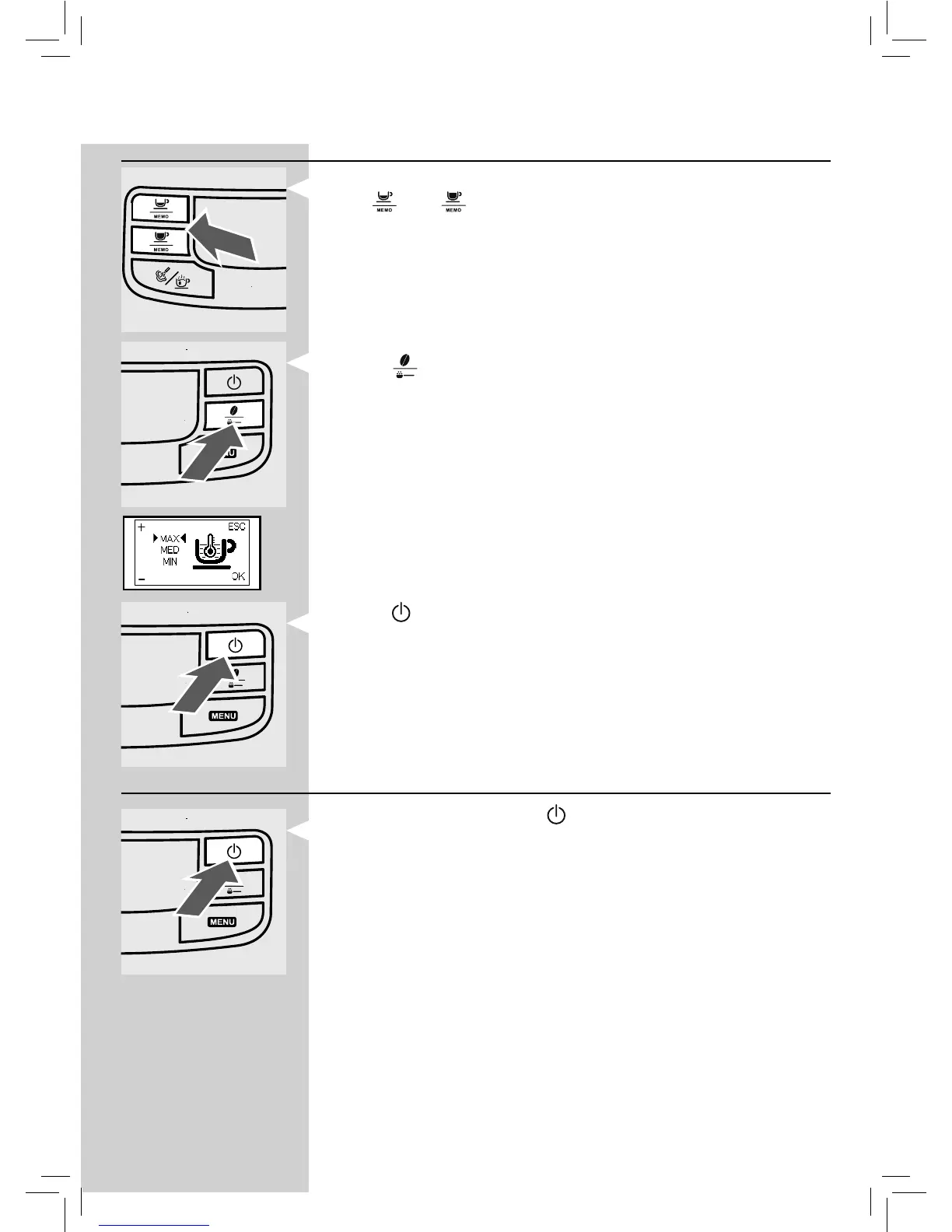
Changes can be made on each page:
-The "
" and " " buttons allow you to change the value of the func-
tion, among those present on the page.
Orange
- The " " button allows you to scroll the functions and store the per-
formed changes.
Note: Changes can be stored only after the displayed value is changed; when
the displayed value is changed, the "OK" message appears.
- The "
" button allows you to exit the change or programming mode.
Exiting the Programming Mode
To exit programming, press the " " button.
Note: The machine will exit the programming mode if the user does not do
anything for 30 seconds. The settings that were changed but not con rmed
will not be stored.








 To Next Page