ENGLISH
11
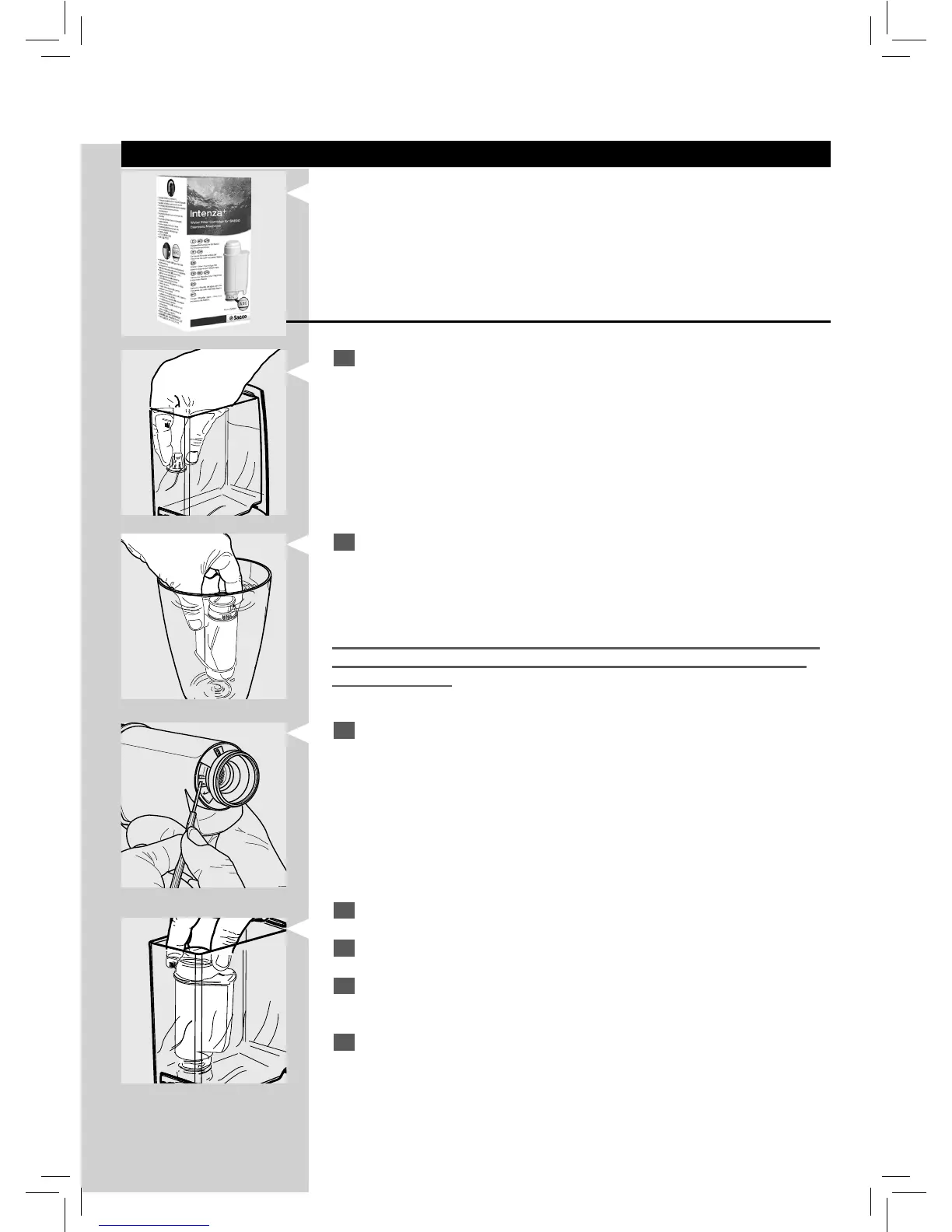
"INTENZA+" Water Filter (Optional)
The “INTENZA+” water lter can improve the quality of water. Using the
“Intenza+” lter will prevent limescale from building up and will ensure a
much more intense aroma to your espresso co ee. We therefore recom-
mend you to install the “Intenza+” water lter. You can purchase it at your
local dealer or on-line at the Philips on-line shop at http://shop.philips.com.
"INTENZA+" Water Filter Installation
1
Remove the small white lter from the tank and store it in a dry place
sheltered from dust.
2
Remove the "INTENZA+" water lter from its packaging, immerse it
vertically (with the opening positioned upwards) in cold water and
delicately press the sides so as to let the air bubbles out.
Measuring water hardness is very important in order to correctly manage
the "INTENZA+" water lter and the frequency with which the machine
must be descaled.
3
The lter should be set according to the measurements performed to
set the water hardness. Use the water hardness test strip provided with
the machine. Set the "Intenza Aroma System" as speci ed on the lter
packaging (see section "Measuring Water Hardness").
A = Soft water
B = Hard water (standard)
C = Very hard water
4
Put the lter into the empty tank. Press it until its limit stop.
5
Fill the tank with fresh drinking water and reinsert it into the machine.
6
Dispense the water in the tank by using the hot water function (see
section "Hot Water Dispensing”).
7
Fill the water tank again.







 To Next Page